36
Audio Operations
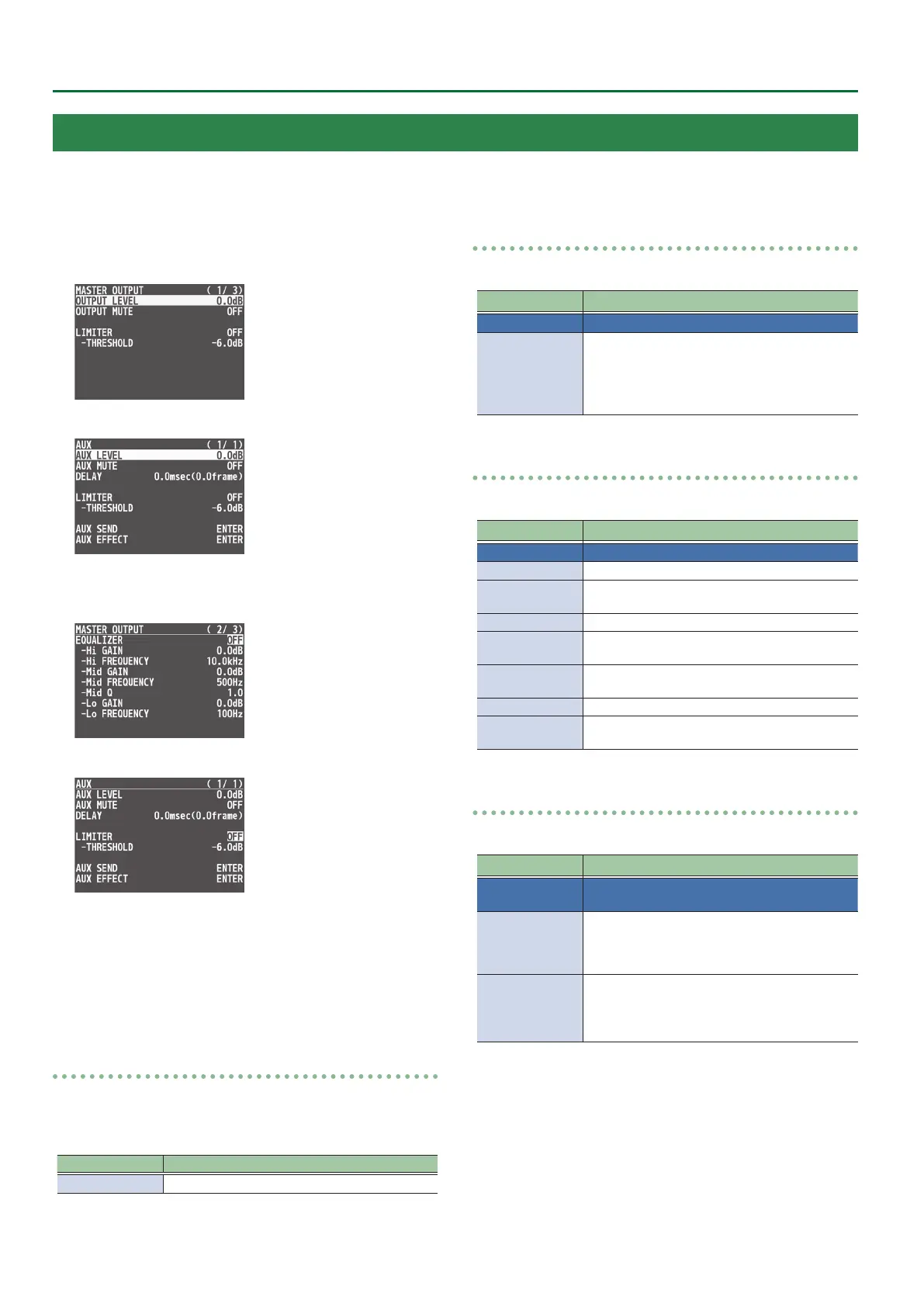
1. Press the [MENU] button0”AUDIO OUTPUT”0
select “MASTER OUTPUT” or “AUX,” and press the
[VALUE] knob.
(for AUX)
2. Use the [VALUE] knob to select an eect menu item,
and then press the [VALUE] knob.
(for AUX)
3. Use the [VALUE] knob to change the value, and
press the [VALUE] knob.
4. Press the [MENU] button to quit the menu.
Delay (DELAY) * AUX only
This outputs audio with a delay.
Delaying audio output lets you align the output timing of video and
audio.
Menu item Explanation
DELAY This adjusts the delay time for output audio.
LIMITER
This limits the output volume so that is does not exceed the set level.
Menu item Explanation
LIMITER Turn the limiter on or o.
THRESHOLD
Adjusts the level that becomes the threshold at
which the limiter is applied.
Compression is applied to audio that exceeds the
threshold. The volume level of audio that is output
is limited so as to stay to below the threshold.
EQUALIZER
This limits the output volume so that is does not exceed the set level.
Menu item Explanation
EQUALIZER Turns the equalizer on/o.
Hi GAIN Boosts or attenuates the high band.
Hi FREQUENCY
Species the center frequency when changing the
tone quality in the high band.
Mid GAIN Boosts or attenuates the middle band.
Mid FREQUENCY
Species the center frequency when changing the
tone quality in the middle band.
Mid Q
Adjusts the width of the frequency band when
boosting or attenuating the middle band.
Lo GAIN Boosts or attenuates the low band.
Lo FREQUENCY
Species the center frequency when changing the
tone quality in the low band.
MULTI BAND COMPRESSOR
This applies separate compressors in individual frequency bands.
Menu item Explanation
MULTI BAND
COMPRESSOR
Turns the multi-band compressor on/o.
Hi THRESHOLD
Mid THRESHOLD
Lo THRESHOLD
Specify the individual levels that become the
thresholds for the high, midrange, and low bands
at which the compressor is applied. Compression is
applied to audio that exceeds the threshold.
Hi RATIO
Mid RATIO
Lo RATIO
Specify the amount of compression applied in the
high, midrange, and low bands.
The state in which no compression is applied is
dened as “1.”
Applying Eects to Output Audio
You can modify the tonal character by applying eects to the audio output.
* You can apply a limiter (LIMITER) to the audio of the AUX bus.


 To Next Page