58
Other Features
Loading
Here’s how to load the sequencer settings that are saved on a USB
ash drive. When you load settings, the current sequencer settings
are overwritten.
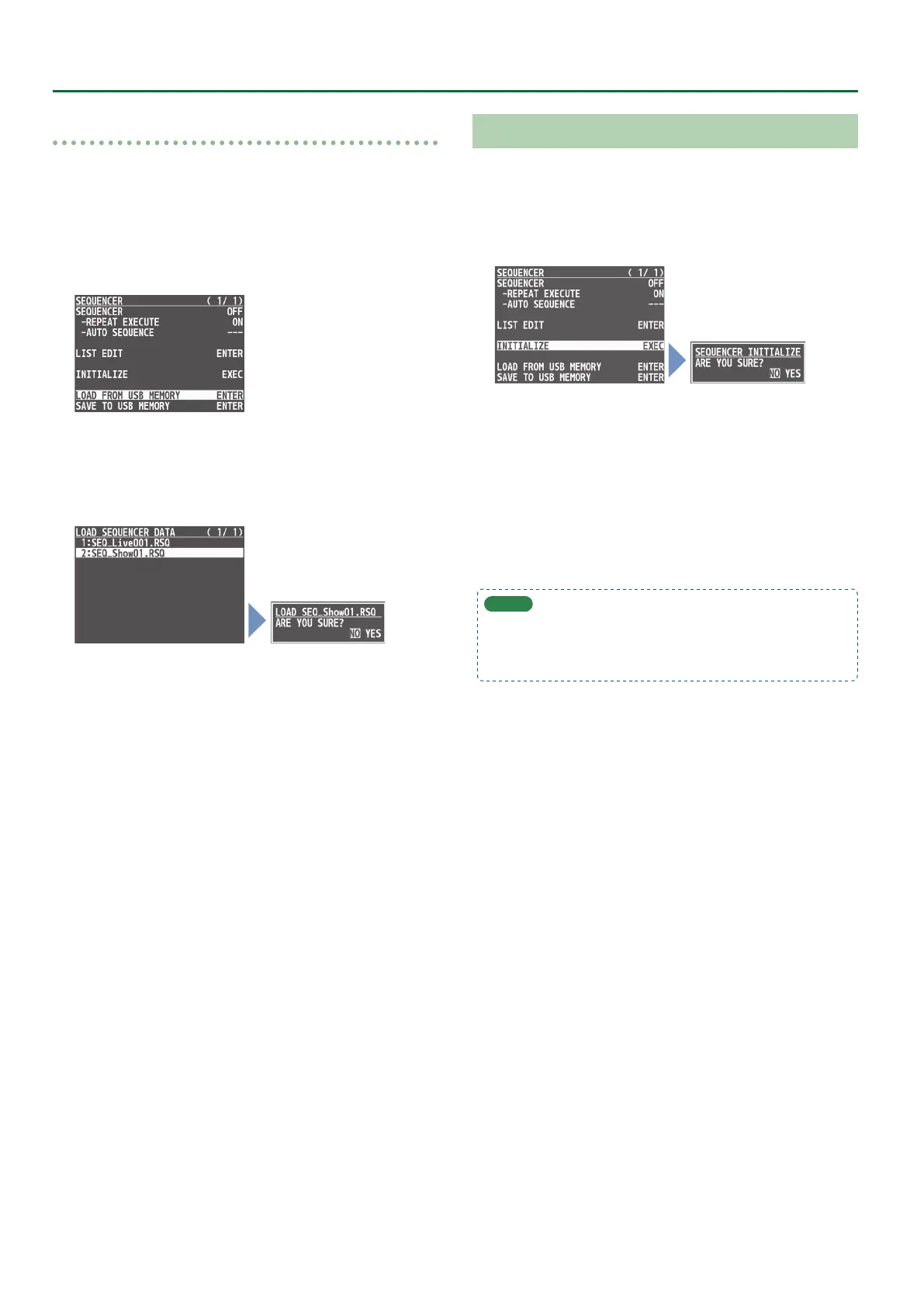
1. Press the [MENU] button0“SEQUENCER”0select
“LOAD FROM USB MEMORY,” and press the [VALUE]
knob.
The sequence les in the USB ash drive are listed.
2. Use the [VALUE] knob to select the sequence le
that you want to load, and press the [VALUE] knob.
A conrmation message appears.
* If you decide to cancel, press the [EXIT] button.
3. Use the [VALUE] knob to select “YES,” and press the
[VALUE] knob.
The sequencer settings are loaded. When the operation is nished,
the message “COMPLETE” appears.
4. Press the [MENU] button to close the menu.
Initializing the Sequencer
Here’s how to initialize the sequencer and erase all the settings.
1. Press the [MENU] button0“SEQUENCER”0select
“INITIALIZE,” and press the [VALUE] knob.
A conrmation message appears.
* If you decide to cancel, press the [EXIT] button.
2. Use the [VALUE] knob to select “YES,” and press the
[VALUE] knob.
The sequencer is initialized. When the operation is nished, the
message “COMPLETE” appears.
3. Press the [MENU] button to close the menu.
MEMO
About the sequencer demo data
Once you perform a factory reset (p. 64), any demo data you
have edited or deleted is restored to its factory default settings.


 To Next Page