8
Setting the Language and Date & Time
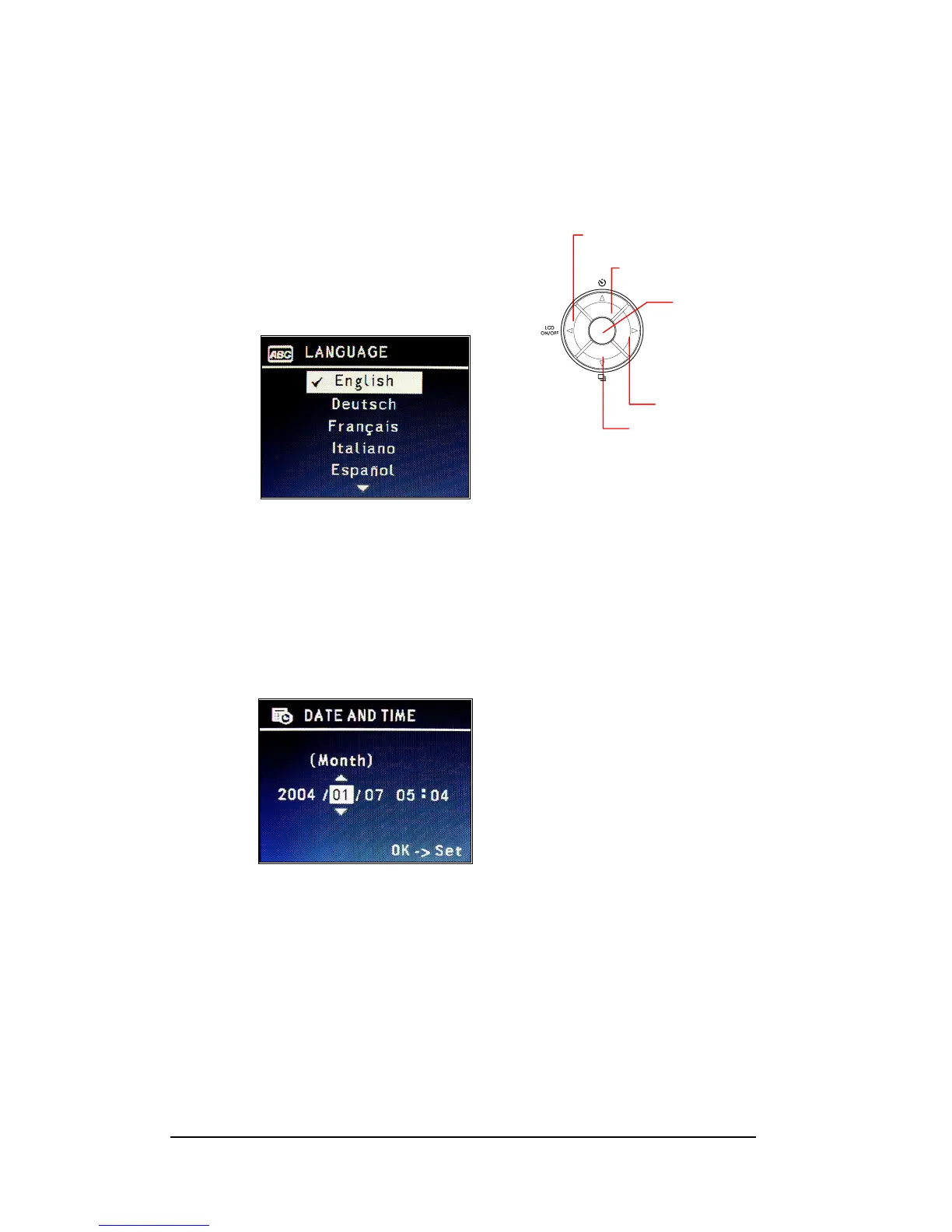
The Language selection will display the first time you power on the camera. After selecting
the language, the Date & Time Menu will bring up automatically.
Setting Language
1 Press Up or Down arrow (c/d) button to select the
desired language.
2 Press <Menu/OK> button to setup.
Setting Date & Time
1 Press Left-arrow (e) and Right-arrow (f) to select the
“Year”, “Month”, and “Date”.
2 Use Up-arrow (c) and Down-arrow (d) to change the
values.
3 Press <Menu/OK> button to apply the settings.
Down-arrow Button
Left-arrow Button
Up-arrow Button
Right-arrow Button
OKOK







 To Next Page