32
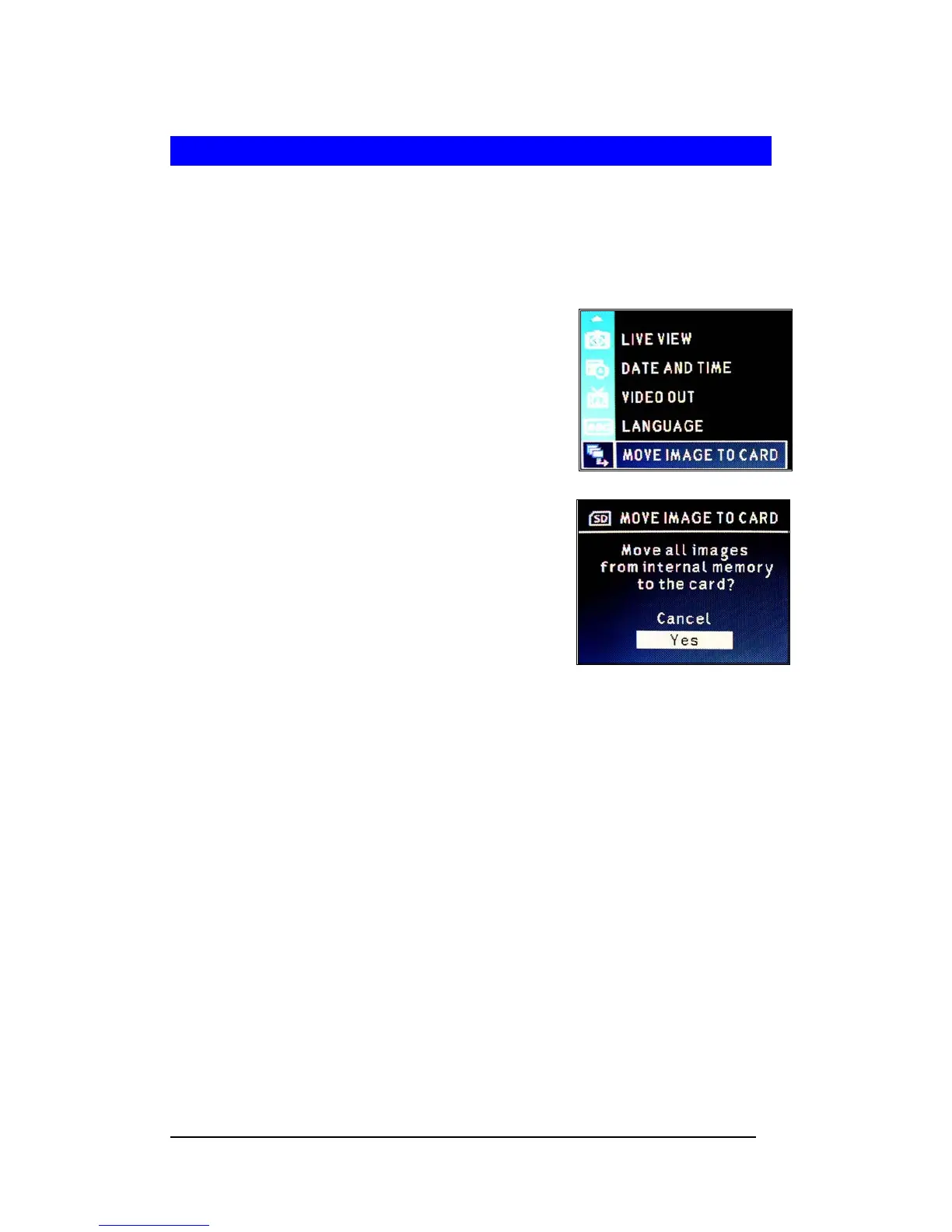
Move Images from Internal Memory to Card
The camera has a built-in 16MB internal memory. When a memory card is inserted into the
camera, you may move the images from the internal memory into the card.
Note : This feature is only function when the memory card is inserted.
1 Press <Menu/OK> button.
2 Select “SETUP MENU”.
3 Press <Menu/OK> button.
4 Select “MOVE IMAGES TO CARD”.
5 Press <Menu/OK> button.
6 Select “Yes” and press <Menu/OK> button.







 To Next Page