17
Playback on TV
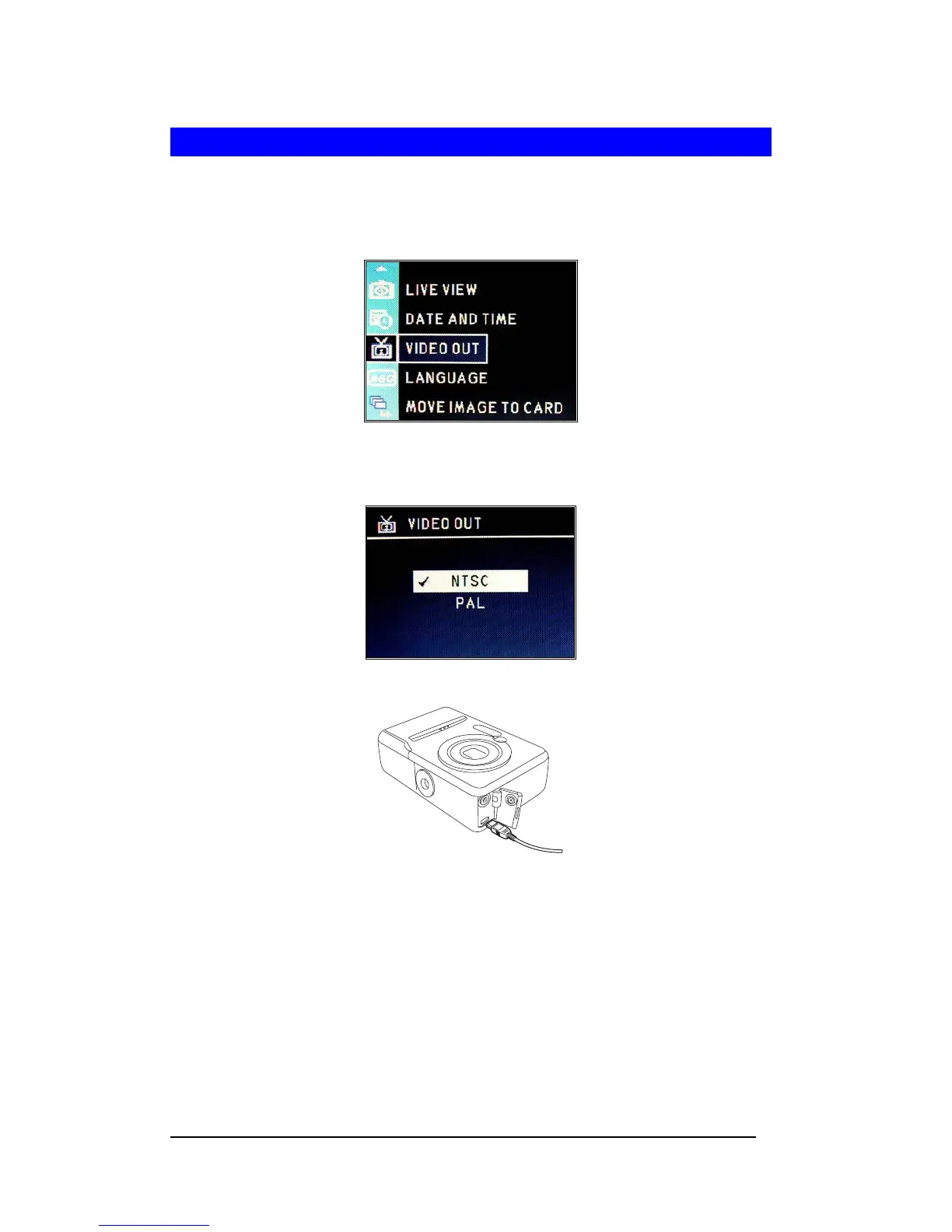
1 Turn On camera. Press <Menu/OK> to enter “SETUP MENU”.
2 Press the Up-arrow (▲) or Down-arrow (▼) button to select “VIDEO OUT”.
3 Press <Menu/OK>.
4 Set your video system format (NTSC or PAL).
5 Connect the provided AV cable to the camera and the TV Video IN terminal.
6 Turn the TV on and set the TV input switch to Video In. Turn the Camera ON.
7 The image will display on the TV screen.








 To Next Page