AFAF FLASHFLASH
Playback Button
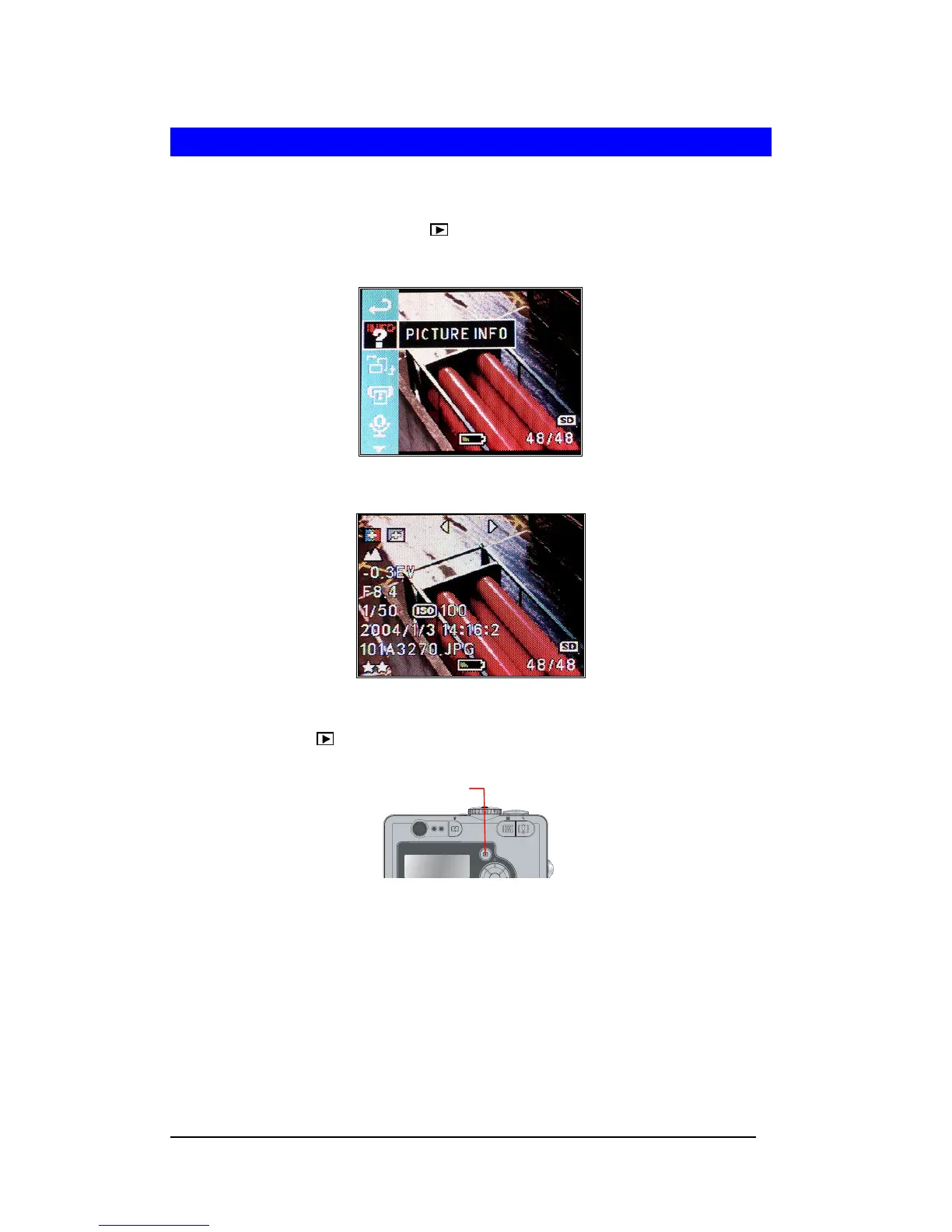
Display Image Properties
This camera provides image property information, which includes filename, image quality,
aperture value, shutter speed and ISO speed.
1 Turn On camera. Press Playback ( ) button.
2 Press <Menu/OK> button to enter “PICTURE INFO” .
3 Press <Menu/OK> button to display.
4 Press Left-arrow (e) or Right-arrow (f) to navigate images.
5 Press Playback ( ) button to return.







 To Next Page