29
Camera Setup
Factory default settings:
Function Factory Default Setting
Digital Zoom Enable
Camera Sound Low
LCD Monitor On
Flash Mode Auto
Drive Mode Single
Pre-set Scene Sports
Image Quality Best
EV Compensation 0
White Balance Auto
ISO Speed Auto
AE Metering Center Weighted
Saturation Medium
Sharpness Medium
Slide Show Interval 5 Seconds
Slide Show Loop Off
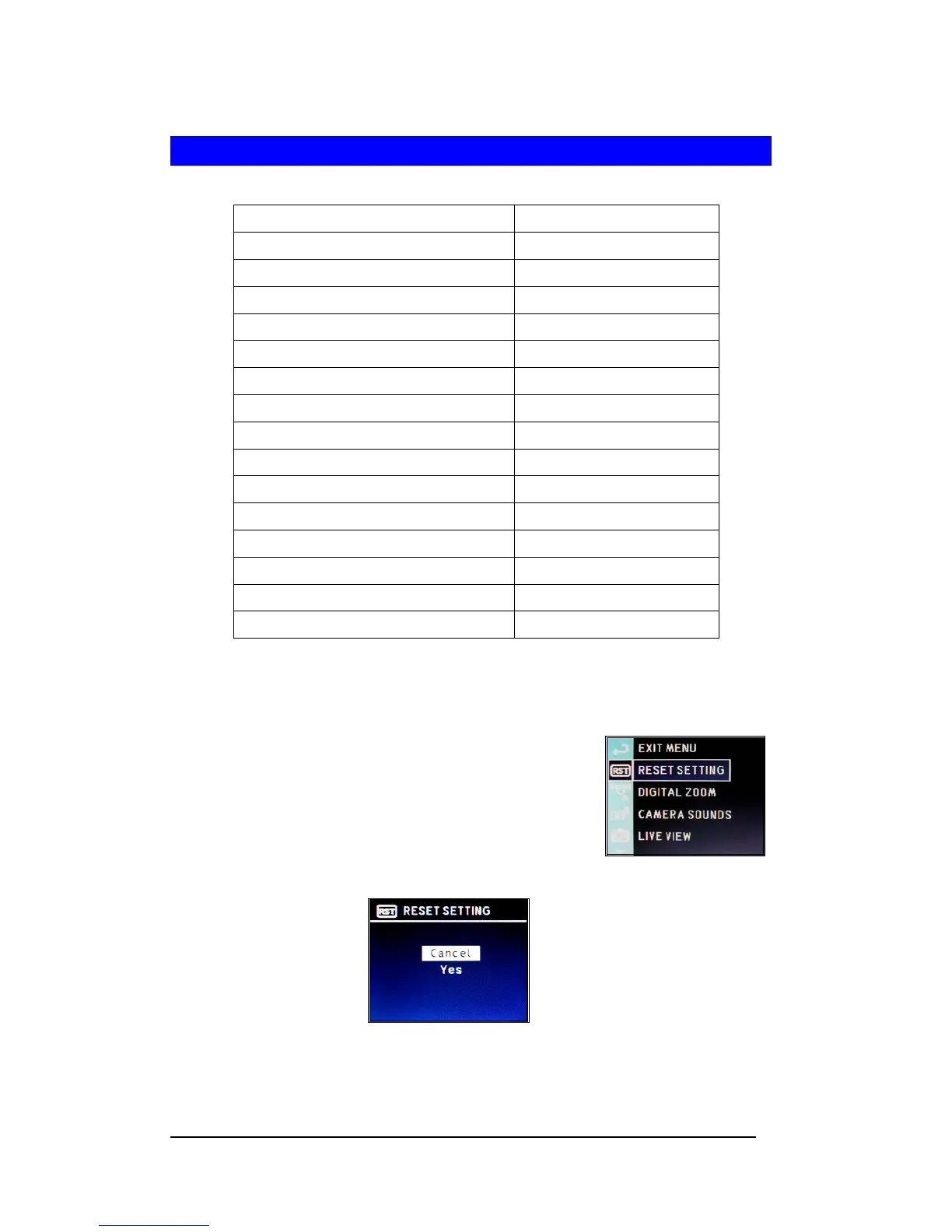
Redefine Camera Setting Parameters
1 Press <Menu/OK> button.
2 Move highlight to “SETUP MENU”.
3 Press <Menu/OK> button.
4 Select “RESET SETTING”
5 Press <Menu/OK> button.
6 Select “Yes” and press <Menu/OK> button to reset the
parameters.







 To Next Page