9
Capturing Still Images
Full Auto Mode < >
Recommend to use Full Auto Mode for beginners. While in Full Auto mode, you just shoot on
your subject.
Portrait Mode < >
Use this mode to take a distinctive portrait with a blurred background.
Landscape Mode < >
Use this mode to take a scenic photograph.
Close-up Mode < >
Use this mode to take a close-up picture of small objects.
The focus range is 15 cm to 50 cm.
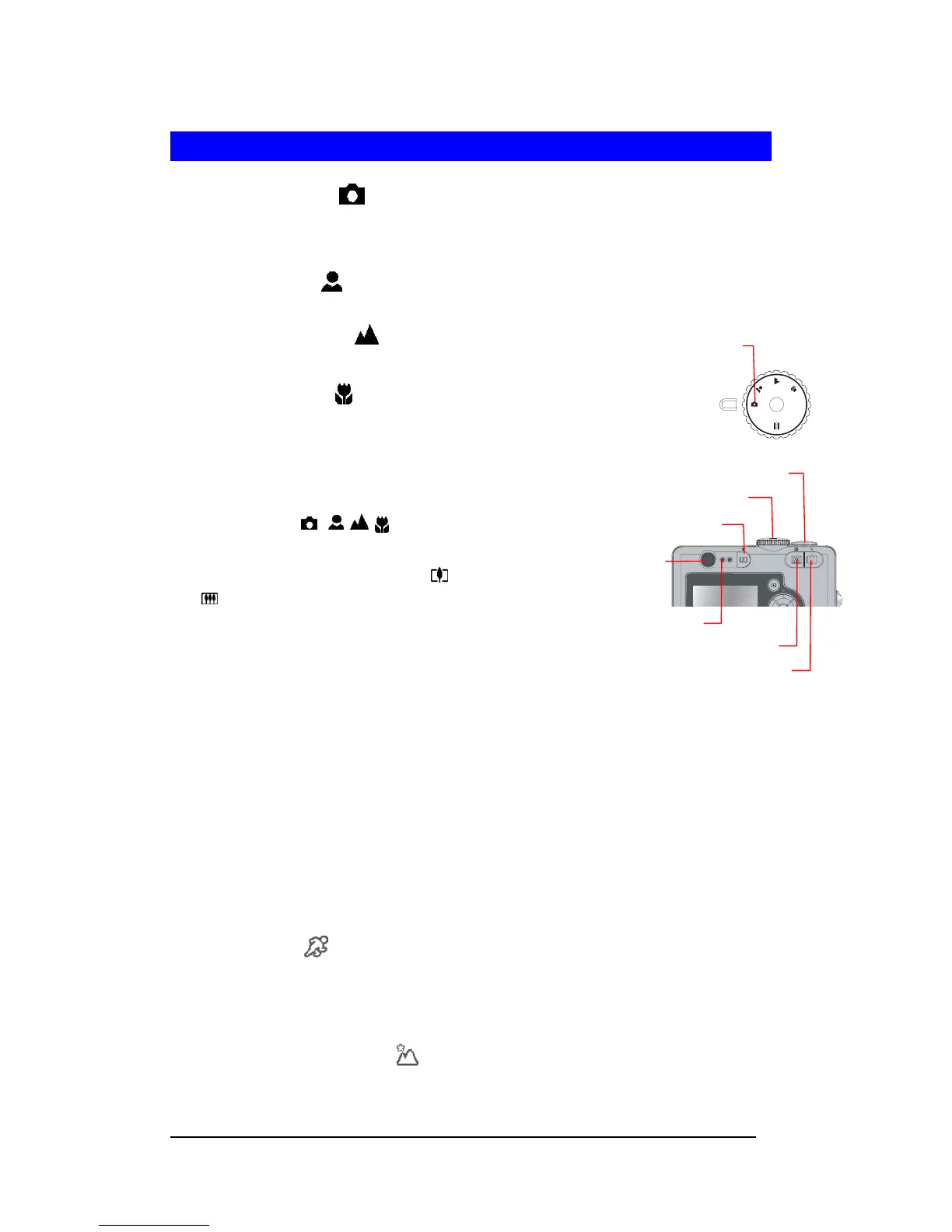
1 Switch Mode Dial to Full Auto, Portrait, Landscape, or
Close-up mode
(
).
2 Frame the subject on the LCD monitor or look through
the viewfinder. Press the Zoom-in
( ) or Zoom-out
(
) to adjust the focus.
3 Press Shutter button halfway to get the best focus.
4 When the Green AF LED ceases to blink, press
Shutter button down fully to capture the image.
5 The LCD Monitor will have a QuickView
of the just captured image for about 3 seconds.
Shooting with Scene Modes
In addition to Full Auto, Portrait, Landscape, Movie, Close-up mode on the Mode Dial, the
camera offers more programmed scenes - Sports, Night Landscape, Night Portrait, Museum,
Backlight, for pre-setting.
Sports Mode < >
Use this mode to take a frozen picture of fast moving objects.
Note : Recommend to use Burst during Sports. In Burst mode, self-timer, flash and
QuickView cannot function.
Night Landscape Mode < >
Use this mode to take landscape scenery at night or twilight.
Note: This mode sets the camera with Flash Off and at a lower shutter speed. Tripod is
Full Auto Mode
OK
LCD
ON/OFF
AFAF FLASHFLASH
Mode Dial
Shutter Button
Zoom-in Button
Zoom-out Button
Viewfinder
Green AF LED
Delete Button
OFFOFFOFF
SCENESCENESCENE







 To Next Page