USING THE
SURFACE ELEMENTS
Surface element controls
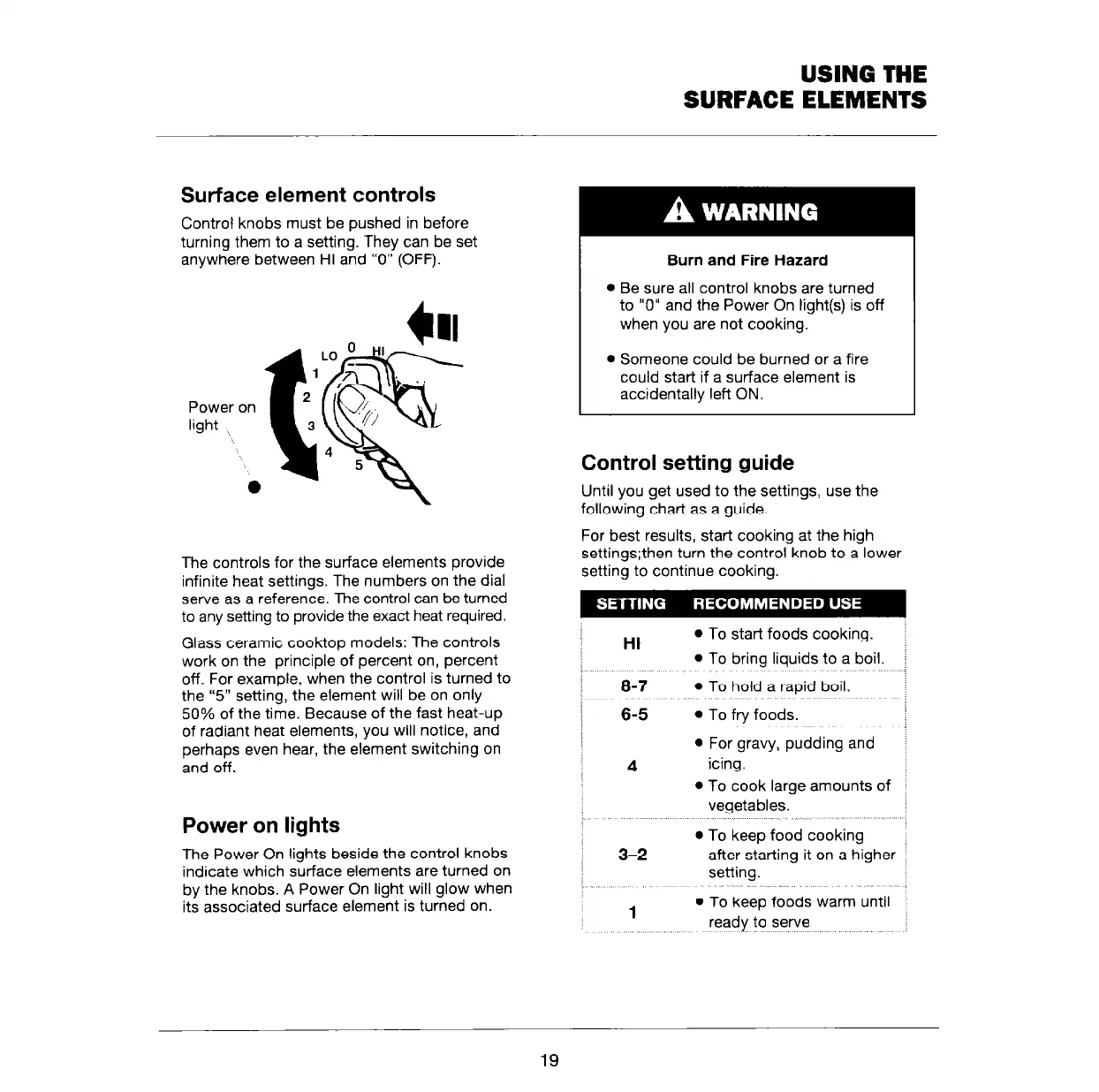
Control knobs must be pushed in before
turning them to a setting. They can be set
anywhere between HI and “0” (OFF).
The controls for the surface elements provide
infinite heat settings. The numbers on the dial
serve as a reference. The control can be turned
to any setting to provide the exact heat required.
Glass ceramic cooktop models: The controls
work on the principle of percent on, percent
off. For example, when the control is turned to
the “5” setting, the element will be on only
50% of the time. Because of the fast heat-up
of radiant heat elements, you will notice, and
perhaps even hear, the element switching on
and off.
Power on lights
The Power On lights beside the control knobs
indicate which surface elements are turned on
by the knobs. A Power On light will glow when
its associated surface element is turned on.
Burn and Fire Hazard
l
Be sure all control knobs are turned
to “0” and the Power On light(s) is off
when you are not cooking.
l
Someone could be burned or a fire
could start if a surface element is
accidentally left ON.
Control setting guide
Until you get used to the settings, use the
following chart as a guide.
For best results, start cooking at the high
settinqsthen turn the control knob to a lower
setting tb continue cooking.
HI
l
To start foods cooking.
l
To bring liquids to a boil.
8-7
l
To hold a rapid boil.
6-5
l
To fry foods.
,,.^
l
For gravy, pudding and
4
icing
l
To cook large amounts of
vegetables.
3-2
1
l
To keep food cooking
after starting it on a higher
setting.
l
To keep foods warm until
ready to serve
19



 To Next Page