ELECTRONIC OVEN CONTROL
Using the minute timer
The minute timer does not start or stop the oven. It
works like a kitchen timer. It can be set in hours or
minutes up to 12 hours, 59 minutes. The minute
timer will display minutes and seconds for settings
under 1 hour. You will hear four 1 -second tones
when the set time is up.
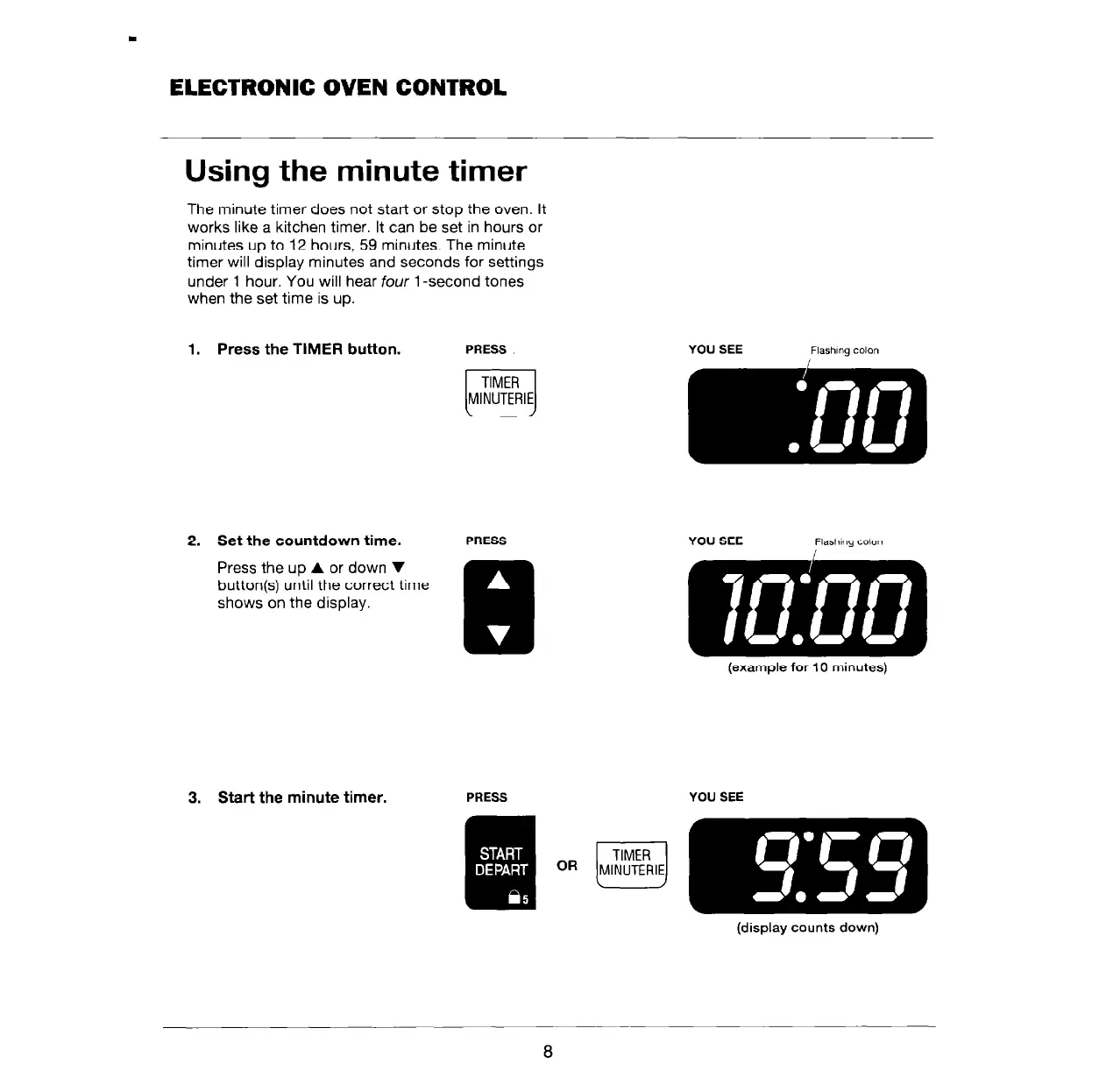
1. Press the TIMER button.
PRESS
r-l
TIMER
MINUTERIE
2. Set the countdown time.
PRESS
YOU SEE
Flashing colon
3. Start the minute timer.
PRESS
YOU SEE
(display counts down)
8



 To Next Page