OVEN SELF-CLEANING CYCLE
Setting the controls
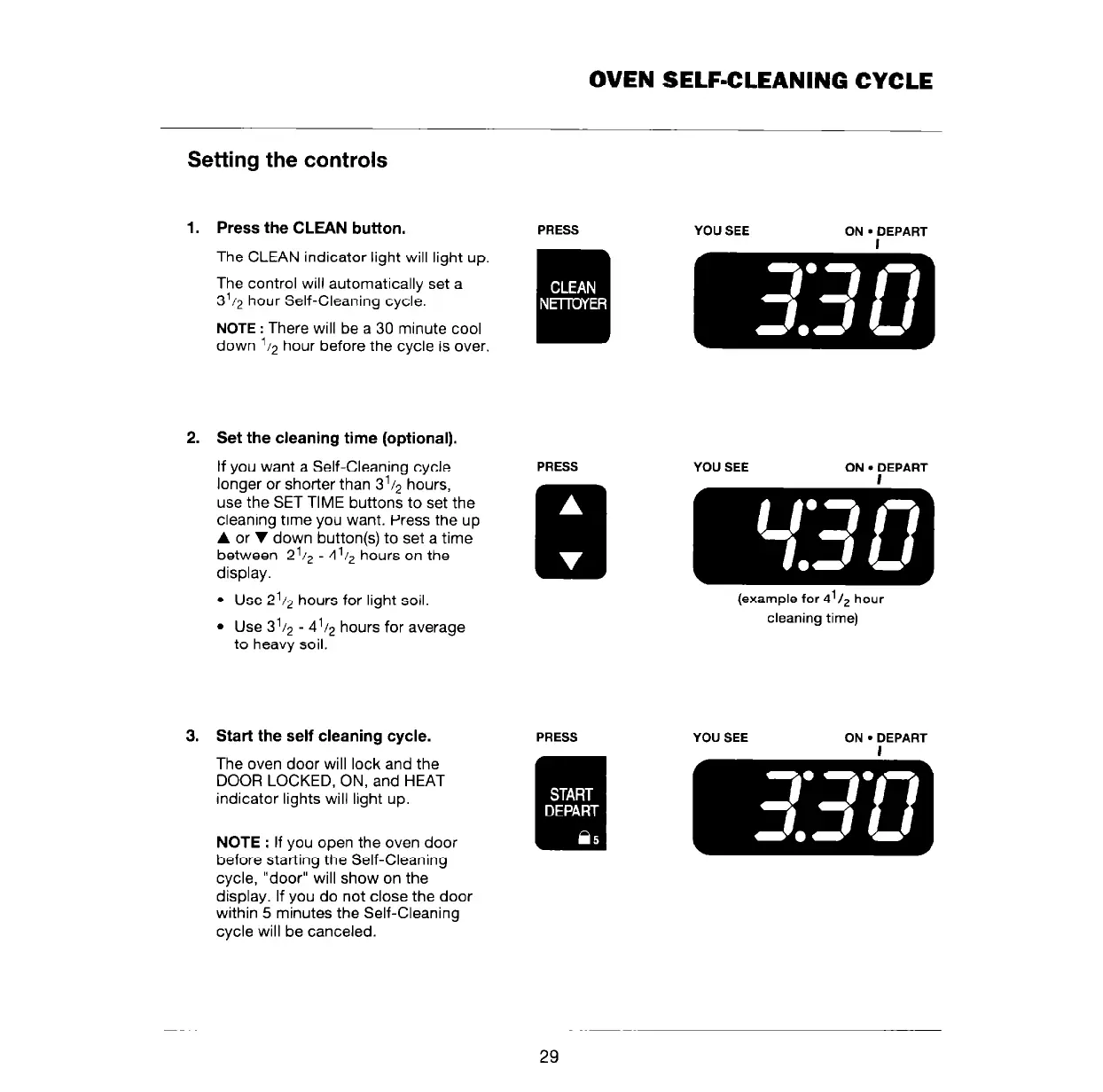
Press the CLEAN button.
PRESS
The CLEAN indicator light will light up.
The control will automatically set a
3’/2 hour Self-Cleaning cycle.
NOTE : There will be a 30 minute cool
down ‘12 hour before the cycle is over.
Set the cleaning time (optional).
If you want a Self-Cleaning cycle
longer or shorter than 3’1~ hours,
use the SET TIME buttons to set the
cleaning time you want. Press the up
A or V down button(s) to set a time
between 2’1~ - 4’1, hours on the
display.
l
Use 2’/2 hours for light soil.
l
Use 3’/2 - 4’12 hours for average
to heavy soil.
3. Start the self cleaning cycle.
The oven door will lock and the
DOOR LOCKED, ON, and HEAT
indicator lights will light up.
NOTE : If you open the oven door
before starting the Self-Cleaning
cycle, “door” will show on the
display. If you do not close the door
within 5 minutes the Self-Cleaning
cycle will be canceled.
YOU SEE
ON
l
DEPART
PRESS
YOU SEE
ON
l
DEPART
(example for 4’/, hour
cleaning time)
YOU SEE
ON
l
DEPART
29



 To Next Page