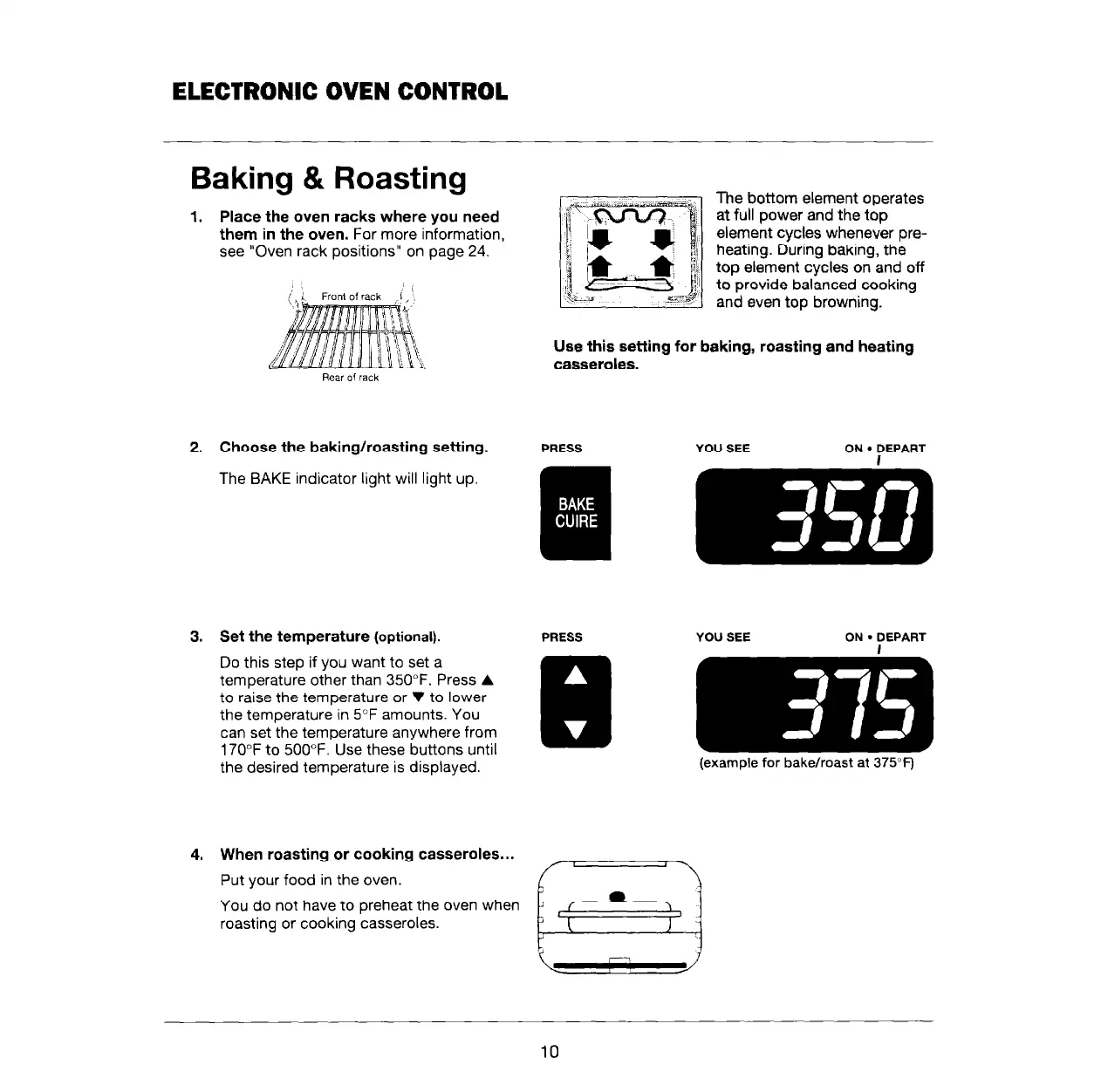
Baking & Roasting
1. Place the oven racks where you need
them in the oven. For more information,
see “Oven rack positions” on page 24.
,I:
Froni of rack
The bottom element operates
at full power and the top
element cycles whenever pre-
heating. During baking, the
top element cycles on and off
to provide balanced cookina
and even top browning. -
Use this setting for baking, roasting and heating
casseroles.
2. Choose the baking/roasting setting.
The BAKE indicator light will light up.
3. Set the temperature (optional).
Do this step if you want to set a
temperature other than 350°F. Press A
to raise the temperature or V to lower
the temperature in 5°F amounts. You
can set the temperature anywhere from
170°F to 500°F. Use these buttons until
the desired temperature is displayed.
4. When roasting or cooking casseroles...
Put your food in the oven.
You do not have to preheat the oven when
roasting or cooking casseroles.
PRESS YOU SEE
ON. DEPART
I
PRESS YOU SEE ON
l
DEPART
I
(example for bake/roast at 375°F)
10



 To Next Page