ELECTRONIC OVEN CONTROL
Adjusting oven temperature control
If you are not satisfied with the baking/roasting
results, you can change the offset
temperature by following the steps below :
Although your new oven is properly adjusted
NOTE : DO NOT measure the oven temperature with a
to provide accurate temperatures, it may thermometer. Opening the oven door will lower the
cook faster or slower than your old oven.
oven temperature and give you an incorrect reading.
Also, the thermometer temperature will change as your
oven cycles.
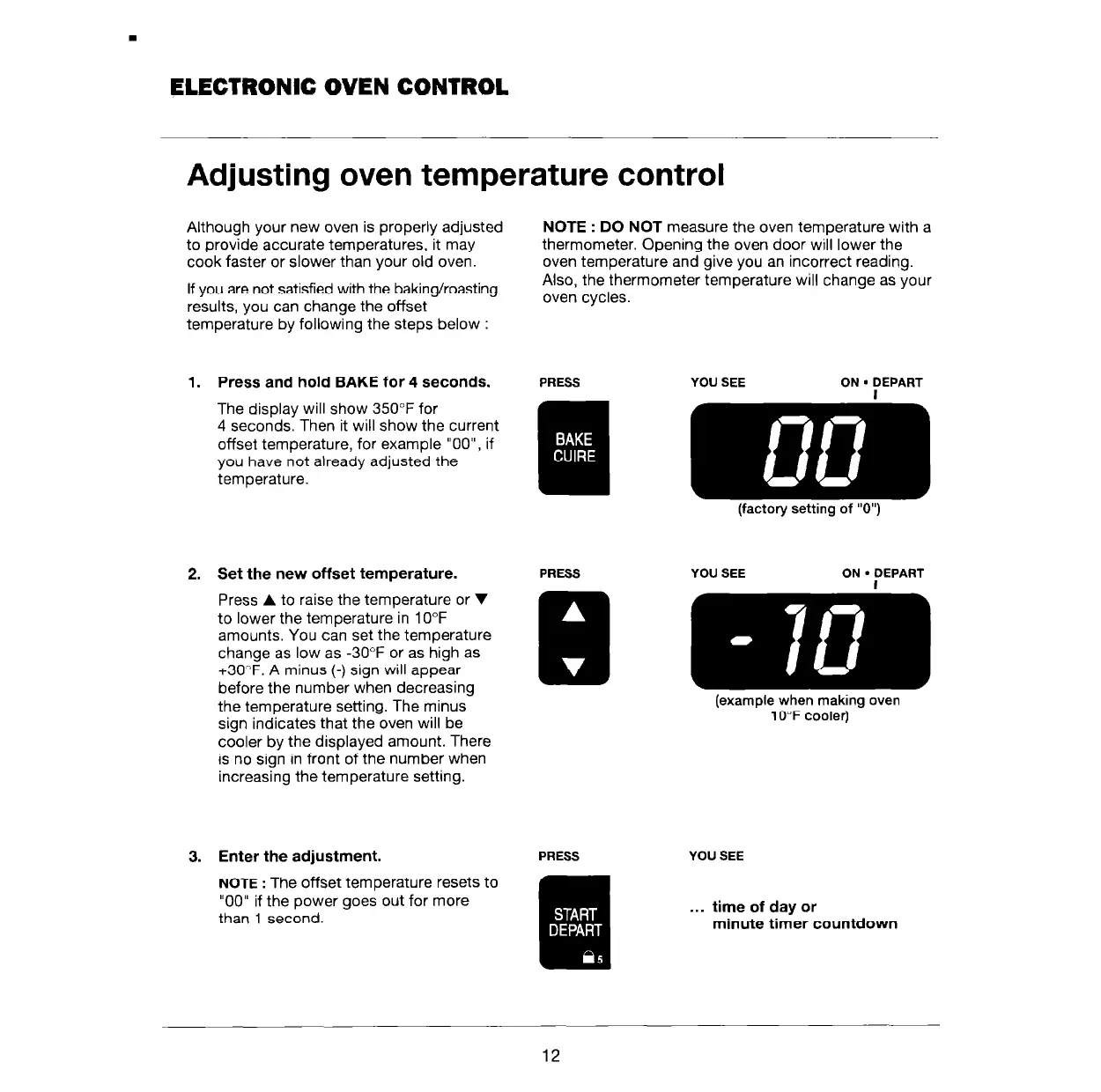
1. Press and hold BAKE for 4 seconds.
PRESS
The display will show 350°F for
4 seconds. Then it will show the current
offset temperature, for example “OO”, if
you have not already adjusted the
temperature.
2. Set the new offset temperature.
PRESS
Press A to raise the temperature or V
to lower the temperature in 10°F
amounts. You can set the temperature
change as low as -30°F or as high as
+3O”F. A minus (-) sign will appear
before the number when decreasing
the temperature setting. The minus
sign indicates that the oven will be
cooler by the displayed amount. There
is no sign in front of the number when
increasing the temperature setting.
YOU SEE ON
n
DEPART
I
(factory setting of “0”)
(example when making oven
10°F cooler)
3. Enter the adjustment.
NOTE
: The offset temperature resets to
“00” if the power goes out for more
than 1 second.
PRESS
YOU SEE
. . . time of day or
minute timer countdown
12



 To Next Page