ELECTRONIC OVEN CONTROL
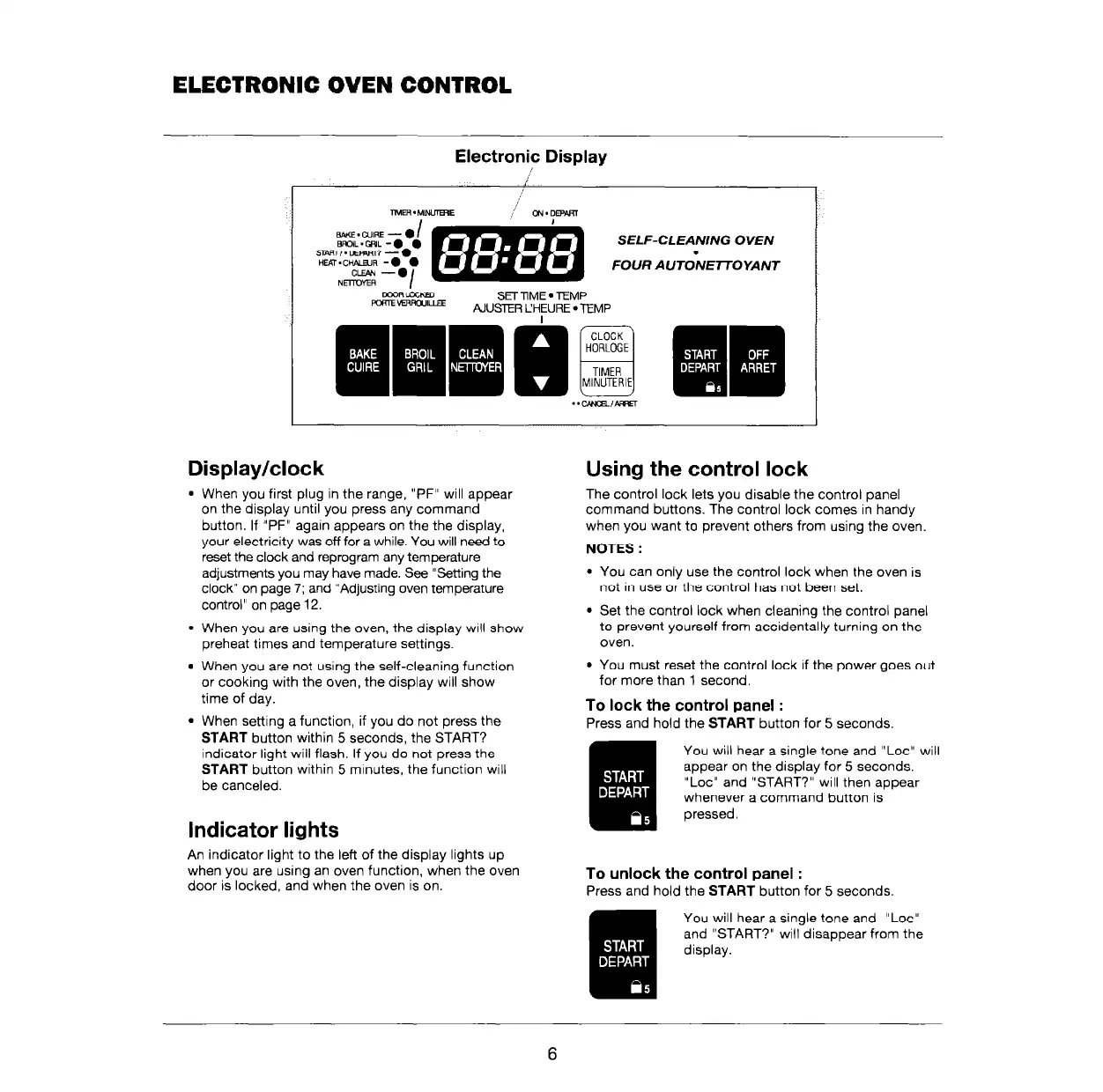
Electronic Display
I
,,,’
TlMER . M-E
;<sz;; @+&j
SELF-CLEA;/NG OVEN
FOUR AlJTONEnOYANT
DmRLOClEu
m -,uE
SET llME
l
TEMP
AIUSTER CHEURE
l
TEMP
Display/clock
l
When you first plug in the range, “PF” will appear
on the display until you press any command
button. If “PF” again appears on the the display,
your electricity was off for a while. You will need to
reset the clock and reprogram any temperature
adjustments you may have made. See “Setting the
clock” on page 7; and “Adjusting oven temperature
control” on page 12.
l
When you are using the oven, the display WIII show
preheat times and temperature settings.
l
When you are not using the self-cleaning function
or cooking with the oven, the display will show
time of day.
l
When setting a function, if you do not press the
START
button within 5 seconds, the START?
indicator light will flash. If you do not press the
START
button within 5 minutes, the function will
be canceled.
Indicator lights
An indicator light to the left of the display lights up
when you are using an oven function, when the oven
door is locked, and when the oven is on.
Using the control lock
The control lock lets you disable the control panel
command buttons. The control lock comes in handy
when you want to prevent others from using the oven
NOTES :
You can only use the control lock when the oven is
not in use or the control has not been set.
Set the control lock when cleaning the control panel
to prevent yourself from accidentally turning on the
oven.
You must reset the control lock If the power goes out
for more than 1 second.
To lock the control panel :
Press and hold the
START
button for 5 seconds.
You will hear a single tone and “Lot” will
appear on the display for 5 seconds.
“Lot” and “START?” will then appear
whenever a command button is
pressed.
To unlock the control panel :
Press and hold the
START
button for 5 seconds.
You will hear a single tone and “Lot”
and “START?” will disappear from the
display.
6



 To Next Page