4–6 • Configuration NK Series User Guide (1.0)
The Ignore Out of Range Inputs option is only available on the NK-64 and NK-72 routers and is only used for
specific installations.
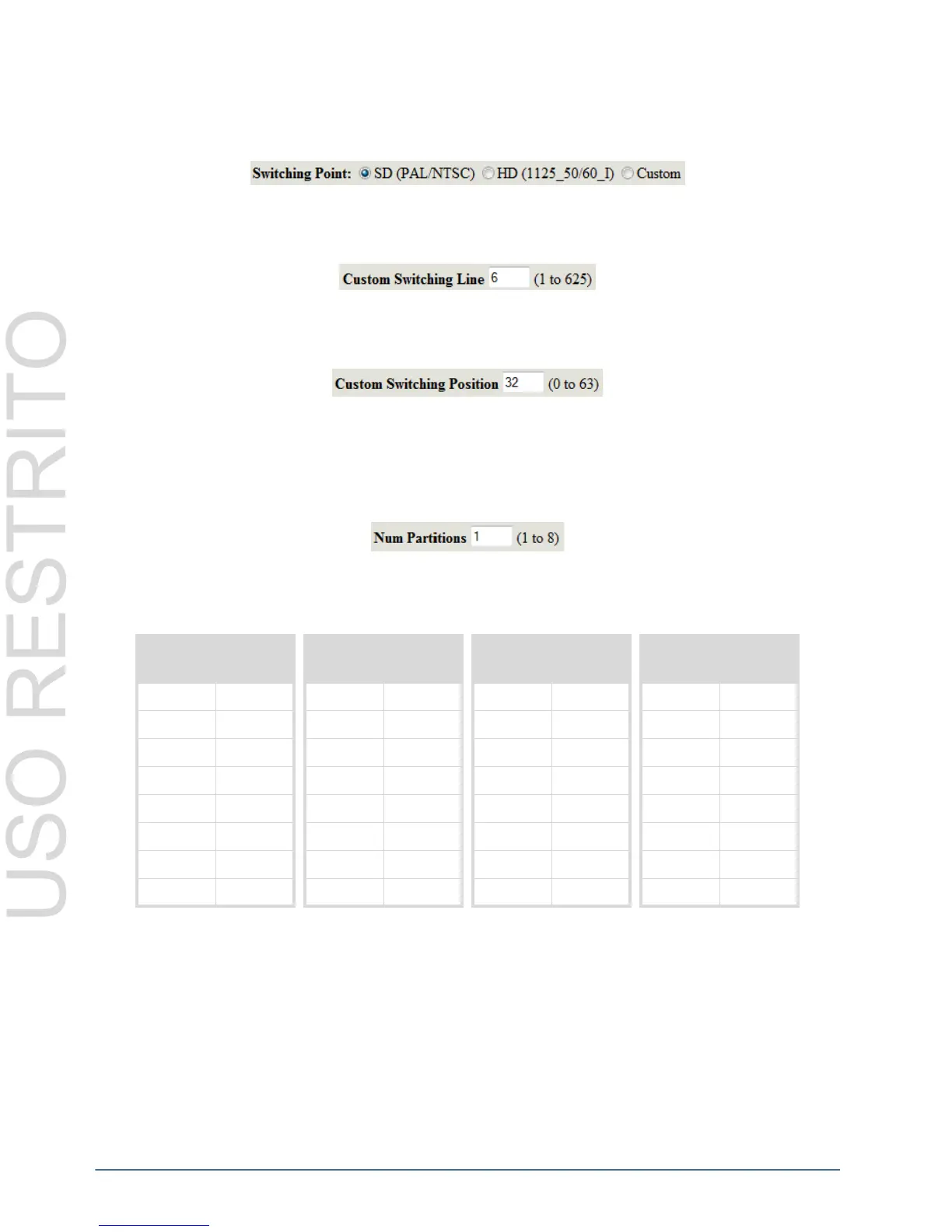
Switching Point
The Switching Point option is only available on the NK-64 and NK-72 routers.
Custom Switching Line (NK-64 Routers only)
The Custom Switching Line option is only available on the NK-64 and NK-72 routers.
Custom Switching Position (NK-64 Routers only)
The Custom Switching Position option is only available on the NK-64 and NK-72 routers.
Number of Partitions
The Num Partitions (Number of Partitions) indicates how you wish the router to be partitioned. The default value of
the partitions is 1 (no partitions.), the maximum value is 8.
Table 4.3 shows the relative input and output sizes to the number of partitions configured for 16x16, 32x32, 64x64
and 72x72 routers.
* Denotes that partition leaves unusable inputs/outputs as ‘remainders’.
When partitioning routers, some configurations will leave ‘remaindered’ inputs and outputs. Any division of the
router that leaves a remainder will not use the remaining inputs and outputs. For example, a 32x32 partitioned into
3, will be equivalent to three 10x10 routers (30 inputs and 30 outputs in total). The last two inputs and the last two
outputs will remain unused and inaccessible for router functions.
Partition Levels
The Partition Levels table allows users to configure levels to each partition. Selecting a level, by selecting a check
box in the Levels column, assigns that level to a partition number from the Part. Num. column.
Table 4.3 Relative input and output sizes to the number of configured partitions
16x16 Router 32x32 Router 64x64 Router 72x72 Router
Partitions I/O Size Partitions I/O Size Partitions I/O Size Partitions I/O Size
1 16x16
1 32x32 1 64x64 1 72x72
28x8
2 16x16 2 32x32 2 36x36
3* 5x5
3* 10x10 3* 21x21 3 24x24
44x4
48x8 4 16x16 4 18x18
5* 3x3
5* 6x6 5* 12x12 5* 14x14
6* 2x2
6* 5x5 6* 10x10 6 12x12
7* 2x2
7* 4x4 7* 9x9 7* 10x10
8* 2x2
84x4 88x8 89x9



 To Next Page