4–10 • Configuration NK Series User Guide (1.0)
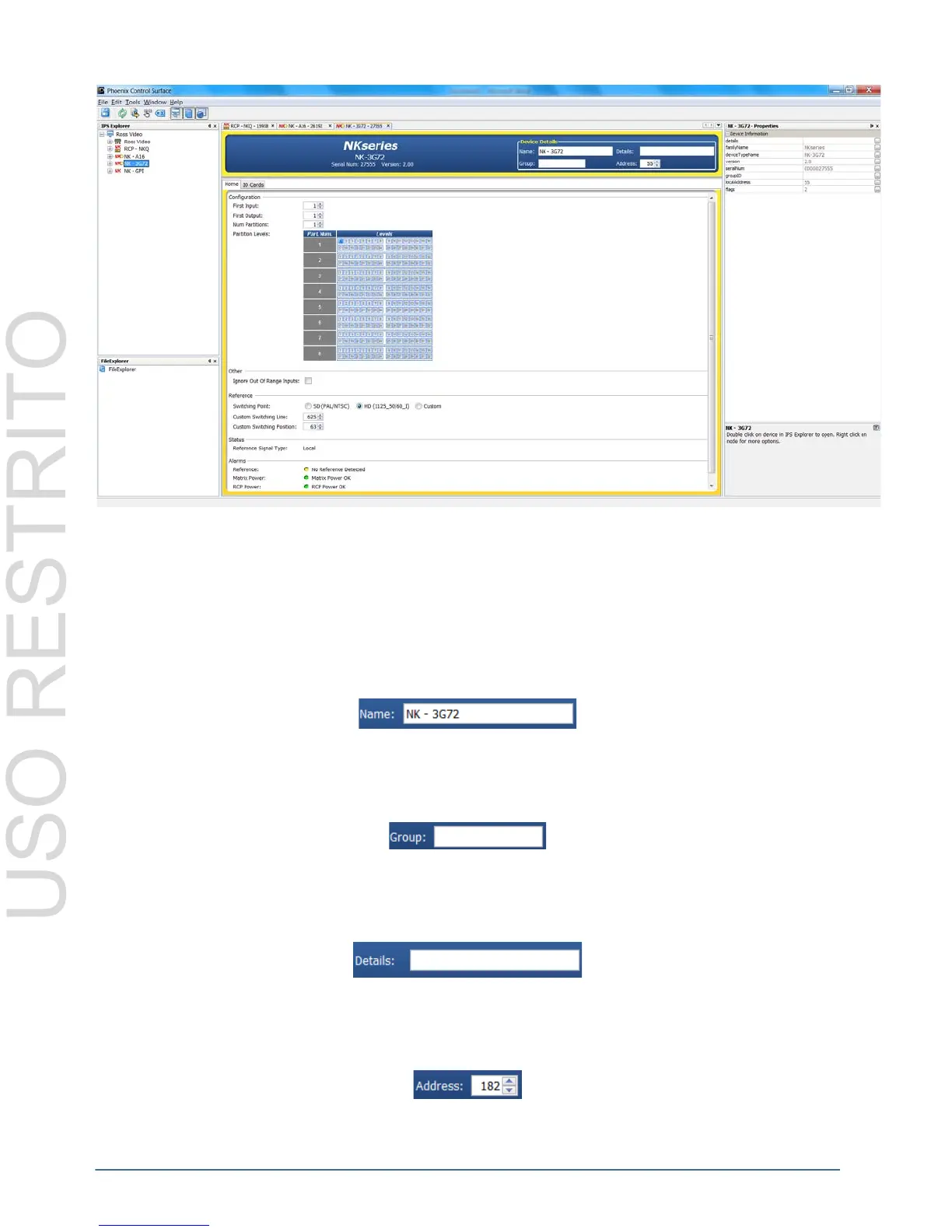
Figure 4.7 Phoenix Router Configuration Window
Device configuration is implemented by the use of text fields, check-boxes, radio buttons and other user-entered or
user-modifiable fields. Configuration fields may differ, depending on the functionality of the device. For full
configuration field details, please consult the user guide of the device.
Device Details Fields
Name
The Name field can be assigned by the user to uniquely name a device.
Group
The Group number can be assigned by the user to organize devices into groups. For example, users can assign
separate Group numbers for devices in different physical areas.
Details
The Details field can be assigned by the user to give a device specific details. For example, a physical location or a
brief description of its use.
Address
The Address is used within the overall control system to identify devices. Each device must be given a unique
Address to avoid hardware and communication conflicts.



 To Next Page