NK Series User Guide (1.0) Configuration • 4–17
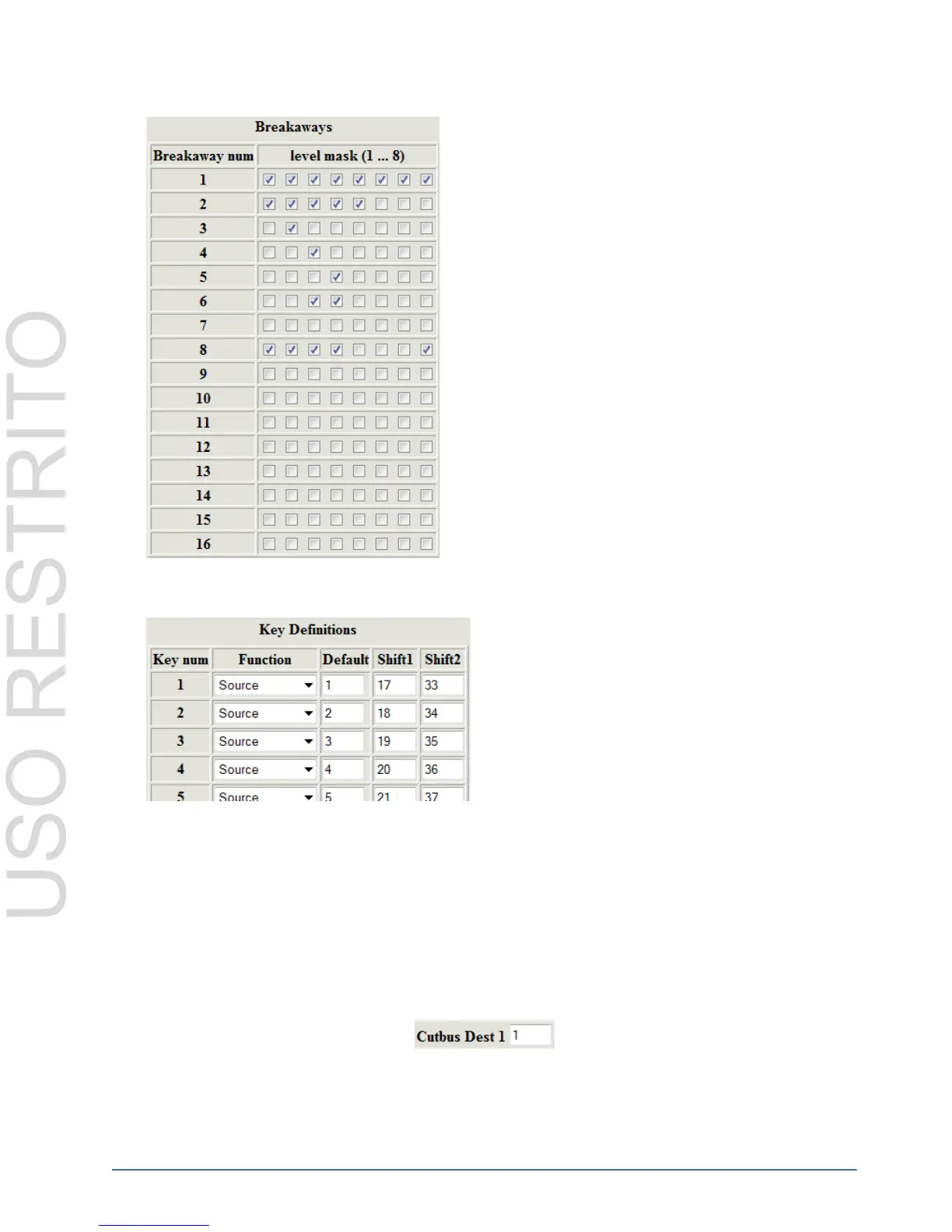
Breakaways
Key Definitions
Details of parameters used in the Key Definition table are explained in detail in Table 4.6. For brief descriptions of
the keys, please refer to “Overview” on page 4–13; for key operation and usage, refer to “Operation” on page 5–1.
The Shift1 and Shift2 values only apply to SOURCE, DESTINATION and CROSSPOINT keys, all other keys only
require the Default value to be defined, and some keys require no user defined values for operation. All Shift1 and
Shift2 values are ignored when not assigned to SOURCE, DESTINATION or CROSSPOINT keys.
Cutbus Destination 1
Configures the Cutbus destination of the top row of keys when no DESTINATION or CROSSPOINT keys have
been assigned. The valid range for the Cutbus Destination 1 is 1-255.
The Breakaways table is used to assign levels to breakaways.
Users can customize their breakaways to include any levels
desired. Levels can be utilized in as many breakaways as is
needed.
Checking the boxes representing levels 1-8 next to the
breakaways (1-16) will include that level in that breakaway,
when the BREAKAWAY or BREAKAWAY STEP keys are
pressed.
Different breakaways can be defined for each panel. This is
configured in each panel’s Device Properties page via the
NK-IPS.
The Key Definitions table is where the buttons of the
RCP-NK1 are assigned. Any function can be assigned to
any key. The keys are represented in the first column by
their respective number (1-40). Keys 1-20 represent the
first row of keys on the RCP-NK1 and keys 21-40
represent the second row of keys on the panel.
The desired key function is selected from the drop down
box in the second column (Function column). Any function
can be assigned to any key on the panel and keys can be
assigned multiple times.



 To Next Page