NK Series User Guide (1.0) Configuration • 4–25
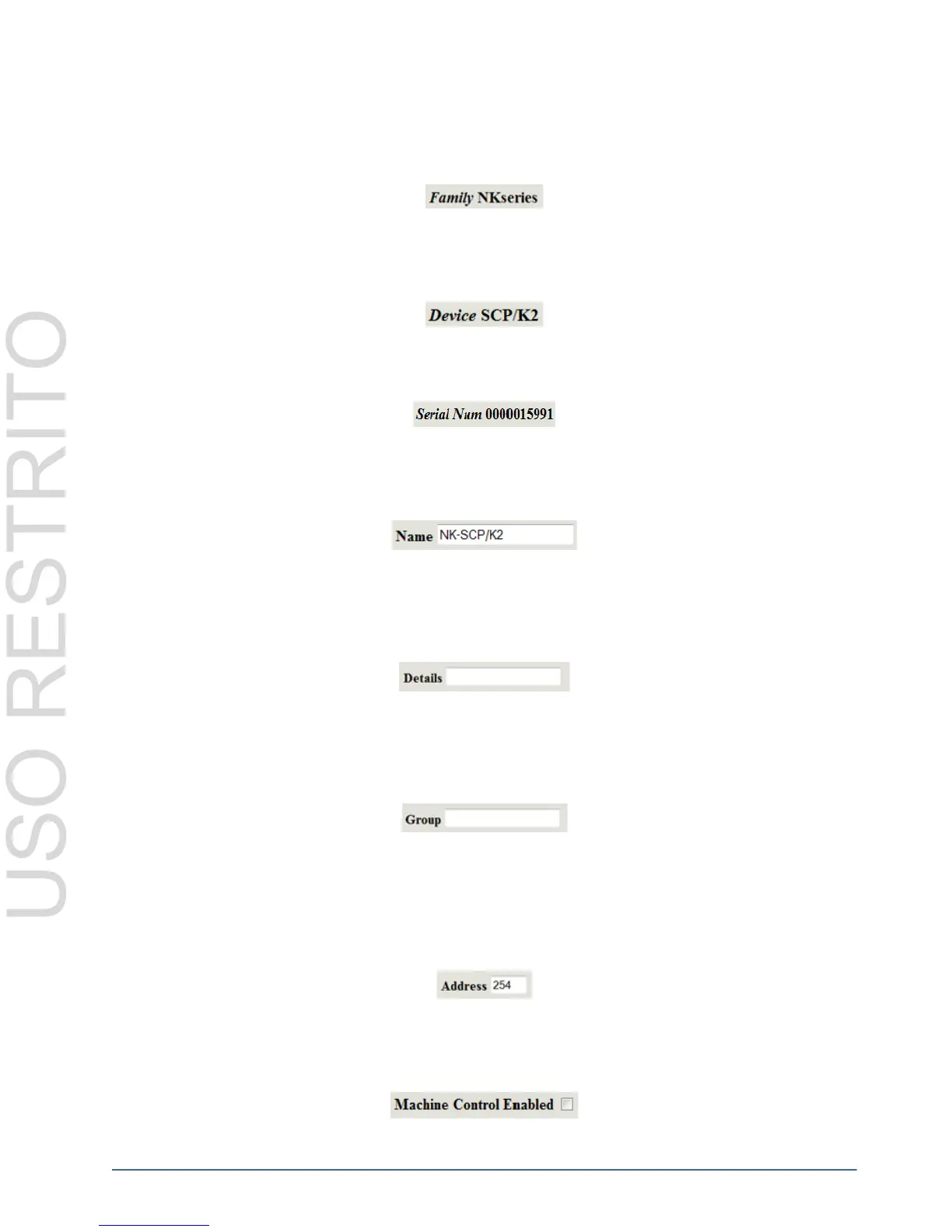
Device Properties Fields
Family
The Family name is set in the factory before shipping and displays the family that the device belongs to. This
parameter is read-only.
Device
The Device name is set in the factory before shipping and displays the name assigned to the device. This parameter
is read-only.
Serial Number
The Serial Number is set in the factory before shipping and is unique to each device. This parameter is read-only.
Name
The Name field can be assigned by the user to uniquely name a device. This field has a maximum of 16 characters
and is used for description and identification only.
Details
The Details field can be assigned by the user to give a device specific details. For example, a physical location or a
brief description of its use. This field has a maximum of 16 characters and is used for description and identification
only.
Group
The Group number can be assigned by the user to organize devices into groups. For example, users can assign
separate Group numbers for devices in different physical areas. This field has a maximum of 10 characters and is
used for description and identification only.
Configuration Fields
Address
The Address is used within the overall control system to identify devices. Each device must be given a unique
Address to avoid hardware and communication conflicts. The valid value range for assigning an individual device
Address is 2-255.
Machine Control Enabled
Machine Control Enabled allows reciprocal switching when the check box is checked. By default, Machine Control
Enabled is turned off.



 To Next Page