5
KEYBOARD FUNCTIONS
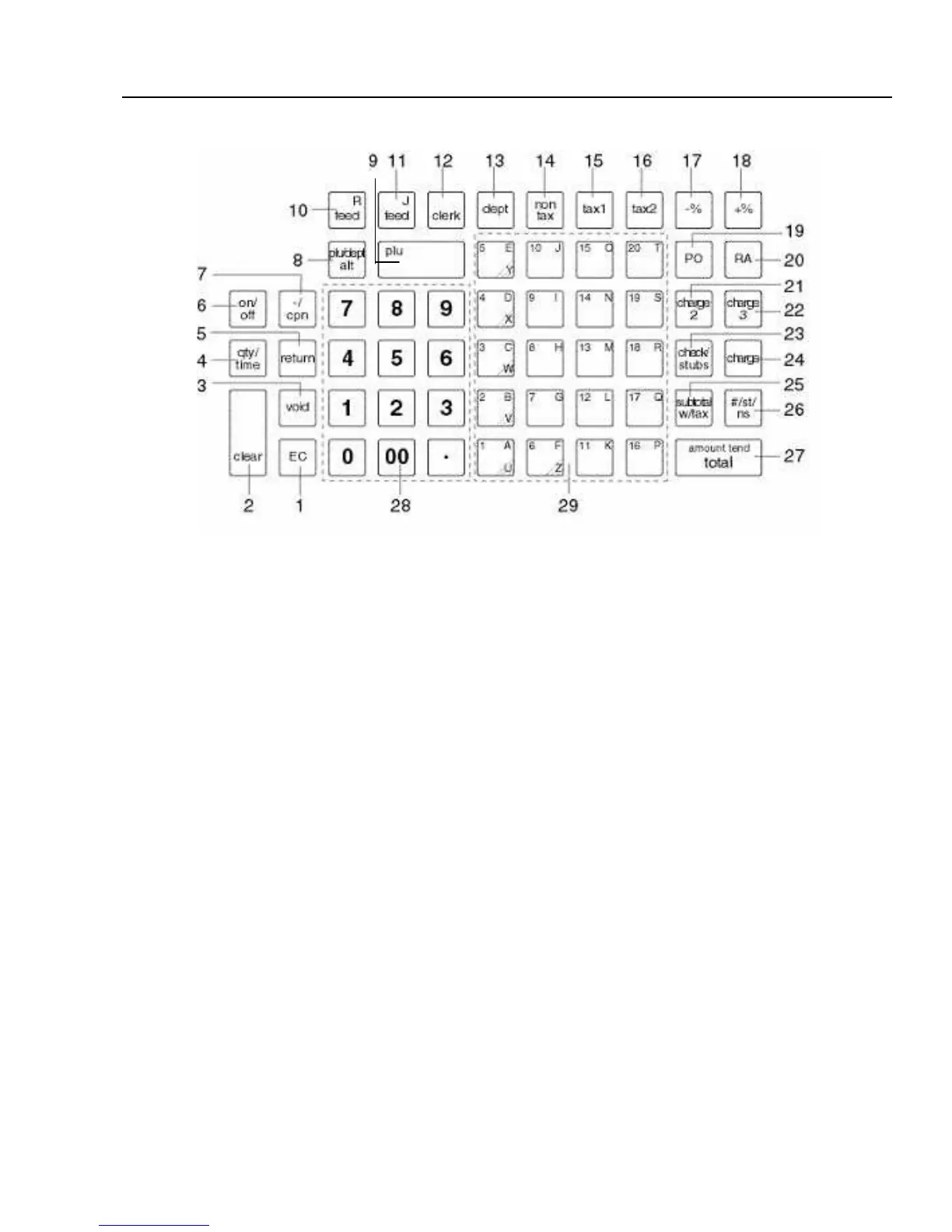
FIGURE 1: Control Lock and Keyboard Functions
KEYBOARD FUNCTIONS
The following key functions are primarily for cash register entries in REG mode. Several keys also have other
functions in the PRG, X and Z modes which are explained further in the manual.
(1) Error Correction [EC] is used for deleting the last sales entry. It also functions as a back space and delete
key when programming alpha characters.
(2) Clear Key [CLEAR] clears the display to correct an entry before it is processed. Also stops error alarm
when incorrect entries are made.
(3) Void [VOID] is used for correcting a particular entry after it is processed and printed.
(4) Quantity and Time Key [QTY/TIME] - double function - is used to multiply a number of items entered at one
price and to display the current time.
(5) Return Key [RETURN] is used for issuing refunds for returned merchandise.
(6) Receipt On/Off Key [ON/OFF] allows you to turn off the receipt printing to save paper.
(7) Minus/Coupon Key [-/CPN] is used to subtract a specific amount from an individual item. This is also
known as a Mark-Down key.
(8) PLU Release Key [PLU/DEPT ALT] is used to temporarily override a price which was preset to a PLU or
department number.
(9) PLU Key [PLU] allows the numbers from 1 to 1600 to be used as codes for pre-programming merchandise
prices and to maintain a tally of cost and quantity of the merchandise sold.
(10) Receipt Feed Key [RF] is used to advance the receipt paper.



 To Next Page