13
REPLACING THE BATTERY
REPLACING THE BATTERY
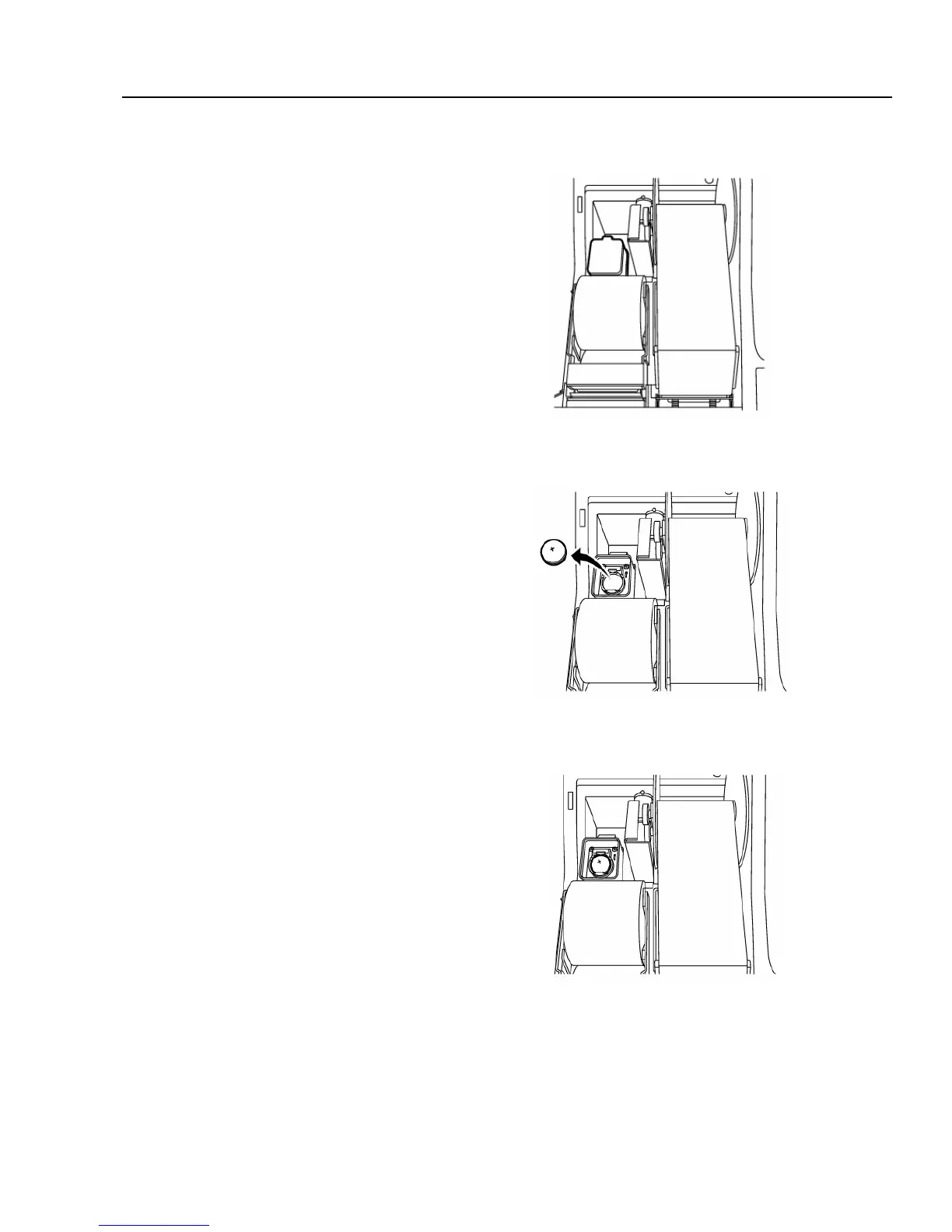
Fig.8
Fig.9
Fig.10
Battery: CR2032 (3-Volts)
1. Make sure the register is plugged in, the power
switch is at “ON” position and turn the Control
Lock key is turned to the “OFF position.
2. Open the printer cover.
3. Open the battery cover in the rear left section of
the component (See Fig. 8).
4. Remove the old battery by pushing the small claw
on the rear end of the battery (See Fig.9).
5. Put the new battery in the same position
(See Fig. 10)
6. Close the battery cover and the printer cover.



 To Next Page