RDV6442G Control System manual V1.3
SHENZHEN RUIDA TECHNOLOGY
8.2.4 Set the layer parameters
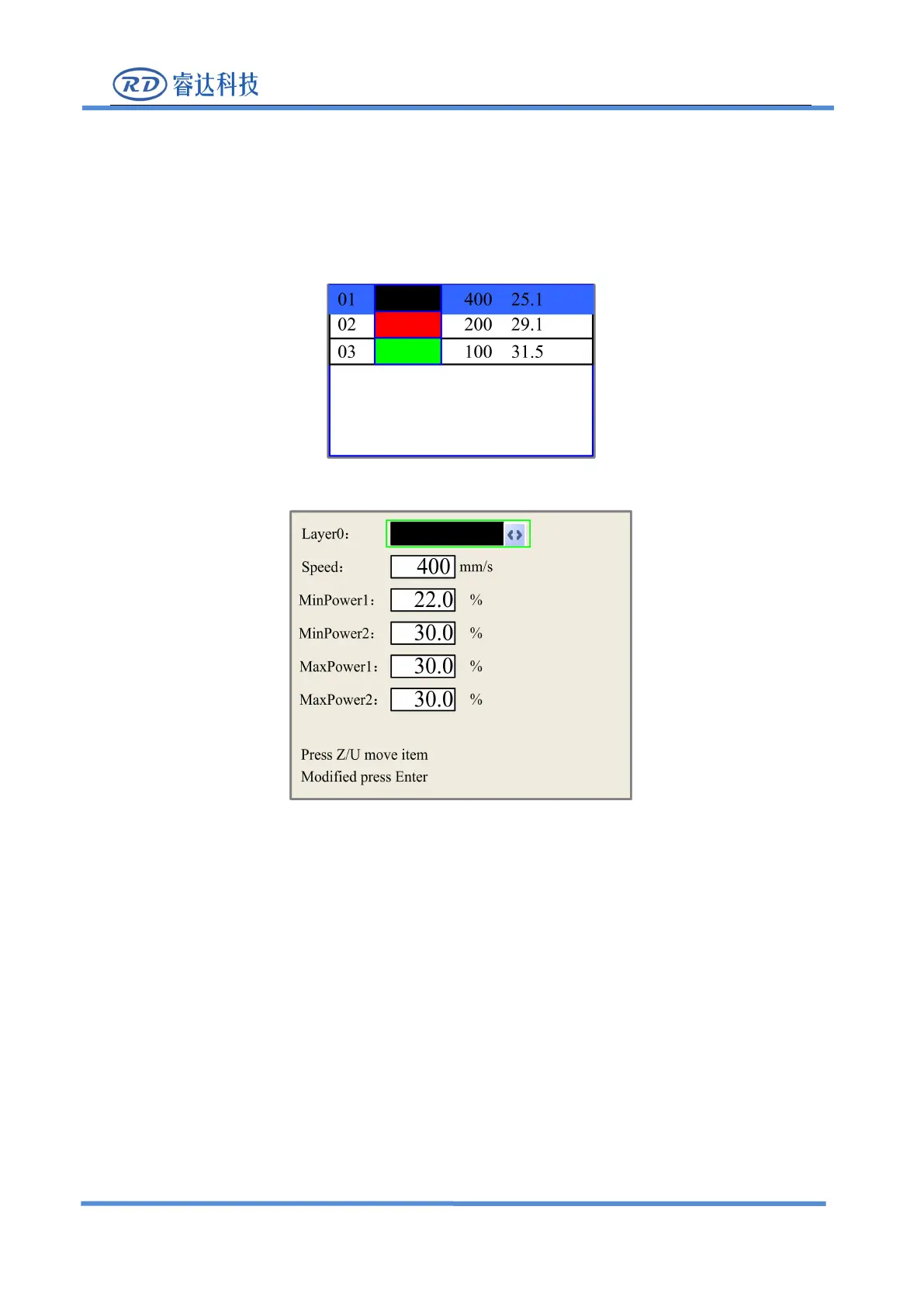
After selecting a file to preview on the main interface, user can push
“
Enter
”
key to let the cursor
move to the first layer, then “Y+/-” Keys can be pushed to select the intent layer, on that time, user can
push “Enter” key to check the selected layer’s parameters, show as below:
User can push “Z/U” Keys to move the green block on the intent parameter, then he could change
the parameter if needed.
“
OK
”
to validate the change, and
“
Esc
”
to invalidate the change.
8.3 Z/U Key
The Z/U key can be pressed when the system is idle or the work is finished. On pressing this key, it
will show some entries in the following interface:



 To Next Page