RDV6442G Control System manual V1.3
SHENZHEN RUIDA TECHNOLOGY
This item is only used to preview the file on the screen, and it is no
meaning to the machine’s movement.
8.4 File Key
8.4.1 Memory File
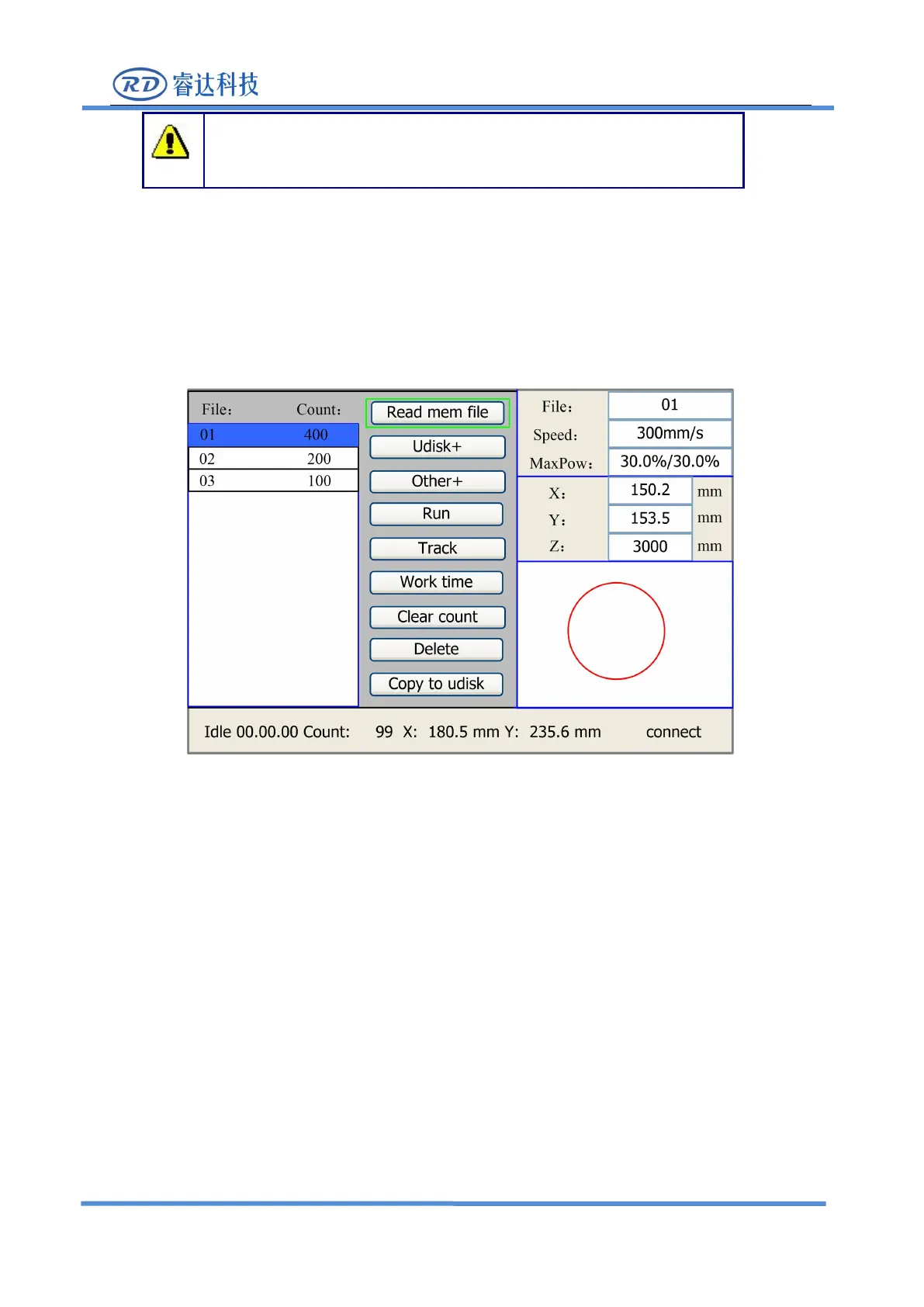
On the main interface, if “File” key is pressed, it will show as below:
When showing this menu, the system would read the memory file firstly, the file name and the work
times would be listed in the area, and the selected file is previewed in the bottom right area.“Y+/-”keys
could be used to move the cursor on the file name list. When the cursor is on a target file name, presses
the
“
Enter
”
key, the selected file will be previewed on the main interface, and then if
“
Esc
”
key is
pushed, the preview will disappear.
“X+/-” keys could be used to move the cursor left and right. All the item show as below:
●
Read mem file: read the memory file list;
●Udisk: read the U disk file list;
●Other: the other operation of the memory files;
●
Run: To run the selected file;
●Track: To track the selected file, and the track mode is optional;
●Work time: To forecast the running time of the selected file, and the time is accurate to 1ms;



 To Next Page