AirConditioningandAudioSystems
AUX
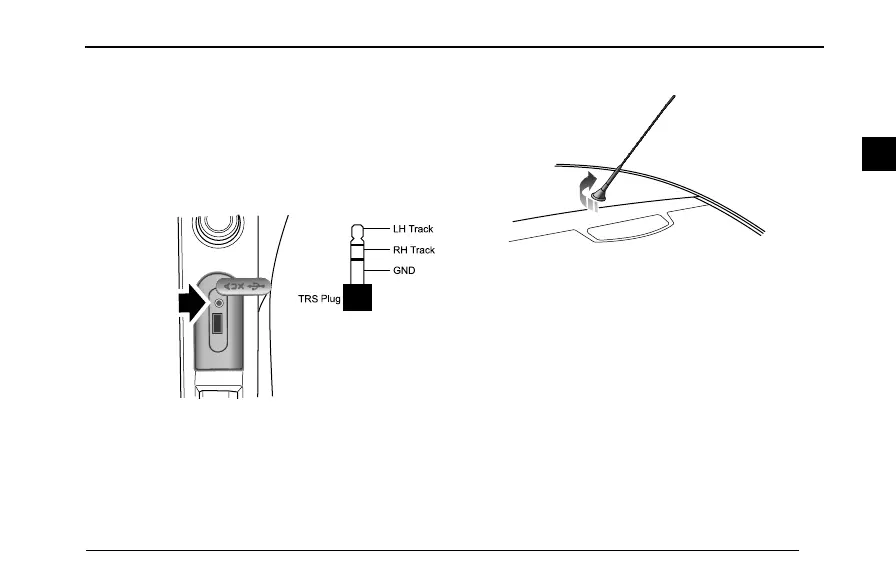
AUXInputPlaying
AftertheexternalaudioconnectinglineandAUXsocket
areconnected,itwillautomaticallyentertheAUXmode,
andatthistimethemusicofexternalaudiowillbeplayed
throughthespeakerinsidethevehicle.
L H T r a c k
R H T r a c k
G N D
T R S
P lu g
Note:Pleaseuse3.5-mmTRSplugstoconnectAUX
audio.
Antenna
Theantennaislocatedatthebacksideofthevehicleroof.
Inordertopreventantennafromrupturingorbending,
whenthevehicleispossibletotouchotherobjects(such
aspenduloustwigs)oriscleaned,theantennashallbe
removed.
Screwofftheantennacounter-clockwisetoremovethe
antennafromtheantennabase,andscrewintheantenna
clockwisetotit.
55
2



 To Next Page