ER-5215M Electronic Cash Register v2.23 S-Mode Programming • 87
Updating Firmware Program
The ER-5215M firmware program is loaded in flash EPROM. Occasionally, CRS/SAM4s may provide
updates to the firmware in order to fix bugs and/or update the register feature set. The firmware
program can be transferred from a PC to an ER-5215M through the register’s RS-232C ports.
Note: There are two parts to the firmware program: Boot area and Program area. In most
cases, you will only need to update the program area. You will be notified where updates are
required.
Update Files
To complete the firmware update, you will be supplied with the following files:
Download.exe (The update utility program)
ER5215.bin
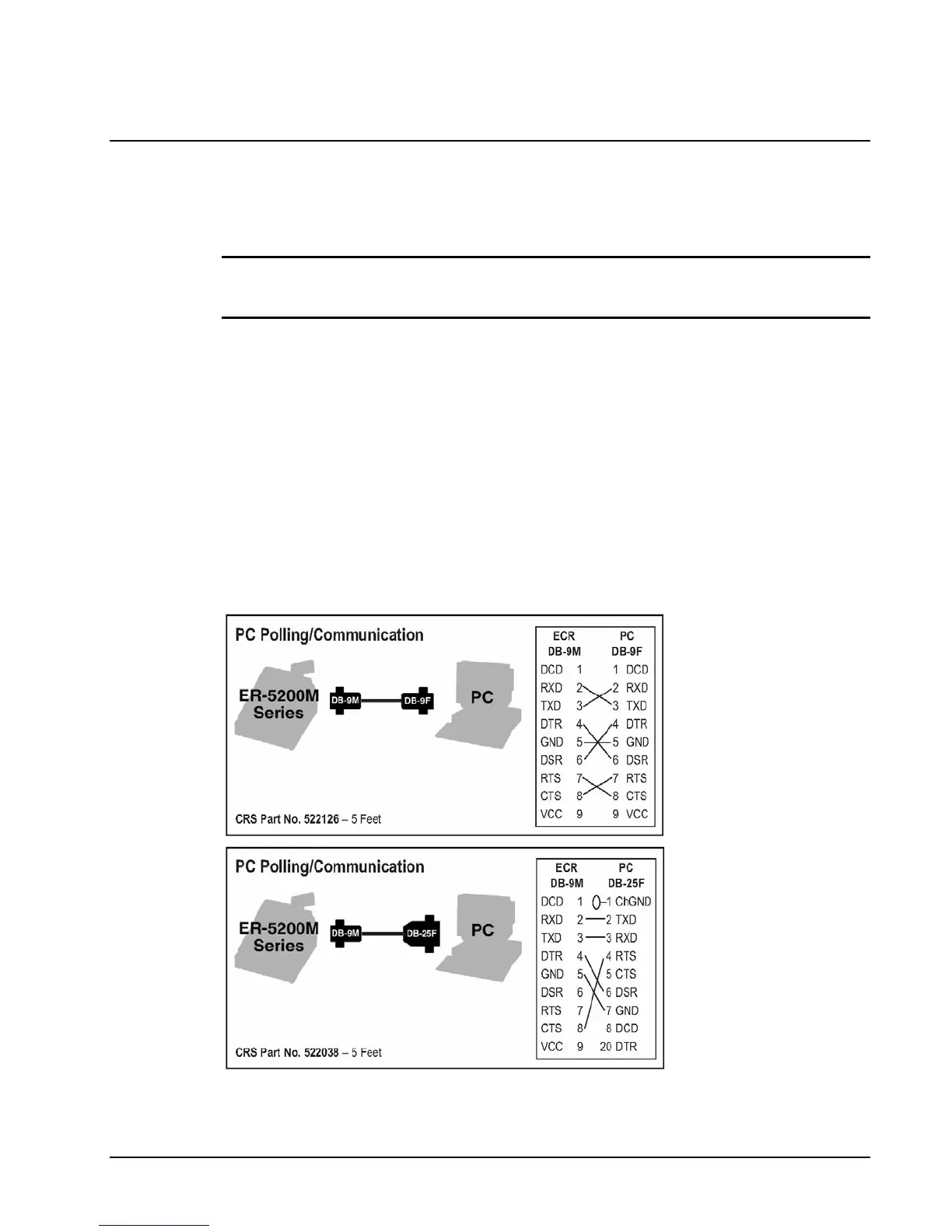
PC Connection Cable
Use one of the following cables:
CRS Part # 522026 (Register DB-9M to PC DB-9F)
CRS Part # 522038 (Register DB-9M to PC DB-25F)



 To Next Page