Installing the Software
Installing the Software
When you connect the Samsung External Hard Disk
Drive to your computer, there will be a short pause.
After the pause, the Welcome screen appears.
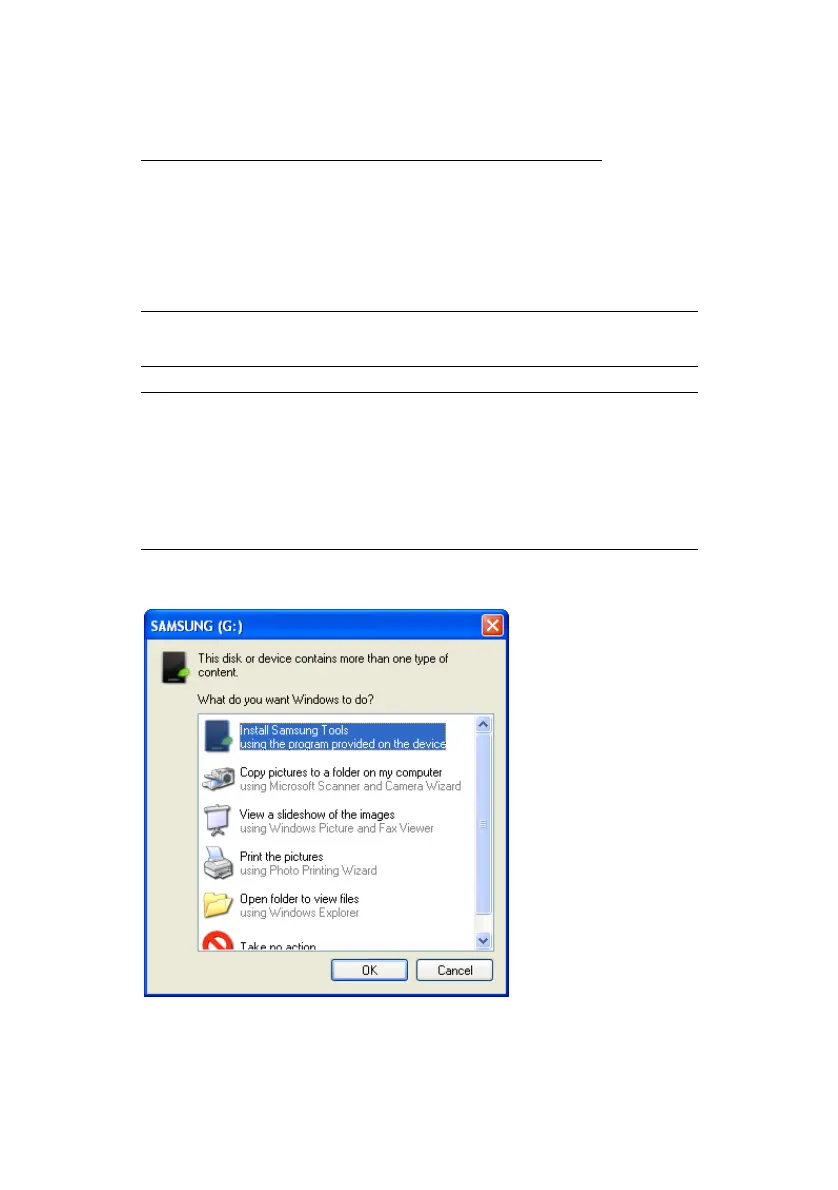
NOTE: IF YOU SEE A MICROSOFT SCREEN APPEAR,
CLICK ‘OK’
NOTE: WHEN YOU INSTALL THE AUTO BACKUP
PROGRAM ON THE WINDOWS 7,
YOU SHOULD RUN THE "APPINST.EXE"
MANUALLY IN SAMSUNG EXTERNAL HARD DRIVE.
THE WINDOWS 7 DOES NOT SUPPORT THE
AUTORUN FUNCTION.
Figure 4-2 Click OK if the Microsoft Install Wizard appears
Samsung Auto Backup User Manual Ver 2.0
16



 To Next Page