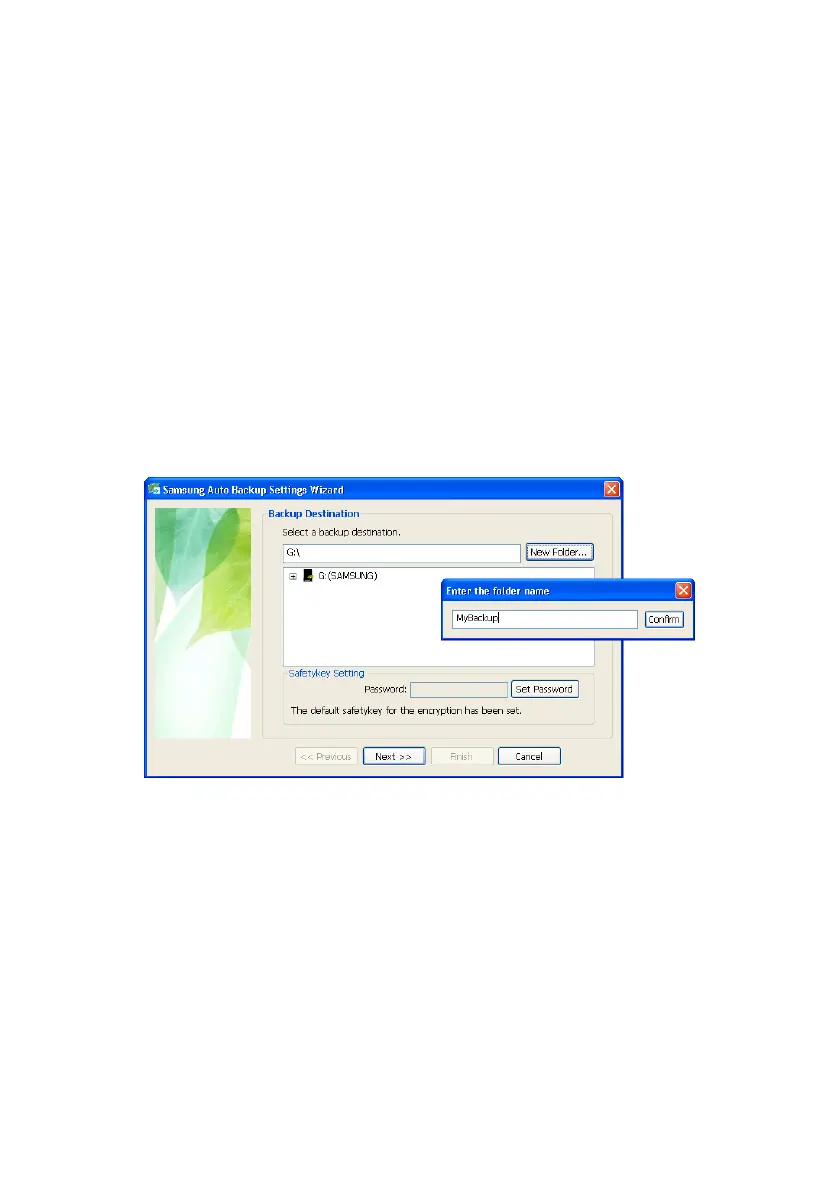
Setting up the Auto Backup
screen, you can choose the Samsung External Hard
Disk Drive that is connected. If the Samsung External
Hard Disk Drive is not connected, you cannot choose
the backup destination.
Creating a Folder
Create our own folder and use the SafetyKey to
protect it.
3.
Click New Folder...
4.
Type MyBackup
5.
Click Confirm
Figure 5-3 Create your Folder
Samsung Auto Backup User Manual Ver 2.0
26



 To Next Page