Advanced
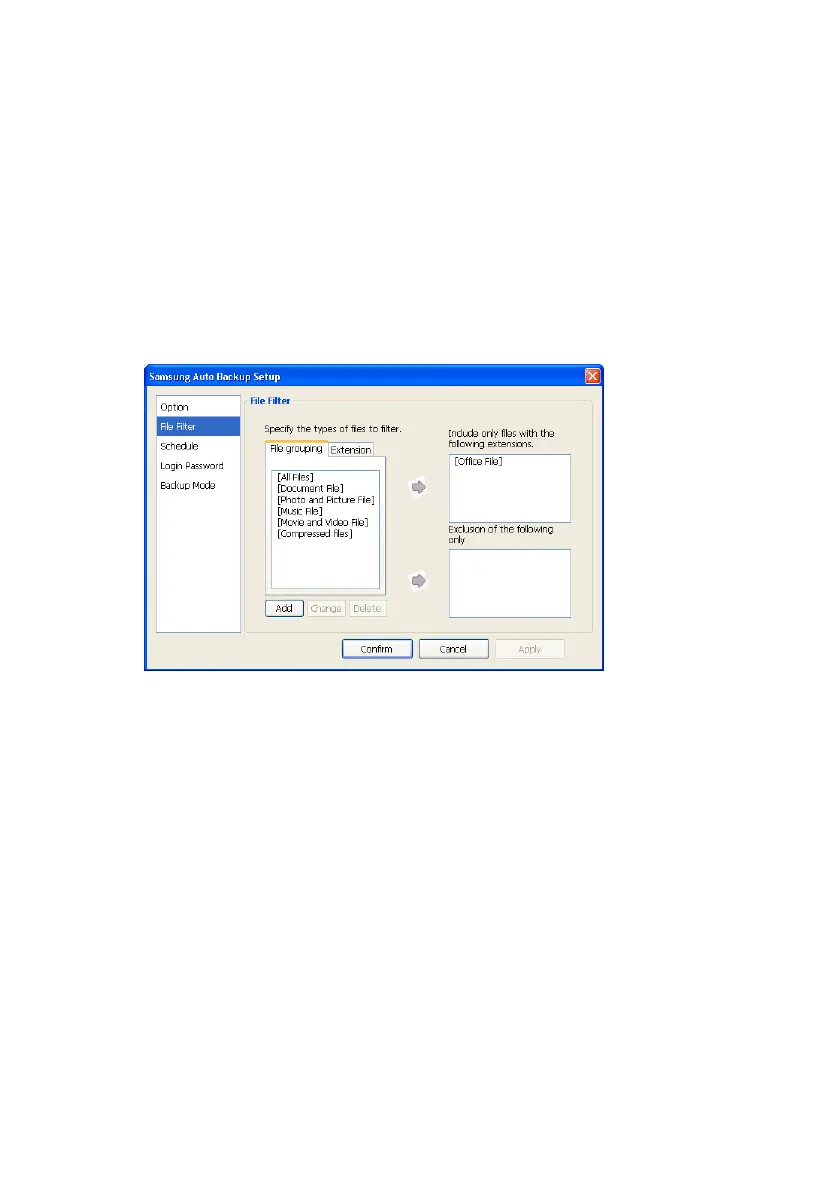
File Filter
The File Filter screen defines the file types to
back up or exclude from the backup. File types
are categorized in six groups:
For more information on the File Filter options, please
see Chapter 5 in the section "File Filter"
Figure 7-2 File Filter
Schedule
Adding, changing, or deleting a schedule is
performed from this screen. By clicking Add...,
Change..., or Delete you can create as many
backup schedules for as many file groups or
types as you desire.
For more information on creating a schedule, please
see Chapter 5 in the section "Setting the Backup
Schedule”
Samsung Auto Backup User Manual Ver 2.0
50



 To Next Page