Setting up the Auto Backup
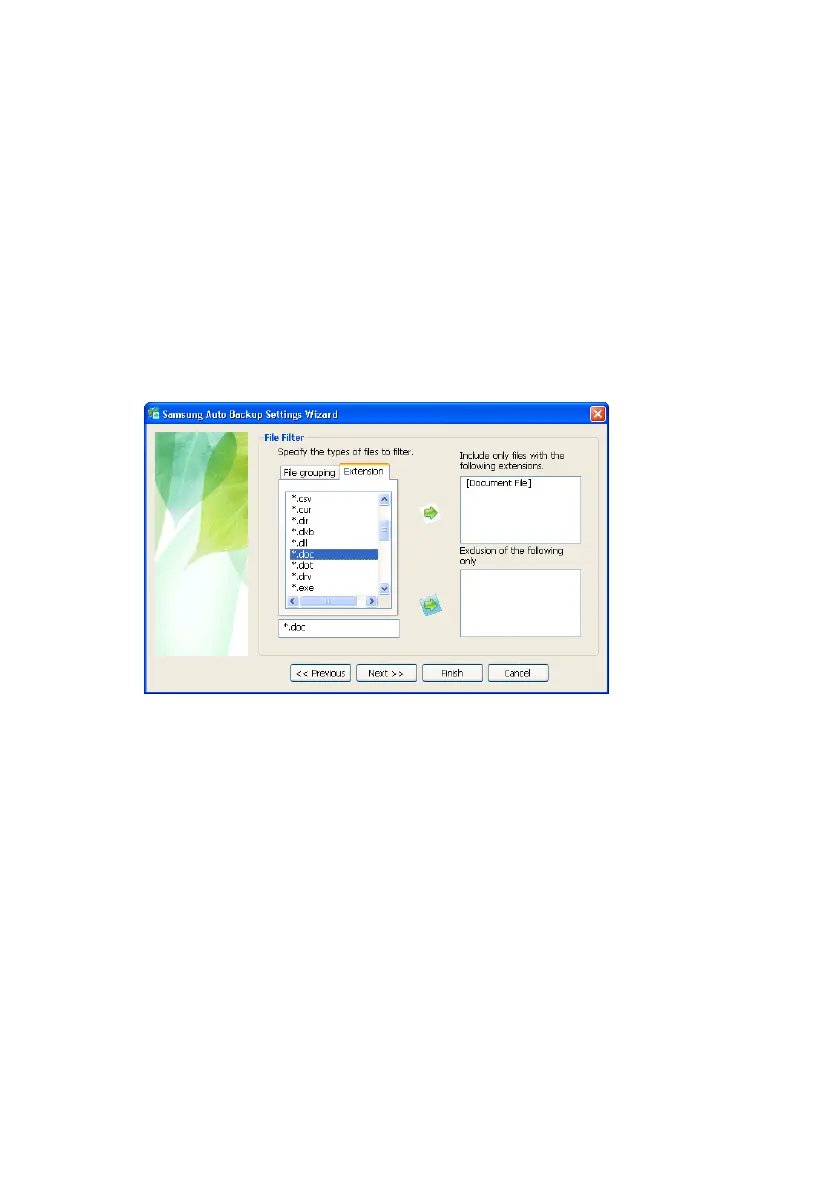
Backup Types of Files by Extension
To backup certain types of files, with the
extension .DOC for instance:
12.
Click the Extension tab
13.
Click *.DOC
14.
Click the bottom Green Right Arrow
15.
Click Next>>
Figure 5-7 Choose the file extension to backup
If you click Next without making any change to the
settings, all files the will be backed up from your
backup source.
Samsung Auto Backup User Manual Ver 2.0
33



 To Next Page