Advanced
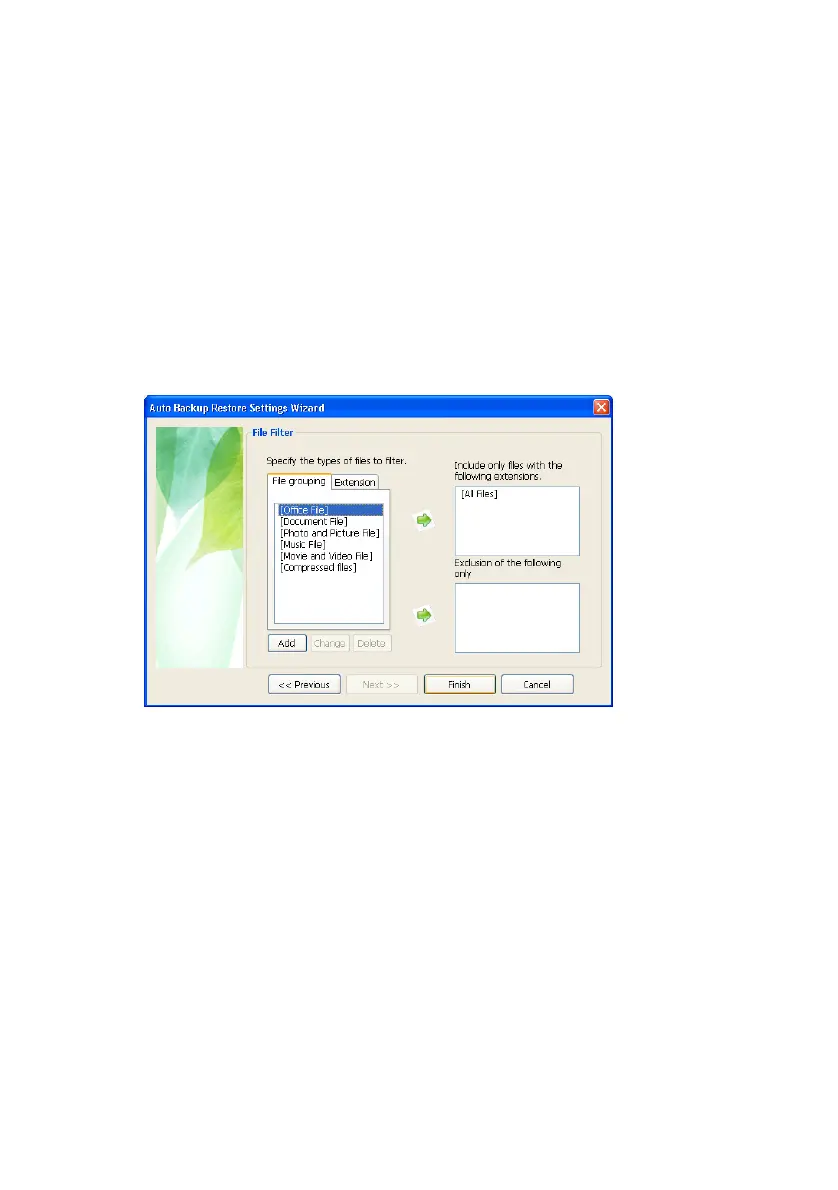
If you only want certain groups or types of files
restores, identify them in the File Filter screen. For
the purposes of this manual, choose [All Files].
5.
Click [All Files]
6.
Click Green Right Arrow
7.
Click Finish
8.
Click Exit at the Samsung Auto Backup Progress screen
Figure 7-12 Choose the type of files to restore
Settings Information
The backup list window shows varied information
about the backup, backup device, backup schedule,
task log and a backed-up files list.
• Backup Information shows information about the current task
options, backup mode, and file filter.
• Device Information Shows general information about the backup
device, including total space, used space and free space on the
backup device.
Backup Schedule shows information about the
scheduled backup time.
Samsung Auto Backup User Manual Ver 2.0
59



 To Next Page