Advanced
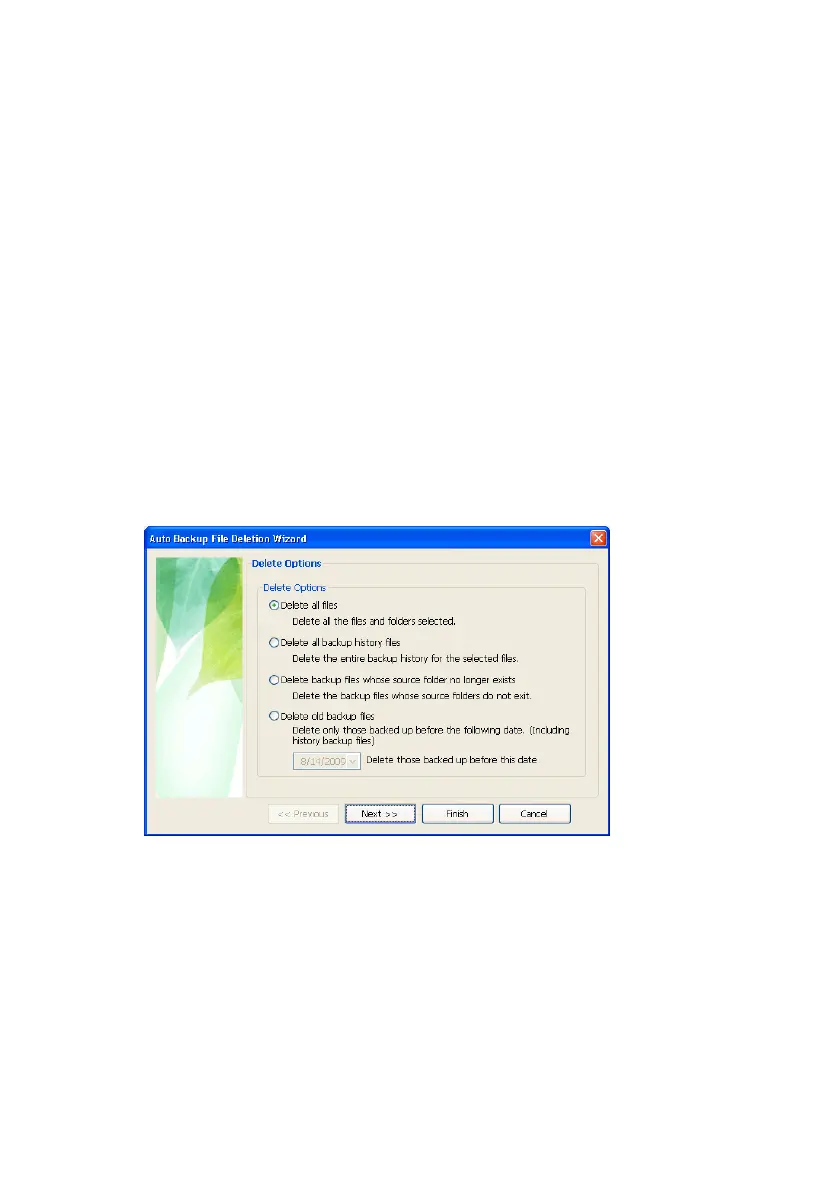
• Delete all backup history files
Deletes the entire backup history for the selected files.
• Delete backup files whose source folder no longer exists.
Deletes the backup files that no longer have source files.
• Delete old backup files
Deletes only those files and histories of files backed up before a
designated date.
For the purpose of this manual, choose:
4. Delete all files
5. Click Next >>
Figure 7-7 Delete Options
You are prompted to identify the files to delete.
6.
Choose the File Group or File Extension to delete
7.
Click Next>>
A prompt displays asking if you would like to initiate a
backup in ‘Intelligent’ mode.
8.
Click No
Samsung Auto Backup User Manual Ver 2.0
55



 To Next Page