27
Λ
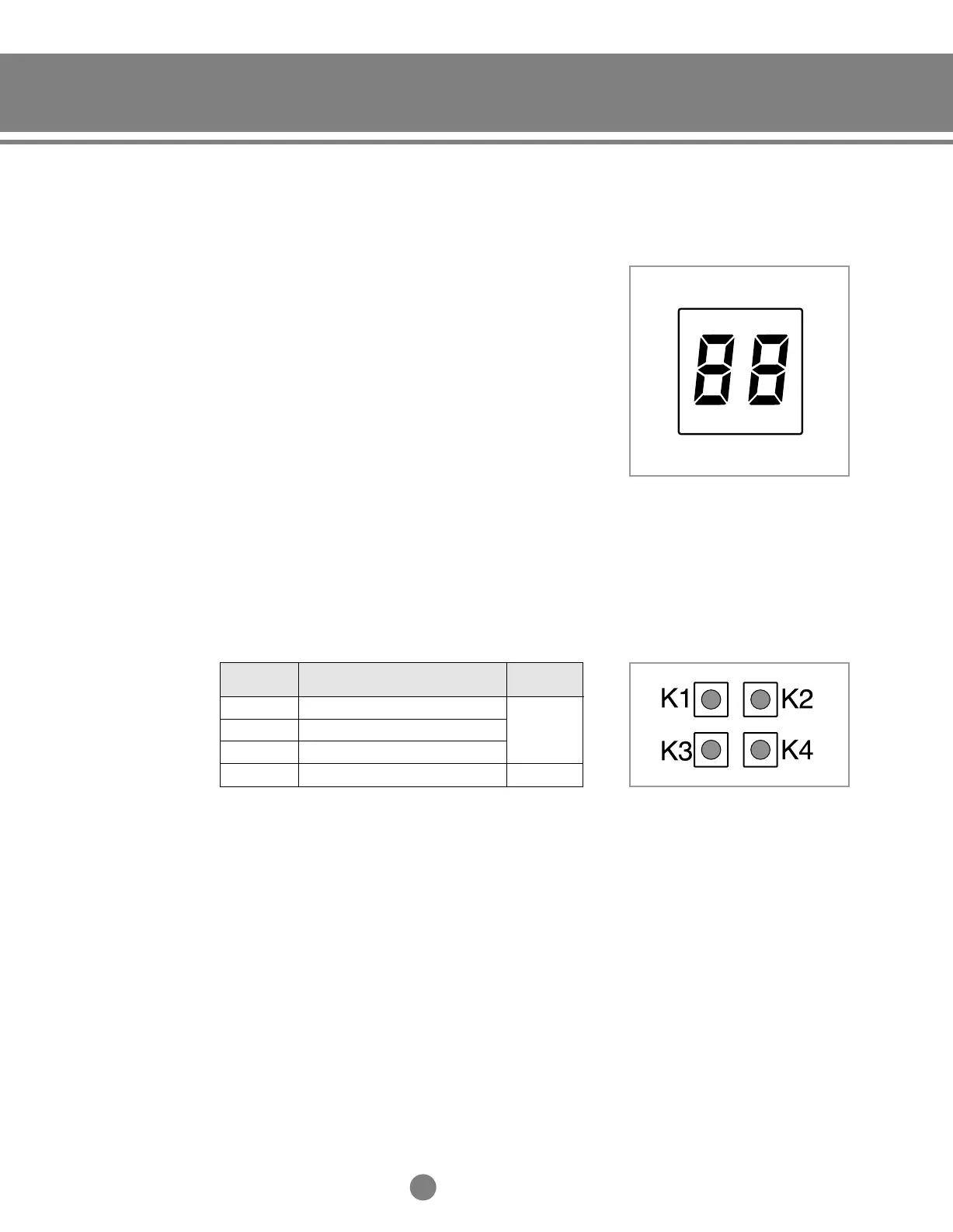
3) Function of Display
◆
The numbers which is displayed on left are the status
of indoor unit checking status through communication
with same outdoor unit. (If it indicates 1, 3 and 7, that
means the ADDRESS of indoor unit is set to 1, 3 and 7.)
◆
The numbers which is displayed on right indicate the
ADDRESS of SW51, SW52 and SW53 in sequential. (If it
indicates 0, 1 and 2, that means the SW51 is set to 0, the
SW52 is set to 1, and the SW53 is set to 2.)
◆
If the communication error occurs in distributor,
the Er÷C0 message will be shown on the display
alternatively.
4) KEY function
◆
If you press a KEY on the PCB, the display will show
you a step of appropriate electronic expansion valve.
K1
K2
K3
K4
Step of electronic expansion valve A
Step of electronic expansion valve B
Step of electronic expansion valve C
-
19
(19 x 10 =
190 STEP)
-
KEY No.
Meaning
Example
5-1.Installation_TM_E_06890 2/27/03 10:15 AM Page 27




 To Next Page