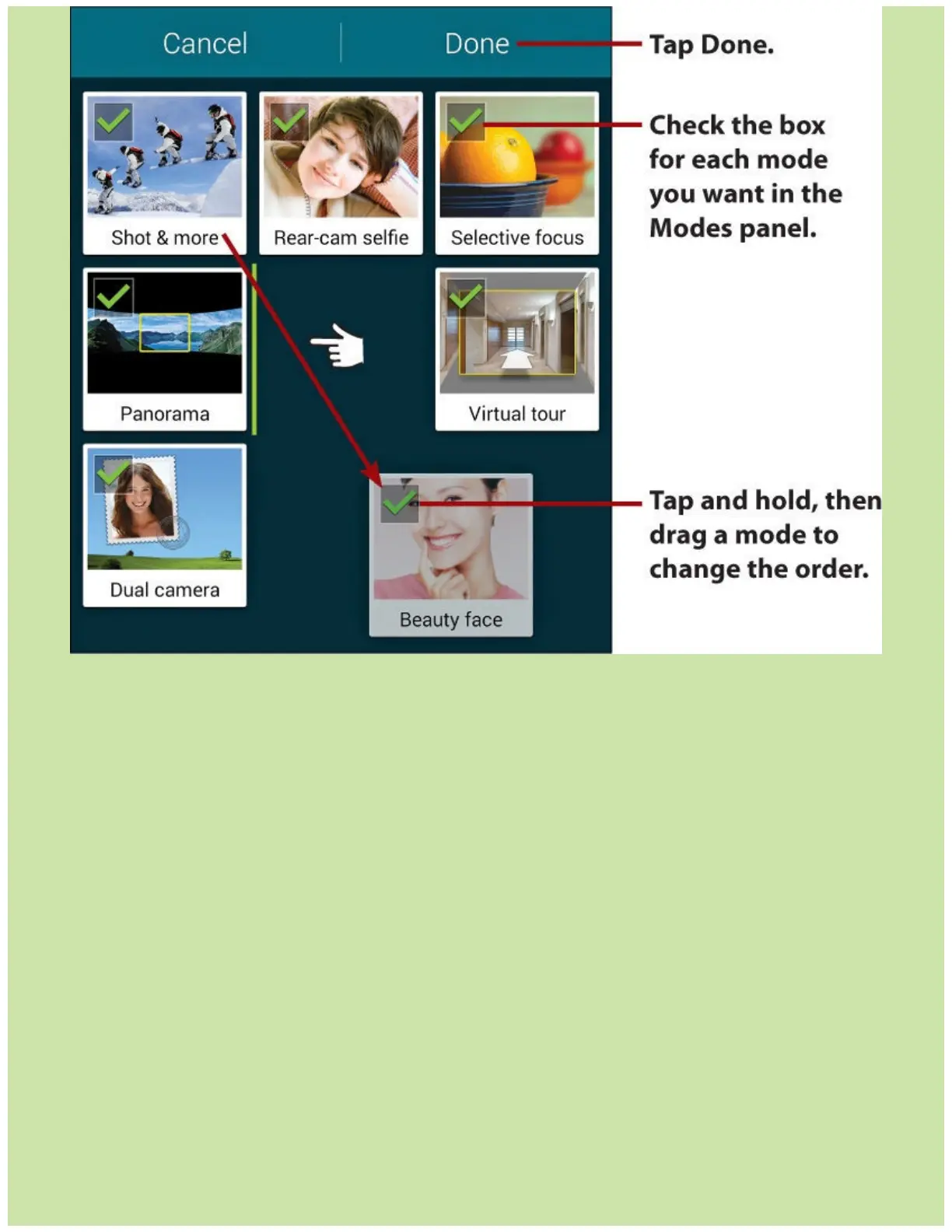
Someoftheshootingmodesarestraightforward.Forexample,tapAutotohavetheCameraapp
handleasmanydecisionsaspossible,leavingyoufreetoshoot,ortapPanoramawhenyouneed
tostitchtogetherasequenceofphotosintoapanoramaphoto.BeautyFacehelpsyoucapture
portraitsandimprovetheircomplexionandfeaturesattheexpenseofreality.DualCameramode
enablesyoutosuperimposeyourself(viathefrontcamera)onthescenethebackcamerais
shooting.Onthefrontcamera,useSelfiemodeforself-portraitsofjustyourself,orWideSelfie
forself-portraitsofyouandothers.
Othermodesmightneedmoreexplanation.
Shot&Moremodeisagroupofmodesthatenablesyoutotakeaburstofphotosandthenpick
amongthemafterward.ThesubmodesareBestPhoto,BestFace,DramaShot,Eraser,and
PanningShot.WhenyoutaptheShutterbuttoninShot&Moremode,theCameraapptakesa
burstofphotosanddisplaysalistofavailablesubmodesbasedonwhatyoushoot.BestPhoto
enablesyoutoselectwhichphotostokeepfromtheburst;BestFacesubmodeenablesyouto
selectthebestversionofeachperson’sfaceinagroupshotandmergethemintoasinglephoto;
DramaShotenablesyoutocapturethesamemovingobject(say,arunner)inmultipleshotsthat
youcombineintoasingleshotfeaturingmultipleinstancesofthatobject(suchastherunner
passingyou).Eraserenablesyoutoremoveunwantedobjects,suchasalovablepetthat’sphoto-
bombingagroupportrait.PanningShotblursthebackgroundtomakethesubjectappeartobe
movingfaster.
Rear-CamSelfieenablesyoutotakeself-portraitsusingtherearcamera(whichgiveshigher
resolutionthanthefrontcamera).Youcan’tseewhat’sonthescreen,butinRear-CamSelfie














 To Next Page