36
•
Speaker On
to activate speakerphone mode. (If you are in
speakerphone mode, the option is displayed as Speaker
Off to deactivate.)
•
Dialpad/Hide dialpad
to show or hide the onscreen
dialpad.
•
End call
to end the current call.
To exit Emergency mode:
1. Press or tap to end a 911 call.
2. Tap
Exit
on the Emergency Call Back mode.
Note:
When you end the 911 call, you are returned to the
Emergency Call Back mode. Within the Emergency Call
Back mode, tap
OK
or press the
Home
key to use another
menu.
Enhanced 911 (E911) Information
This device features an embedded Global Positioning
System (GPS) chip necessary for utilizing E911
emergency location services where available.
When you place an emergency 911 call, the GPS
feature of your device seeks information to calculate
your approximate location.
Note:
Depending on several variables, including availability and
access to satellite signals, it may take up to 30 seconds
or more to determine and report your approximate
location.
Important!: Always report your location to the 911 operator when
placing an emergency call.
Some designated
emergency call takers, known as Public Safety
Answering Points (PSAPs) may not be equipped to
receive GPS location information from your device.
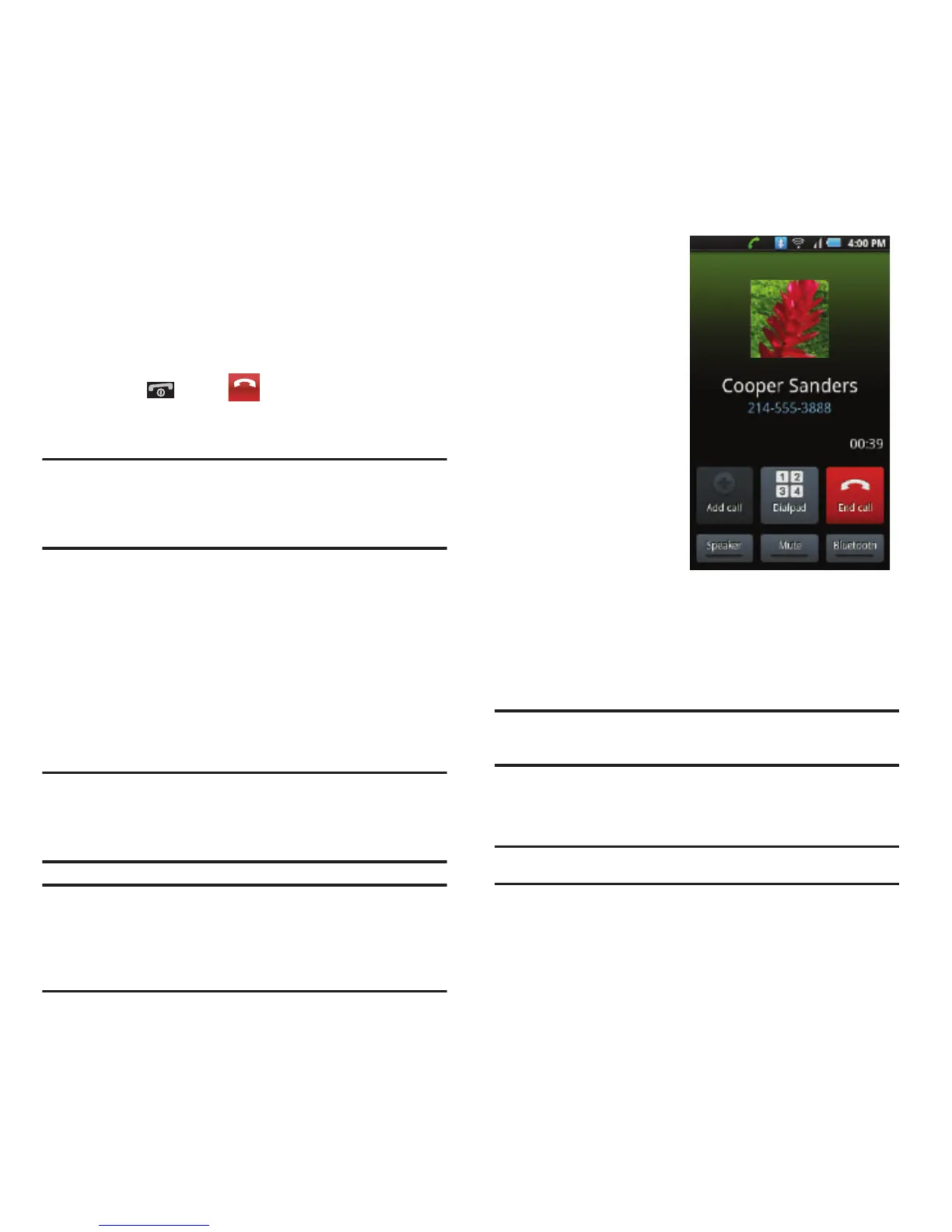
In-Call Options
•
Once you initiate a call,
you will see six onscreen
options. To select an
option, tap the
corresponding option.
Dialpad/Hide
to toggle
the appearance of the
onscreen dialpad.
•
End call
to end the
current call.
•
Speaker
to route the
device’s audio through
the speaker (
On
) or
through the earpiece
(
Off
).
–
Activate
Speaker
to route the device’s audio through the
speaker. (You can adjust the speaker volume using the
volume keys.)
–
Deactivate
Speaker
to use the device’s earpiece.
Warning!:
Because of higher volume levels, do not place the
device near your ear during speakerphone use.
•
Mute
to mute the microphone during an active call. Tap
again to unmute the microphone.
Note:
If Mute is activated, the speaker mode is deactivated.
•
Bluetooth
to route the device’s audio through the
connected Bluetooth headset (
On
) or through the speaker
(
Off
). See “Turning Bluetooth On and Off” on page 81.













 To Next Page