Getting Started 1
Section 1: Getting Started
This section describes information about managing
your device, maximizing its performance and
creating a Google account.
Setting Up Your Device
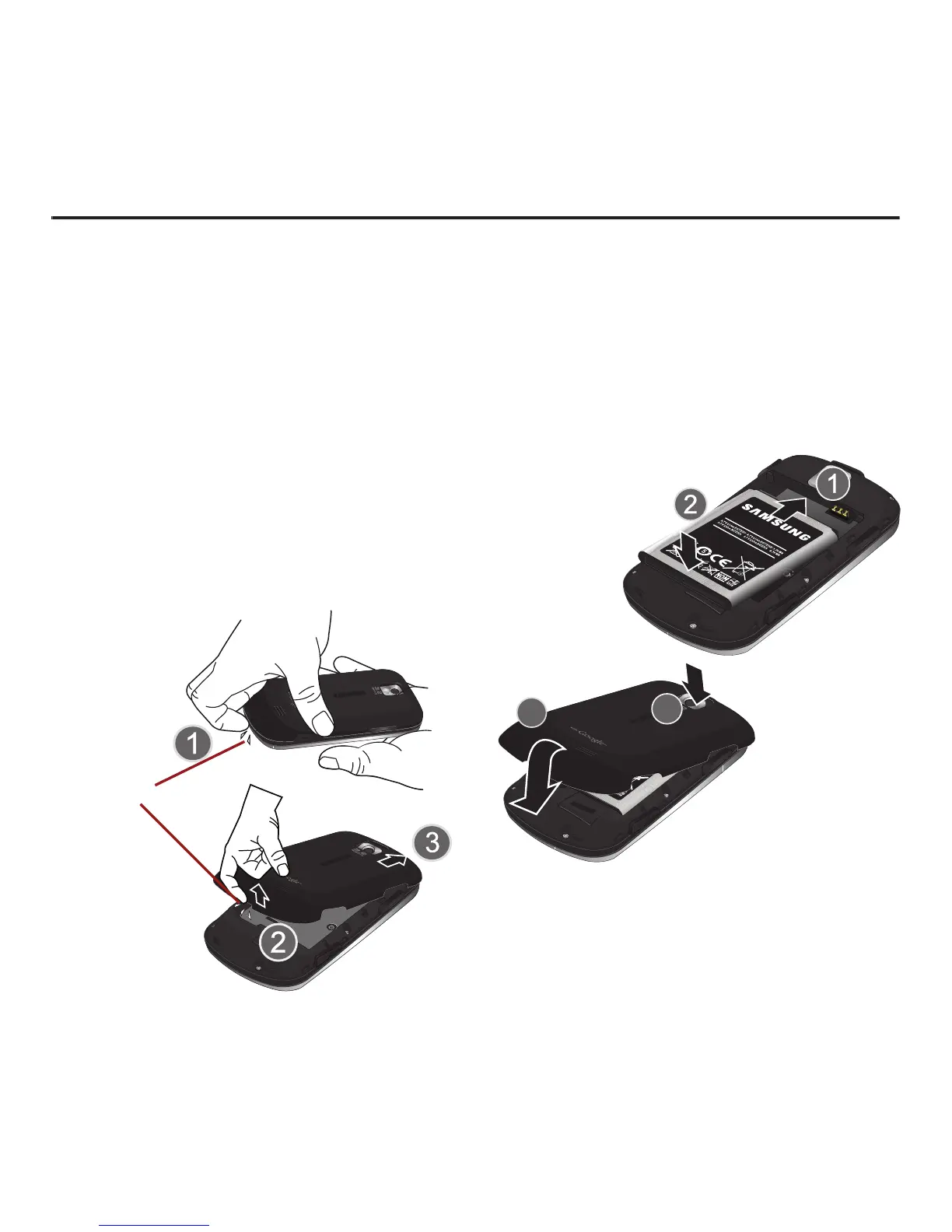
Installing the Battery
1. Remove the battery from its packaging.
2. Grasp the device firmly and locate the cover
release latch.
3. Place your fingernail in the opening and firmly
“pop” the cover off the device (similar to a
soda can).
4. Insert the battery into the opening in the back
of the device, making sure the connectors
align. Gently press down to secure the battery.
5. Position the battery cover over the battery
compartment and press down until you hear a
click.













 To Next Page