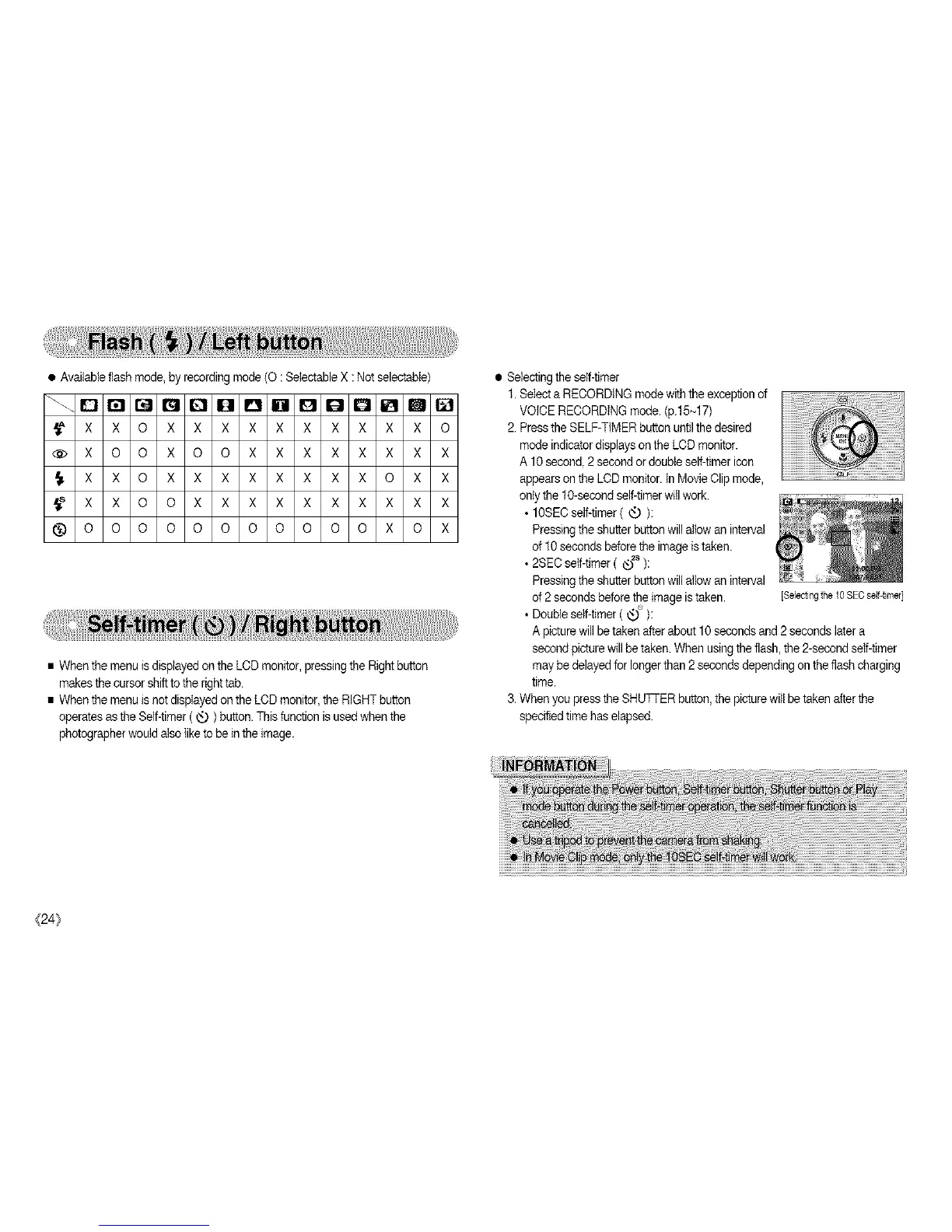
e_ailableflashmode,_co_ingmode(O:SetectableX:N_selectabie)
_XXOXXXXXXXXXXO
@XOOXOOXXXXXXXX
_XXOXXXXXXXXOXX
_XXOOXXXXXXXXXX
_ O O O O O O O O O O O X O X
• When the menu isdisplayed on the LCD monitor, pressingthe Rightbutton
makes the cursor shiftto the righttab.
• When the menu isnot displayed on the LCDmonitor, the RIGHTbutton
operates asthe Self-timer( _ ) button. This function is used when the
photographer would alsoliketo be in the image.
• Selecting the serf-timer
1.Select a RECORDING mode with the exceptionof
VOICE RECORDING mode. (p.15~17)
2.Pressthe SELF-TIMER button untilthe desired
mode indicatordisplays on the LCD monitor.
A 10 second,2 second or doubleself-timer icon
appears on the LCD monitor, tnMovieClip mode,
ontythe 10-secood self-timerwill work.
• 10SEOself-timer ( _ ):
Pressingthe shutter button willallow an interval
of 10seconds beforethe image istaken.
• 2SEC self-timer ( ®2s ):
Pressingthe shutter button willallow an interval
of2 seconds beforethe image istaken.
• Doubleself-fimer ( _'_ ):
Apicturewill be taken after about10 seconds and 2seconds later a
secondpicture willbe taken. When usingthe flash,the 2-second self-timer
may be delayedfor longerthan 2seconds depending on the flash charging
time.
3. When you press the SHUTi-ER button, the picturewill betaken afterthe
specifiedtime has elapsed.
[$el_ting the 108ECself4irner]
{24}


 To Next Page