•_fyouconnecttheUSBcabletoaUSBportonyourPCandthenturnonthe
power,thecamerawillautomaticallysw4tchto"computerconnectionmode".
•tnthismode,youcandownloadstoredimagestoyourPCthroughtheUSB
cable.
•TheLCDmonitorisalwaysturnedoffinPCmode.
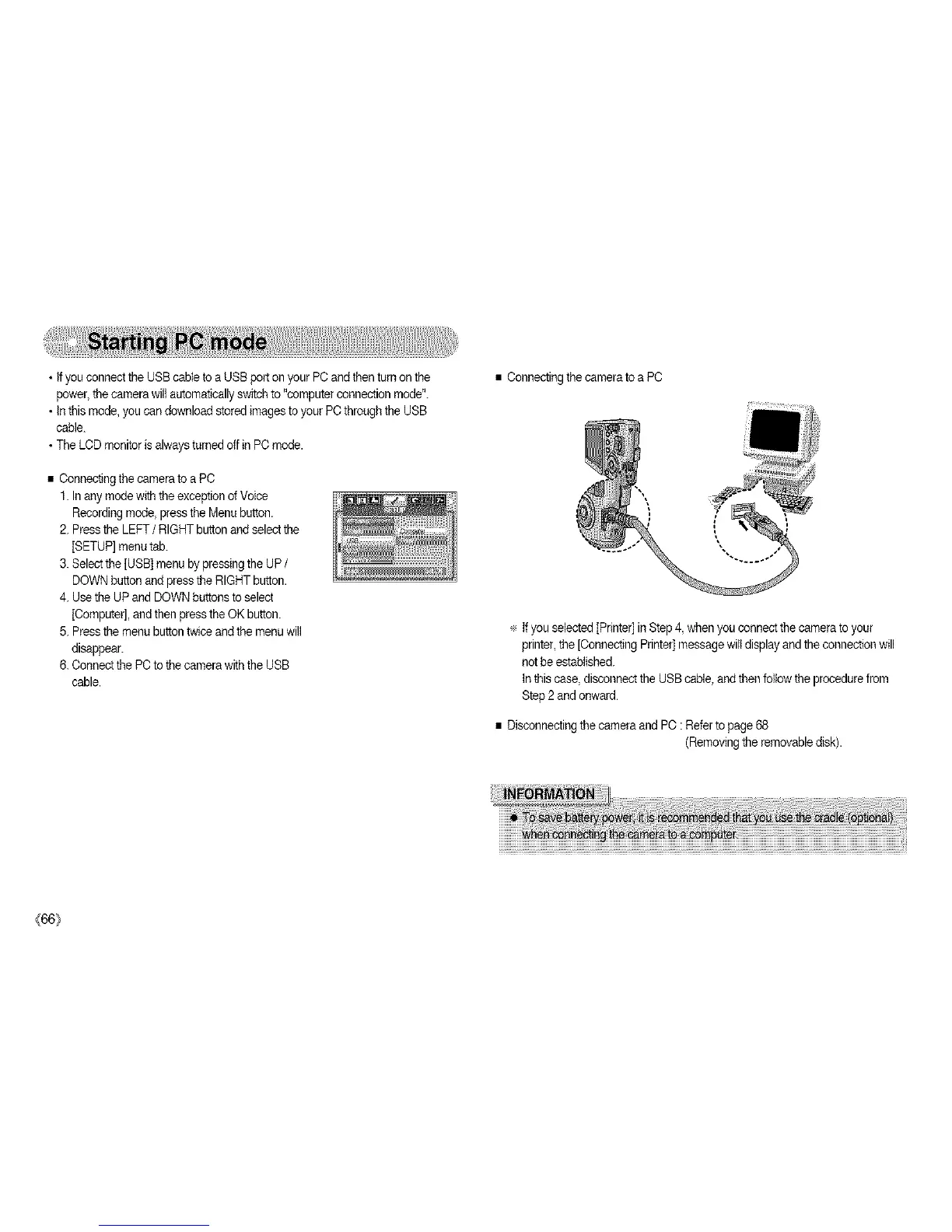
•ConnectingthecameratoaPC
1.InanymodewiththeexceptionofVoice
Recordingmode,presstheMenubutton.
2.PresstheLEFT/ RIGHT button and select the
[SETUP] menutab.
3. Selectthe [USB] menuby pressing the UP /
DOWN button andpress the RIGHT button.
4. Use the UP and DOWNbuttons toselect
[Computer],and then press the OK button.
5. Pressthe menubutton twice andthe menu will
disappear.
6. Connectthe PCto thecamera with the USB
cable.
• Connectingthe cameratoa PC
÷ If you selected [Printer] in Step4, when you connect the camera to your
printer, the [ConnectingPrinter]message wilt display andthe connectionwill
not be established.
in this case, disconnect the USB cable,andthen follow the procedurefrom
Step 2 andonward.
• Disconnecting the cameraand PC : Refer to page 68
(Removingthe removabledisk).
{66_



 To Next Page