• Trimming : You can extractpart ofthe image andsave itseparately.
1.Select an image thatyou want to enlargeand press
the enlargementbutton.
2. Differentparts ofthe imagecan be viewed by pressing
the 5function button.
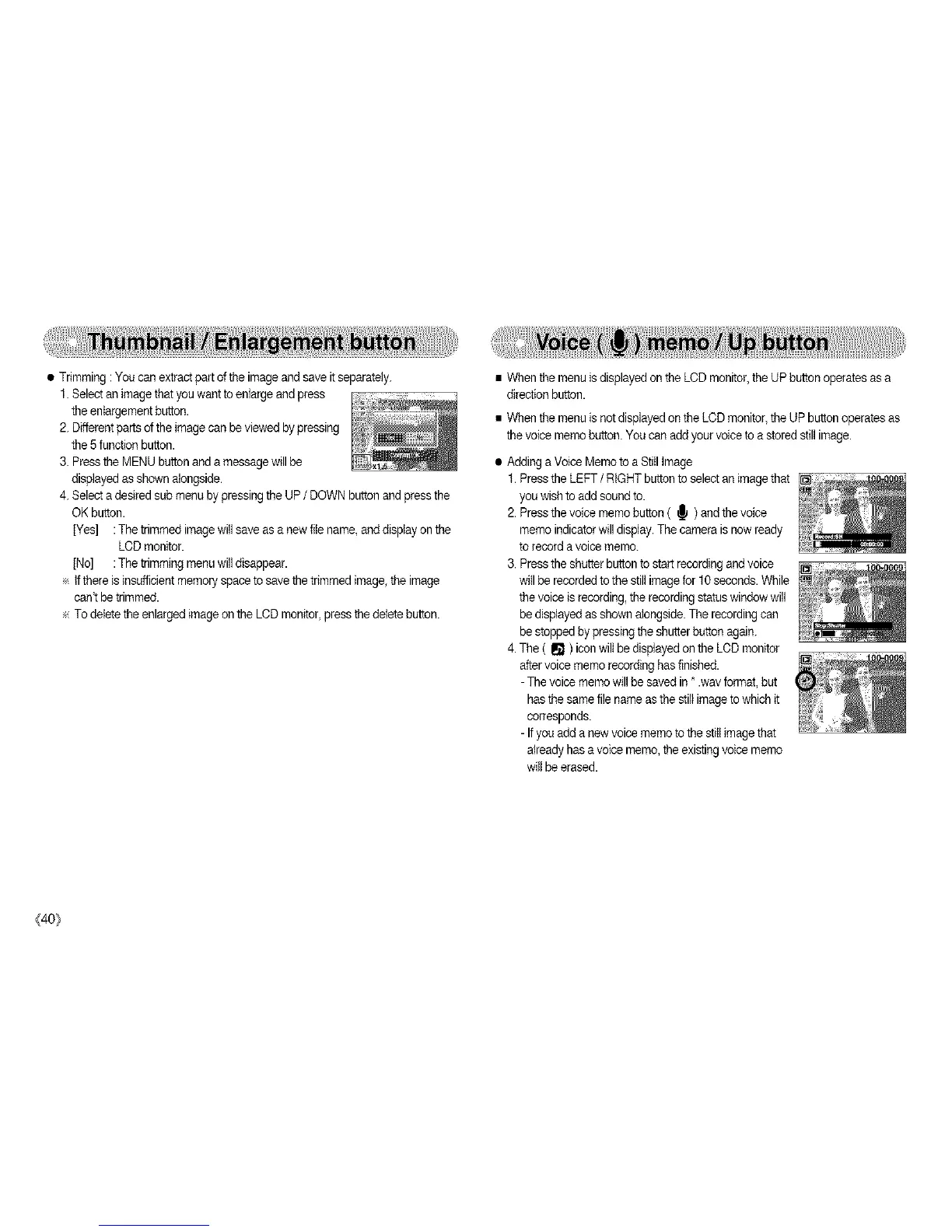
3. Pressthe MENU button anda message will be
displayedas shown alongside.
4. Select a desired sub menu bypressing the UP / DOWN button andpress the
OK button.
[Yes] :The trimmed imagewill save as a newfile name, anddisplay on the
LCDmonitor.
[No] :The trimming menuwill disappear.
e If there is insufficientmemo17spaceto save the trimmed image the image
can't be trimmed.
÷ To deletethe enlarged imageon the LCD monitor, press the deletebutton.
• When the menu isdisplayed on the LCD monitor, the UPbutton operates as a
direction button.
• When the menu is notdisplayed on the LCD monitor,the UP button operates as
the voicememo button.You can addyour voiceto a stored still image.
• Adding a Voice Memo to aStiil image
1.Pressthe LEFT / RIGHT button to selectan imagethat
you wishto add soundto.
2.Pressthe voice memo button ( _ ) and the voice
memo indicator will display.The camera isnow ready
torecord avoice memo.
3. Pressthe shutter button to start recordingandvoice
willbe recordedto the still imagefor 10 seconds.While
thevoice is recording,the recordingstatus windowwill
be displayed as shownalongside. The recordingcan
be stopped by pressingthe shutterbutton again.
4. The ( I1_) icon wilt be displayedon the LCD monitor
aftervoicememo recordinghas finished.
-The voicememo will be saved in *.wav format, but
has the same file name asthe still image towhich it
corresponds.
-If you adda new voicememo to the still imagethat
already has a voicememo, the existingvoice memo
will be erased.
(40_



 To Next Page