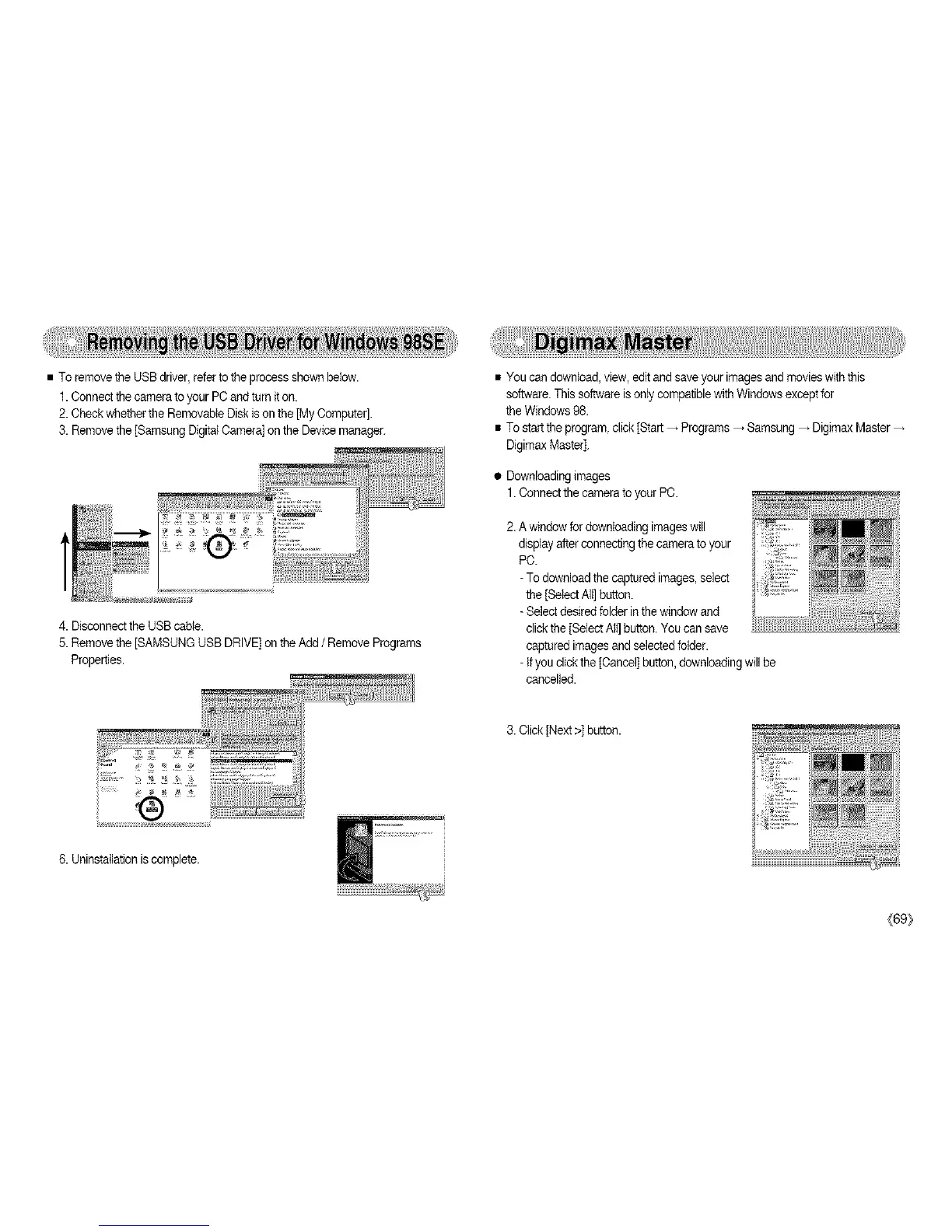
•ToremovetheUSBdriver,refertotheprocessshownbelow.
1.ConnectthecameratoyourPCandturniton.
2.CheckwhethertheRemovableDiskisonthe[MyComputer].
3.Removethe[SamsungDigitalCamera]ontheDevicemanager.
4.DisconnecttheUSBcable.
5.Removethe[SAMSUNGUSBDRIVE]ontheAdd/ Remove Programs
Properties.
®
6. Uninstallationis complete.
• You can download, view, edit andsave your imagesand movieswith this
software.This software isonly compatiblewith Windows except for
the Windows98.
• To start the program click [Start _ Programs_ Samsung _ Digimax Master
Digimax Master].
• Downloading images
1. Connectthe camerato your PC.
2.A windowfor downbading imageswill
display after connectingthe cameratoyour
PC.
-To download the captured images,select
the [Select AIt]button.
-Select desired folder inthe window and
click the [Select All]button. You can save
captured images andselected bider.
- Ifyou click the [Cancel]button, downloadingwill be
cancelled.
3. Click[Next>] button.
_[69}



 To Next Page