• Ofall thefiles stored inthe memory card, the unprotected files in the DCtM
subfolderwill be deleted. Remember thatthis will permanentlydelete
unprotectedimages. Importantshots should be stored on acomputer before
deletiontakes place.The startupimage and SKINimage are stored in the
camera'sinternal memory (i.e., noton the memory card) and it will notbe
deleted evenifyou deleteallfiles on the memory card.
• Deletingimages
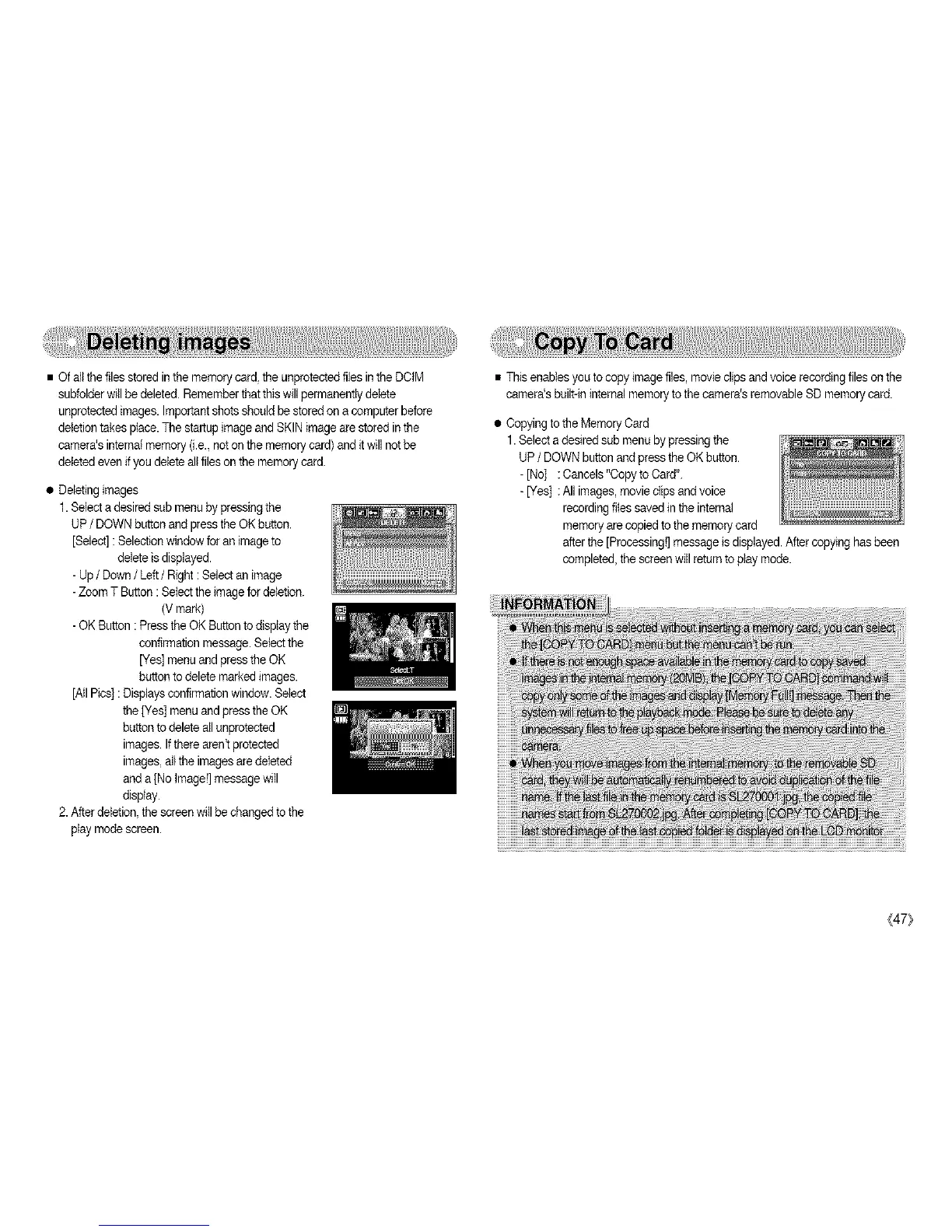
1. Selecta desired sub menuby pressing the
UP/ DOWNbutton and press the OK button.
[Select]: Selection windowfor an image to
delete is displayed.
- Up/ Down / Left/ Right: Select an image
-Zoom T Button : Selectthe image fordeletion.
(Vmark)
- OK Button : Pressthe OK Buttontodisplay the
confirmationmessage. Selectthe
[Yes] menuand press the OK
buttonto delete markedimages.
[Atl Pies]: Displays confirmationwindow. Select
the [Yes] menuand press the OK
button todelete allunprotected
images. Ifthere aren't protected
images,alt the imagesare deleted
anda [No tmage!]messagewill
display.
2.After deletion, the screenwill be changedto the
playmodescreen.
• This enables you tocopy imagefiles, movieclips andvoice recordingfiles on the
camera'sbuilt-in internal memory tothe camera's removable SD memory card.
• Copyingtothe Memory Card
1.Select adesired sub menuby pressing the
UP/ DOWNbutton and press the OK button.
-[No] : Cancels "Copyto Card".
- [Yes] : All images,movie clipsandvoice
recordingfiles savedin the internal
memory are copied tothe memory card
afterthe [Processing!]message is displayed.After copying has been
completed,the screenwill return toplay mode.
(47}



 To Next Page