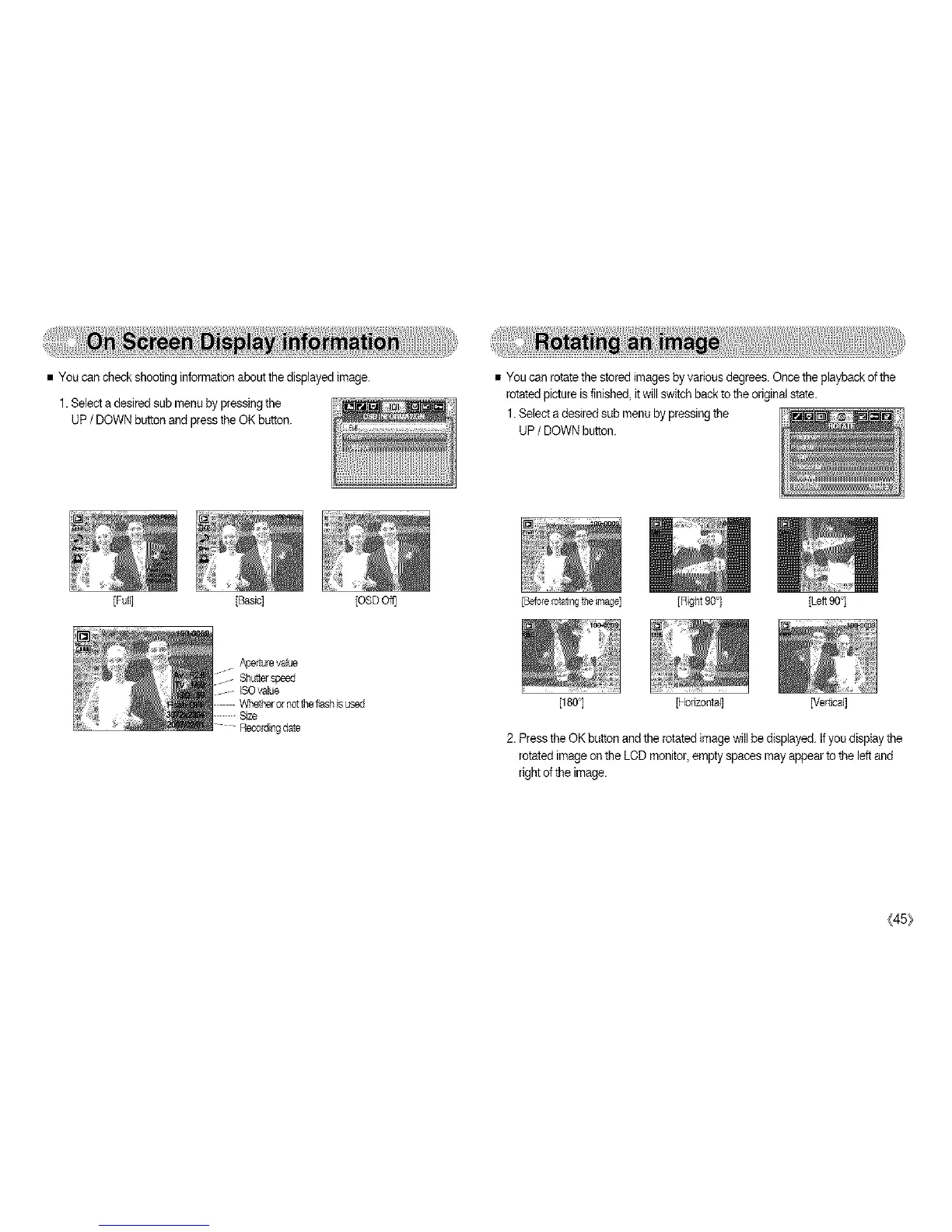
•Youcancheckshootinginformationaboutthedisplayedimage.
1.Selectadesiredsubmenubypressingthe
UP/ DOWNbutton and press the OK button.
[Full] [Basic] [OSD Off]
• You can rotate the storedimages by various degrees.Once the playback ofthe
rotated pictureisfinished, itwill switch back to the original state.
1.Select adesired sub menuby pressing the
UP/ DOWNbutton.
Aperturevalue
Shutter speed
ISOvalue
Recordingdate
[BeforeIotatingthemage] ]Right 90°] [Left 90°]
[180°] [Honzontal] [Vertical]
2. Pressthe OK button and the rotated imagewill be displayed. Ifyou display the
rotated imageon the LODmonitor, emptyspaces may appear tothe leftand
right of the image.
(45}



 To Next Page