OfficeServ 7400 INSTALLATION
TECHNICAL MANUAL PART 7 JANUARY 2011
7.47
CONNECT TO AN OFFICESERV SYSTEM USING THE CLIENT APPLICATION
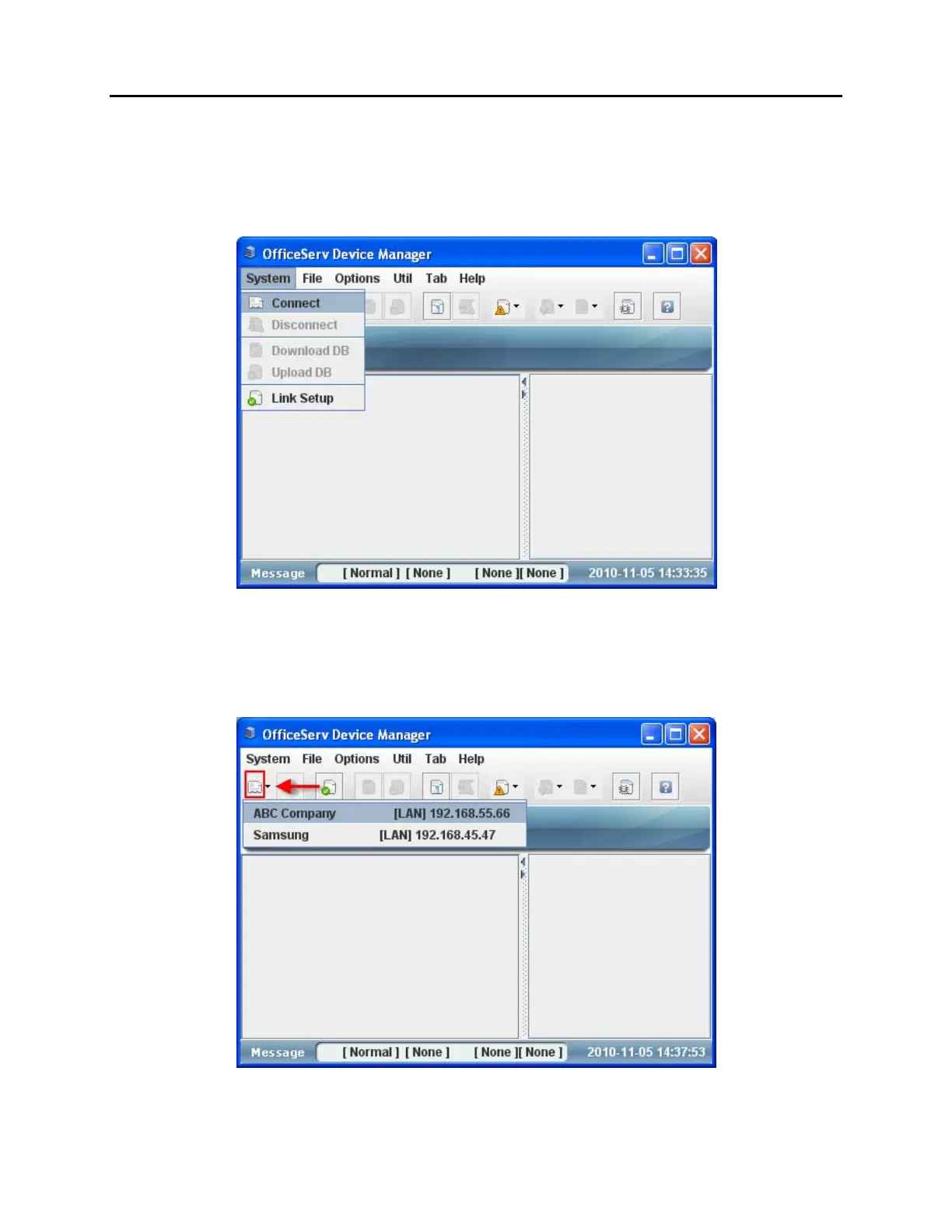
There are a couple of different methods you can use to connect to a system:
1. Click on [System] [Connect].
Figure 7.46 Connect to an OS System Using Client App Method 1
2. Use the Connect icon to connect to the last system you connected to. To connect to a
different system, use the arrow on the right side of the connect icon to display a list of
available systems.
Figure 7.47 Connect to an OS System Using Client App Method 2















 To Next Page