OfficeServ 7400 INSTALLATION
TECHNICAL MANUAL PART 3 MAY 2010
3.48
Ports & LEDs Function Description
RTPT LED This LED indicates if the voice packets are being forwarded.
- This LED turns on when the voice packets are forwarded.
RTPR LED This LED indicates if the voice packets are being received.
- This LED turns on when the voice packets are received.
3.3.18 MGI64
The MGI64 is a 64 channel Media Gateway Interface card. Just like the MGI, The MGI64 board
provides a variety of Voice over IP (VoIP) services for the OfficeServ 7400. This card is required
for ITP/SMT-i phones, IP networking, IP trunking or any application that require VoIP.
SPECIFICATIONS
The MGI64 does not require any daughtercards. It offers 64 VoIP channels on board.
The MGI64 can be installed in any OS7400 universal slot.
However, the MGI64 CANNOT be installed in an OS7200 expansion cabinet.
Add as many MGI64 cards as needed.
When the MGI64 is installed in the main cabinet, all 64 channels will be available. If it is
installed in an OS7400 expansion cabinet, only 32 channels will be available.
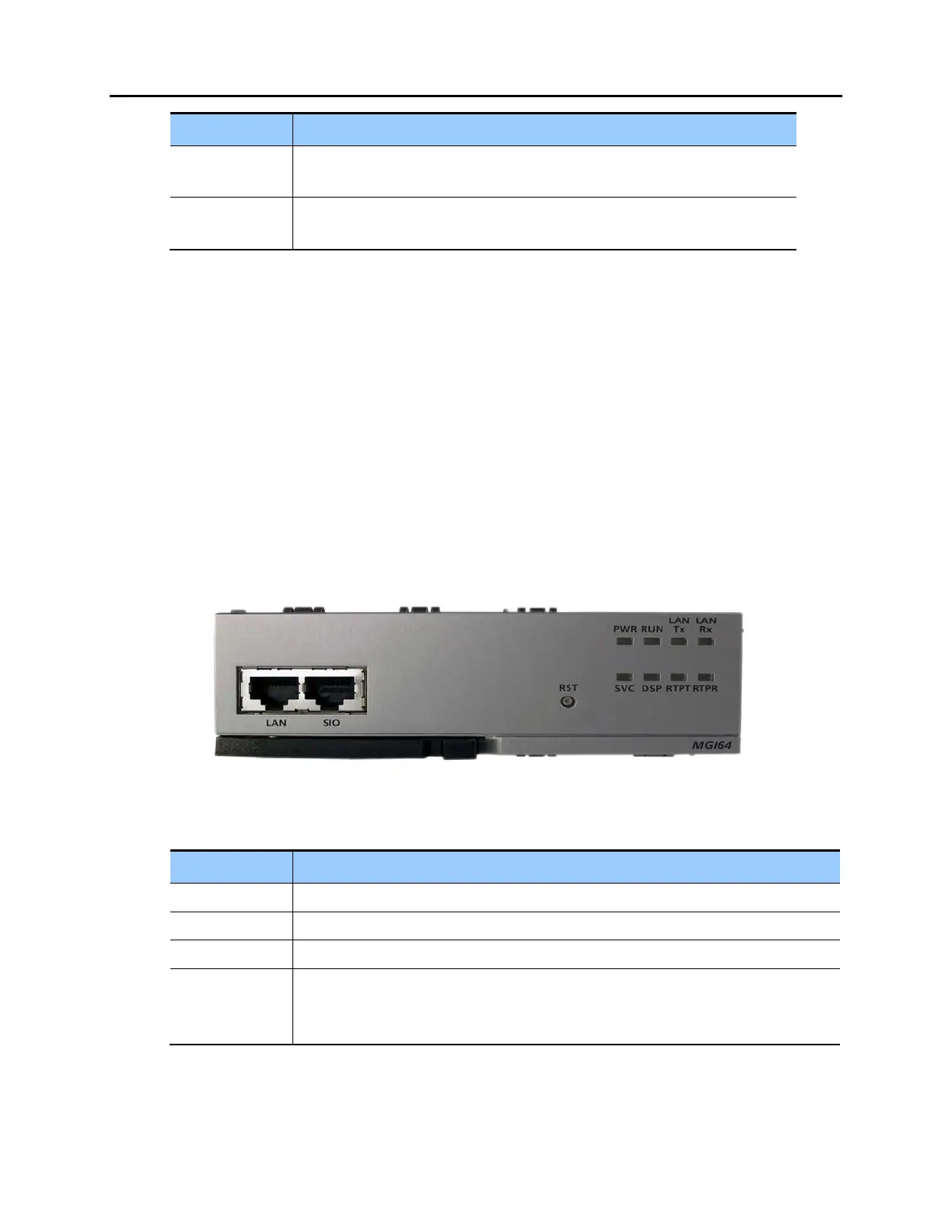
Figure 3.48 Front View of the MGI64
Table 3.22 MGI64 Front Panel Components
Ports & LEDs Function Description
LAN Port that connects the Ethernet.
SIO Serial Port (for Samsung Use ONLY)
RST Button for resetting the MGI.
PWR LED This LED indicates the power supply status.
- Off: Power is not being supplied.
- On: Power is being supplied properly.















 To Next Page