OfficeServ 7400 INSTALLATION
TECHNICAL MANUAL PART 3 JANUARY 2011
3.66
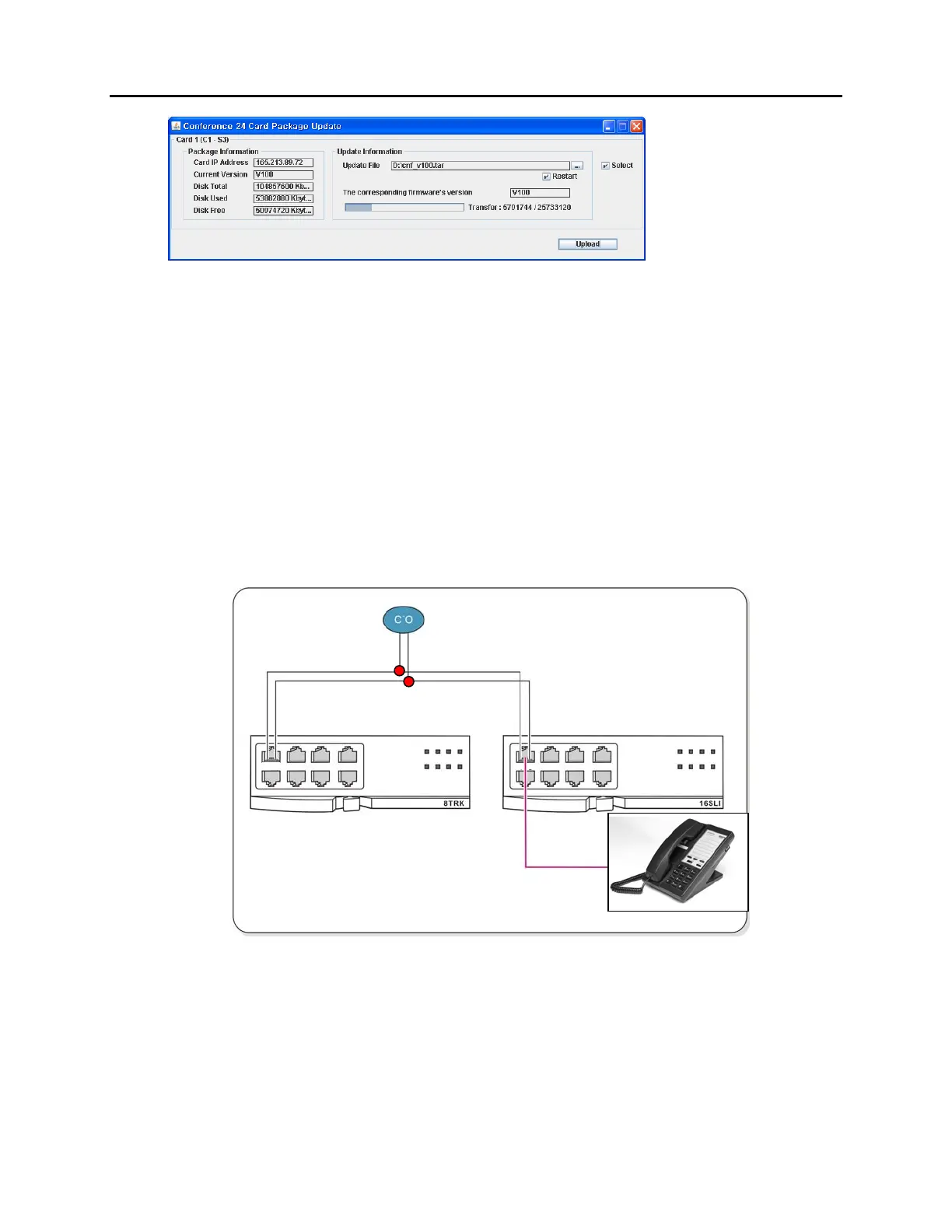
Figure 3.59 CNF24 Progress Bar
3.4 CONNECTING POWER FAIL TRANSFER
The OfficeServ 7400 offers a Power Fail Transfer feature for analog single line telephones that
are connected to port 1 on the 8SLI/8SLI2, 16SLI2, or 16MWSLI cards.
In case the OfficeServ 7400 loses power from its AC source, and no battery backup is available,
this feature is automatically activated. The analog telephone connected to port 1 of the SLI
will get C.O. dial tone (direct C.O. line access) activated by an internal relay. For this feature to
work, the SLI ports must be wired as shown in Figure 3.51 Pin 4 (TIP) and Pin 5 (RING) from a
port on the 8TRK/8TRK2 card must be connected to Pin 1 (TIP) and Pin 2 (RING) on port 1 of an
SLI card.
Figure 3.17 Power Fail Transfer Connection to 16SLI/8SLI
Figure 3.60 Power Fail Transfer Connection to 16MWSLI/16SLI2/8SLI/8SLI2
5 4 2
1
SINGLE LINE PHONE
RING (5)
TIP (4)
RING (2)
TIP (1)















 To Next Page