OfficeServ 7400 INSTALLATION
TECHNICAL MANUAL PART 3 MAY 2010
3.38
SPECIFICATIONS
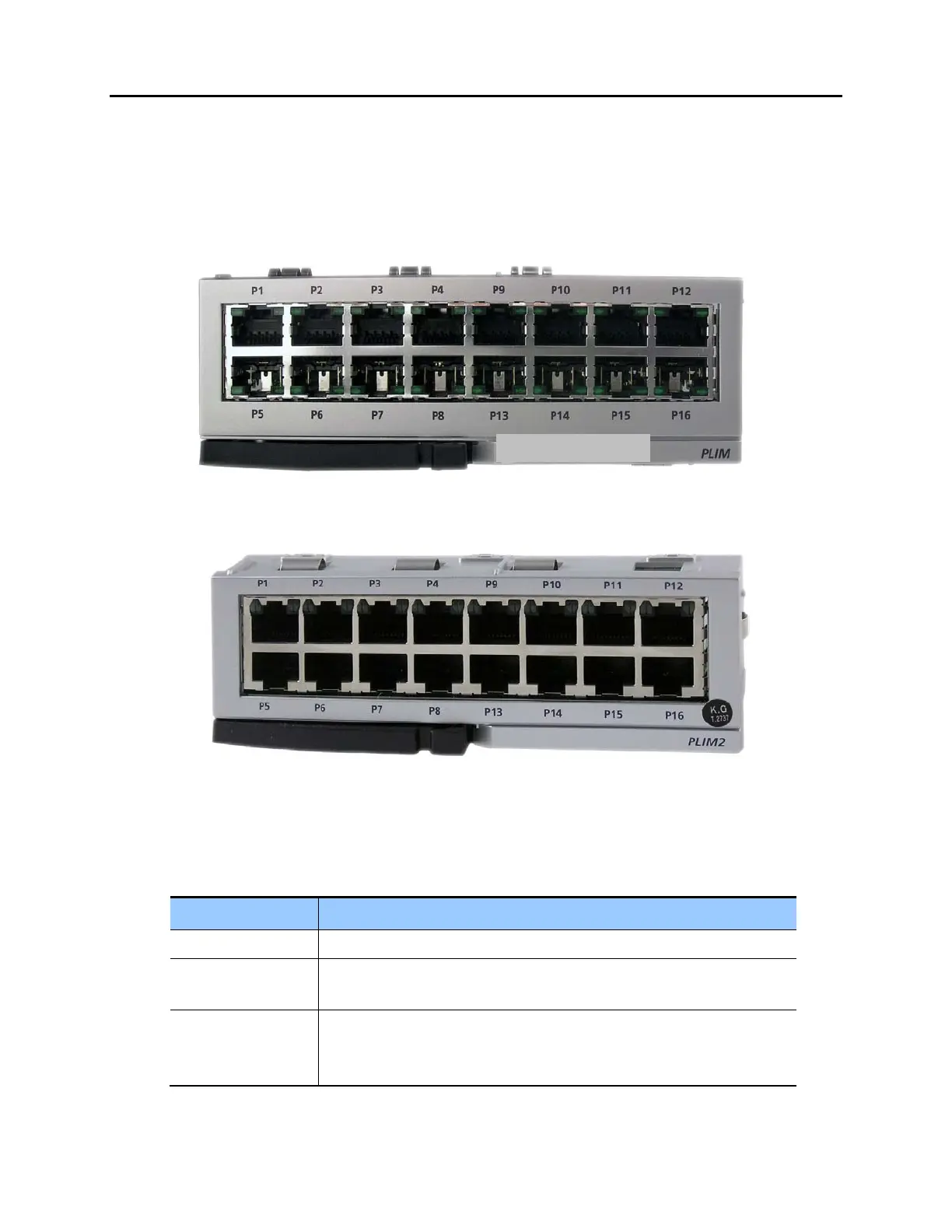
The PLIM/PLIM2 provides 16 ports of 10/100 Base-T.
FRONT VIEW OF PLIM/PLIM2
The front view of the PLIM/PLIM2 is shown below.
Figure 3.39 Front View of the PLIM
Figure 3.40 Front View of the PLIM2
The front panel components of the PLIM and PLIM2 have the functions below:
Table 3.16 Ports and LEDs of the PLIM
Ports & LEDs Function Description
P1~P16 RJ-45 (10/100 Base-T) LAN ports (Full Duplex).
Left LED of each port The LED ON indicates if the link is operating.
- Blink: The link is transmitting/receiving data packets.
Right LED of each
port
The LED indicates if the port of 10 Base-T/100 Base-Tx is operating.
- Off: The port is operating as 10 Base-T port.
- On: The port is operating as 100 Base-T port.















 To Next Page