OfficeServ 7400 INSTALLATION
TECHNICAL MANUAL PART 3 MAY 2010
3.7
3.2.2 Installing MP40 and LP40
Install the LP40 into slot 0 of the main cabinet and each expansion cabinet (if the expansion
cabinet is an OS7200 cabinet, then install an LCP card into slot 0). Install the MP40 in slot 3 of
the MAIN cabinet.
Table 3.2 Types of Control Boards
Control Board Applicable Slot
MP40 Slot 3 of the main Cabinet
LP40 Slot 0 of each OS7400 cabinet (main and OS7400 expansion cabinets)
OS7200 LCP Slot 0 of OS7200 expansion cabinets
The procedure for installing the MP40 board and the LP40 board to each slot is as follows:
1) Check the exterior of the MP40 board and the LP40 board for any damage. If damage is
found, do not proceed with installation. Contact Samsung Technical Support.
Power the system OFF when installing or removing boards.
POWER TO THE CABINET MUST BE TURNED OFF. Failure to do so will damage the
card, cabinet and/or corrupt the data moving along the data bus.
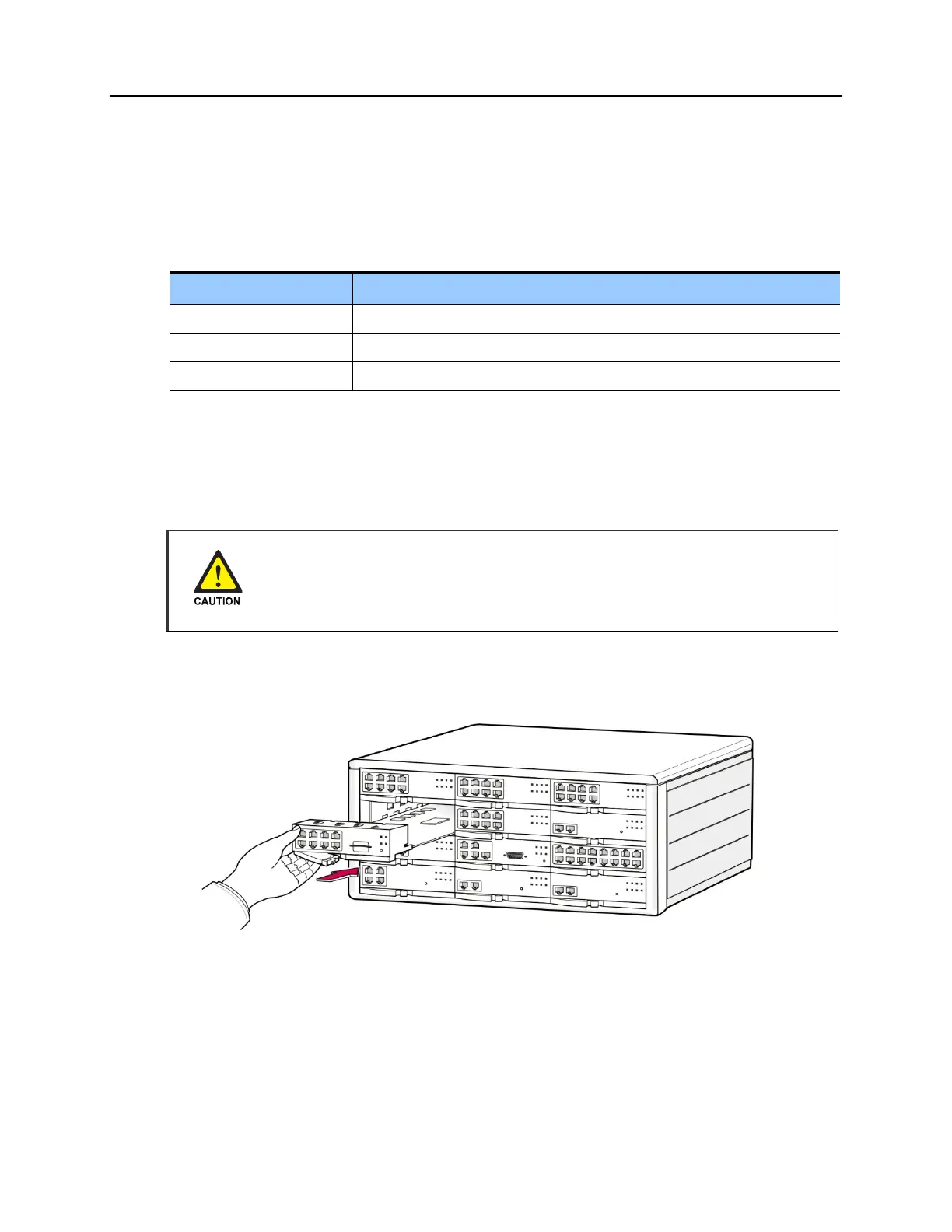
2) Align the MP40 board to the guardrails of the main cabinet slot 3, and slide the MP40 board
into the slot.
Figure 3.5 Installing the Processor Board (1)
3) Push the front panel lever until the board is completely inserted into the OfficeServ 7400
slot 3.















 To Next Page