OfficeServ 7400 INSTALLATION
TECHNICAL MANUAL PART 5 MAY 2010
5.13
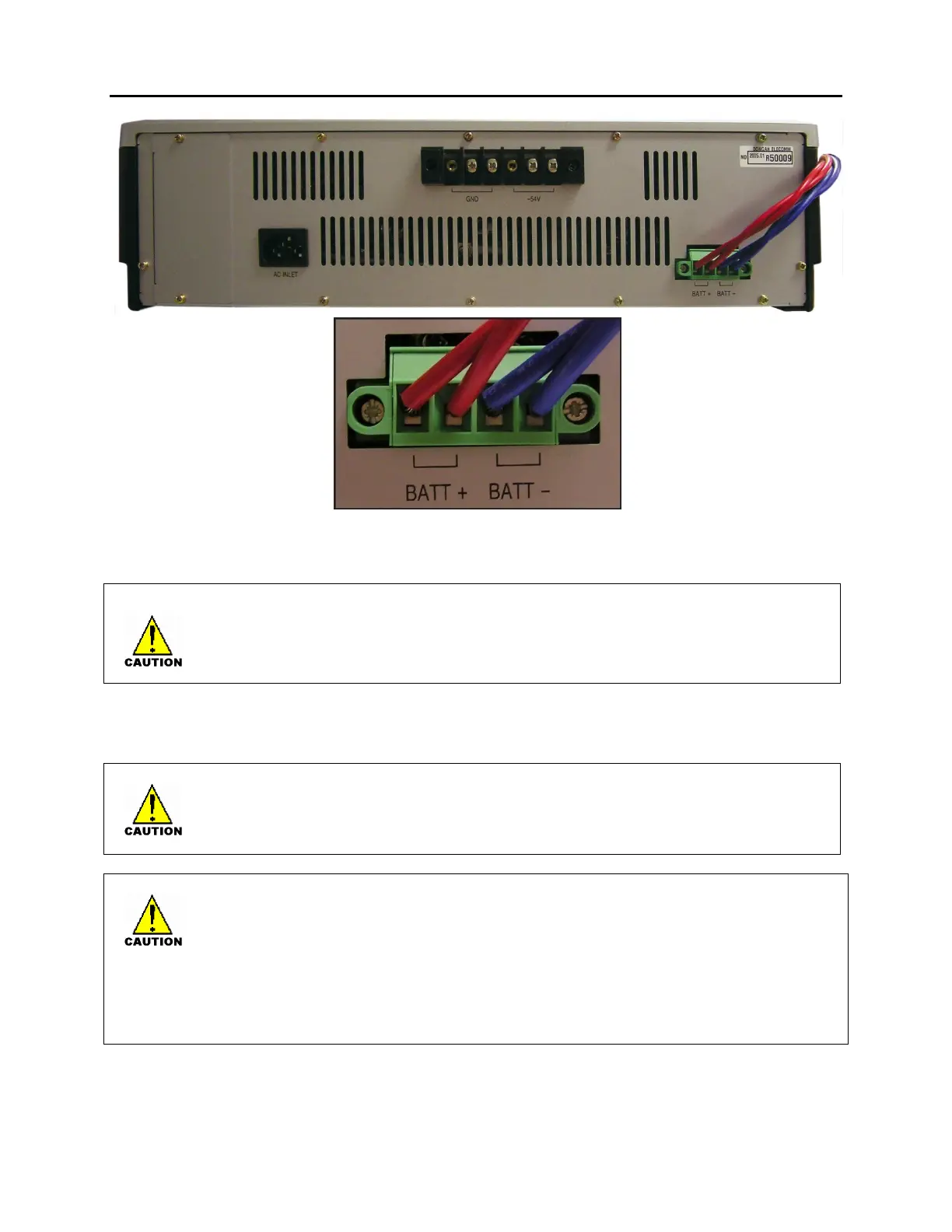
Figure 5.11 Connecting an External Battery
Safety Tips in Connecting External Battery Cable
As OfficeServ 7150 is a high output power supply system, maximum of DC48V 30A may be
flown from the battery. Do not use cables than the one that comes with this product.
Connecting AC Power Source
While input power is normal, AC voltage is fed to the power supply system while charging
an external battery. If input power failure occurs, the power from the battery will maintain
normal operation of the 7150 PSU.
Observe the following safety tips when a power source is connected to the OfficeServ 7150.
As the system supports both AC 110 and 220V, do not change the factory settings set for
your country.
This system shall use an AC outlet exclusively. Do NOT share the AC outlet with other
electric devices. Doing so may cause system malfunction or fire caused by electrical noise
or voltage drop.
Instantaneous power failure may cause system malfunction or battery failure. Therefore
use a stable supply of AC power.















 To Next Page