ENGLISH
ESPAÑOL
1313
Getting to Know Your Camcorder Introducción a la videocámara
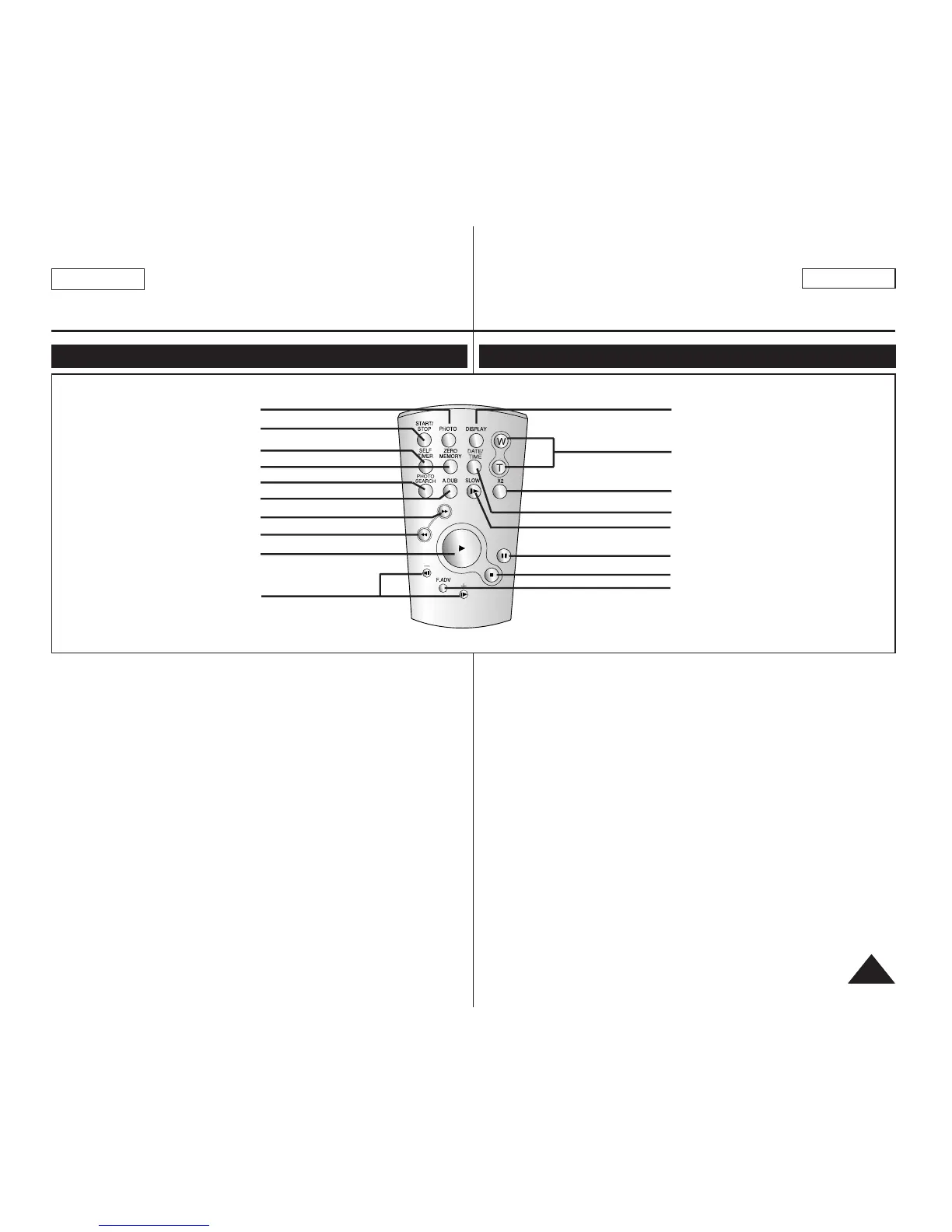
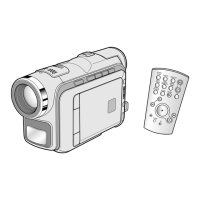
Remote Control (SC-D364/D366 only) Control remoto (sólo SC-D364/D366)
1. PHOTO Button ➥page 57
2. START/STOP Button
3. SELF TIMER Button
➥page 38
4. ZERO MEMORY Button
➥page 37
5. PHOTO SEARCH Button
6. A.DUB Button ➥page 62
7.
√√√√
(FF) Button
8.
œœœœ
(REW) Button
9.
√√
(PLAY) Button
10.
œœ
❙❙ / ❙❙
√√
(Direction) Button
➥page 59
11.F. ADV Button ➥page 60
12. ■ (STOP) Button
13. ❙❙ (STILL) Button
14. SLOW (❙
√√
) Button
15. DATE/TIME Button
16. X2 Button ➥page 60
17. W/T (Zoom) Button
18. DISPLAY Button
1. Botón PHOTO ➥pág. 57
2. Botón START/STOP
3. Botón SELF TIMER
➥pág. 38
4. Botón ZERO MEMORY
➥pág. 37
5. Botón PHOTO SEARCH
6. Botón A.DUB ➥pág. 62
7. Botón
√√√√
(FF) (AV. RÁP.)
8. Botón
œœœœ
(REW) (REB)
9. Botón
√√
(PLAY) (REPR.)
10. Botón
œœ
❙❙ / ❙❙
√√
(Dirección)
➥pág. 59
11. Botón F. ADV ➥pág. 60
12. Botón ■ (STOP) (DETENER)
13. Botón ❙❙ (STILL) (PAUSA)
14. Botón SLOW ( ❙
√√
)
15. Botón DATE/TIME
16. Botón X2 ➥pág. 60
17. Botón W/T (Zoom)
18. Botón DISPLAY
1. PHOTO
2. START/STOP
3. SELF TIMER
4. ZERO MEMORY
5. PHOTO SEARCH
6. A.DUB
7.
√√√√
(FF)
9.
√√
(PLAY)
10.
œœ
❙❙ / ❙❙
√√
(Direction)
18. DISPLAY
17. W/T (Zoom)
16. X2
15. DATE/TIME
14. SLOW(
❙
√√
)
13.
❙❙
(STILL)
11. F. ADV
12. ■ (STOP)
8.
œœœœ
(REW)


 To Next Page