ESPAÑOL
8383
ENGLISH
Digital Still Camera Mode
(SC-D363/D364/D365/D366 only)
Modo de cámara fotográfica digital
(sólo SC-D363/D364/D365/D366)
✤ The Copy to function works only in <M.Player> mode. ➥page 19
✤ You can copy selected or all images stored in the Memory Card to
the built-in memory.
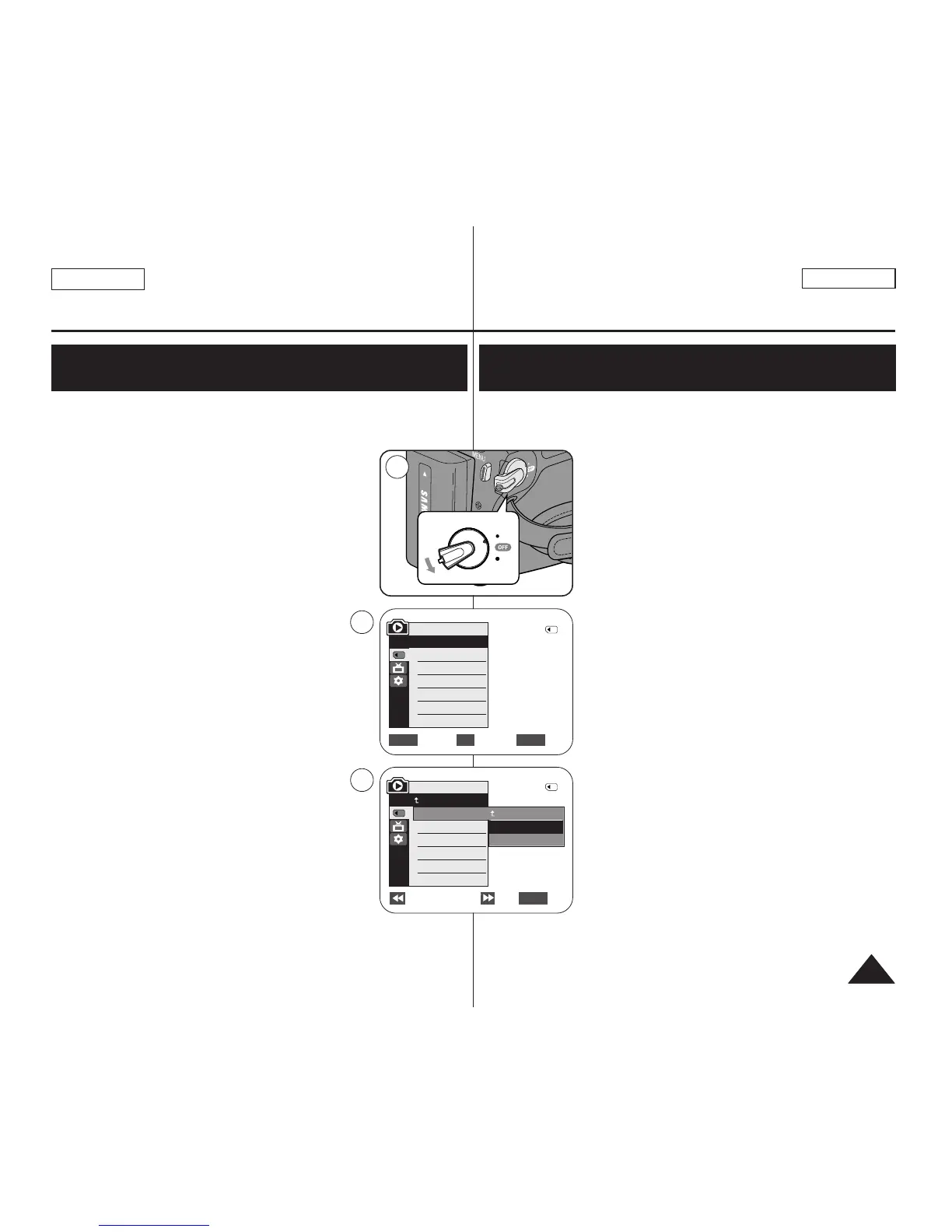
1. Set the [Power] switch to [PLAYER].
2. Set the [Mode] switch to [MEMORY].
3. Press the [MENU] button.
■
The menu list will appear.
4. Move the [Zoom] lever to the up or down to select
<Memory>, then press the [OK] button.
5. Move the [Zoom] lever to the up or down to
select <Copy to>, then press the [OK] button.
6. Move the [Zoom] lever to the up or down to select
options (Back, This File or All Files), then press
[OK] button.
■
To go back to the previous mode, select <Back>.
■
If <This File> or <All Files> is selected,
<Now copying…> is displayed and copying
starts.
7. To exit, press the [MENU] button.
✤ La función de copia sólo está operativa en el modo <M.Player>.
➥pág. 19
✤ Puede copiar las imágenes seleccionadas o todas
las imágenes almacenadas en la tarjeta de
memoria en la memoria interna.
1. Coloque el interruptor [Power] en [PLAYER].
2. Coloque el interruptor [Mode] en [MEMORY].
3. Presione el botón [MENU].
■
Aparecerá la lista de menús.
4. Mueva la palanca [Zoom] arriba o abajo para
seleccionar <Memory> y presione el botón [OK].
5. Mueva la palanca [Zoom] arriba o abajo para
seleccionar <Copy to> y presione el botón [OK].
6. Mueva la palanca [Zoom] arriba o abajo para
seleccionar las opciones (Back, This File o All
Files) y presione el botón [OK].
■
Para volver al modo anterior, seleccione Back
<Back>.
■
Si se selecciona <This File> o <All Files>,
aparece <Now copying…> y se inicia la copia.
7. Para salir, presione el botón [MENU].
Copies Files from the Memory Card to the Built-in
Memory (Copy to) (SC-D366 only)
Copia de archivos desde la tarjeta de memoria a la tarjeta
incorporada (Copy to (Copiar en)) (sólo SC-D366)
√Memory Card
√Photo
√Off
Move Select Exit
MENUOKZOOM
M.Player Mode
√Memory
Memory Type
M.Play Select
Delete
Delete All
Protect
Print Mark
†


 To Next Page