ENGLISH
ESPAÑOL
5757
Advanced Recording Grabación avanzada
Still Image Recording Grabación de imágenes fijas
✤ Still image recording works only in <Camera> mode.
➥page 19
✤ A tape must be inserted as Still Images are recorded on a
tape.
1. Set the [Power] switch to [CAMERA].
2. Set the [Mode] switch to [TAPE].
(SC-D363/D364/D365/D366 only)
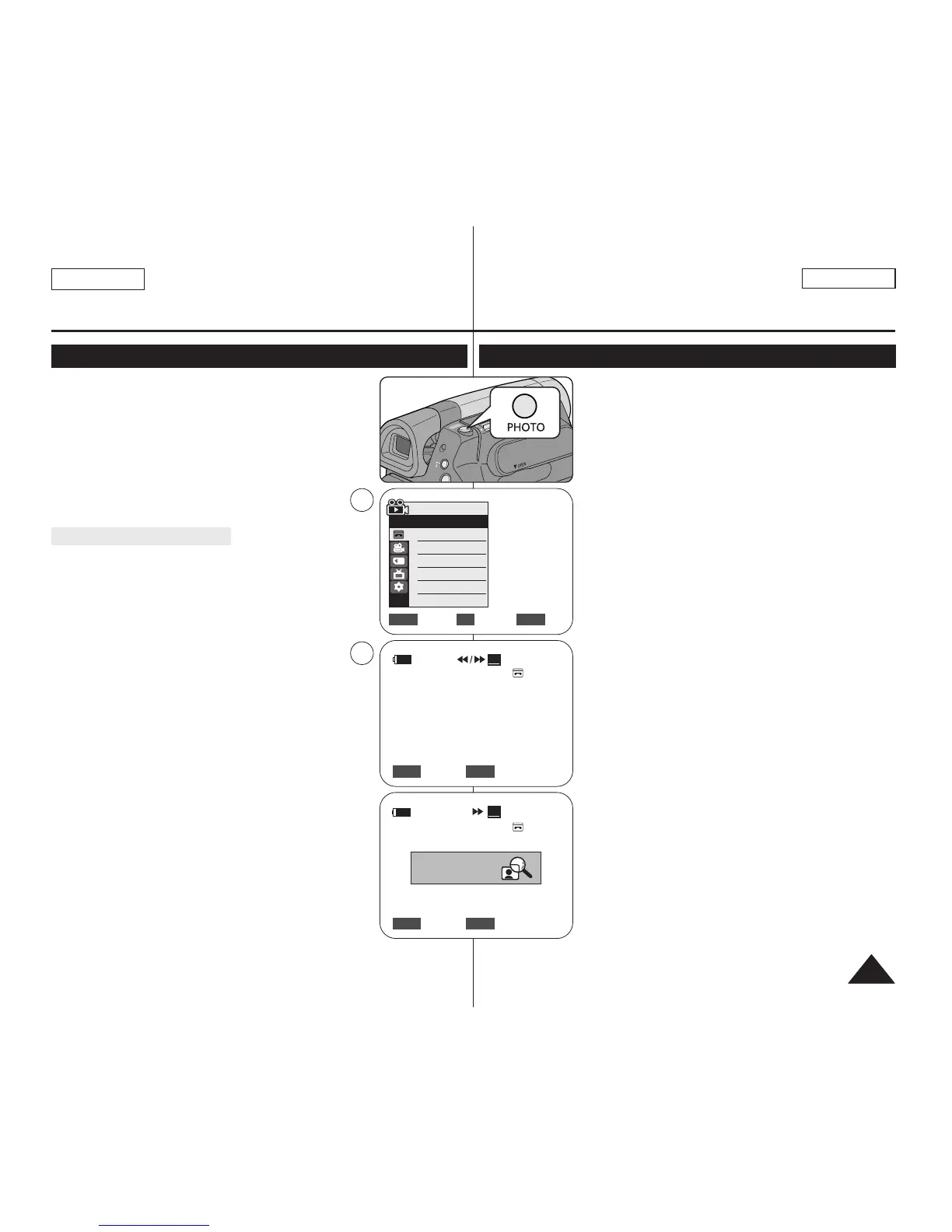
3. Press the [PHOTO] button.
■
The still image is recorded for about 6~7 seconds.
4. After the still image has been recorded, the Camcorder
returns to its previous mode.
Searching for a still image
✤ The Photo Search works only in <Player> mode. ➥page 19
1. Set the [Power] switch to [PLAYER].
2. Set the [Mode] switch to [TAPE].
(SC-D363/D364/D365/D366 only)
3. Press the [MENU] button.
■
The menu list will appear.
4. Move the [Zoom] lever to the up or down to select
<Tape>, then press the [OK] button.
5. Move the [Zoom] lever to the up or down to select
<Photo Search>, then press the [OK] button.
■
œœ /√√ will flash on the LCD.
6. Press the [
œœœœ
/
√√√√
(REW/FF)] buttons to search the still image.
■
The photo search process appears while you are
searching.
■
After completing the search, the Camcorder displays the
still image.
■
When there are no still images recorded on the tape, it will be
fully rewound or forwarded.
7. To exit, press the [■ (STOP)] or [MENU] button.
[ Notes ]
■
Still image recording is not available while recording.
■
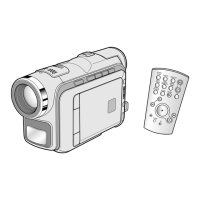
You can use still image recording by using the [PHOTO] button
on the remote control.
Pressing the [PHOTO] button on the
remote control records the still image with automatic
focusing. (SC-D364/D366 only)
■
Still image recording is not available while COLOR NITE or
16:9 Wide is in use.
■
DIS, Digital Zoom, COLOR NITE, Visual Effect are not
available, when still image recording.
■
Still image recording while EASY.Q, DIS or Digital Zoom mode is in
use will release the current mode.
(After a still image is taken, the mode will return automatically.)
✤ La grabación de imágenes fijas sólo está operativa en el modo
<Camera>. ➥pág. 19
✤ Debe tener insertada una al grabar imágenes fijas en una cinta.
1. Coloque el interruptor [Power] en [CAMERA].
2. Coloque el interruptor [Mode] en [TAPE].
(Sólo SC-D363/D364/D365/D366.)
3. Presione el botón [PHOTO].
■
La imagen fija se graba durante aproximadamente 6 y 7
segundos.
4. Tras haber grabado la imagen fotográfica, la videocámara vuelve
a su modo anterior.
Búsqueda de una imagen fija
✤ La búsqueda de foto sólo está disponible en modo <Player>.
➥pág. 19
1. Coloque el interruptor [Power] en [PLAYER].
2. Coloque el interruptor [Mode] en [TAPE].
(Sólo SC-D363/D364/D365/D366.)
3. Presione el botón [MENU].
■
Aparecerá la lista de menús.
4. Mueva la palanca [Zoom] arriba o abajo para seleccionar <Tape>
y presione el botón [OK].
5. Mueva la palanca [Zoom] arriba o abajo para seleccionar <Photo
Search> y presione el botón [OK].
■
Aparecerá œœ/√√ en la pantalla LCD.
6. Presione los botones [
œœœœ
/
√√√√
(REW/FF)] para buscar la imagen
fotográfica.
■
El proceso de búsqueda de foto aparece mientras se busca.
■
Tras finalizar la búsqueda, la videocámara muestra la imagen
fotográfica.
■
Cuando no hay imágenes fijas grabadas en la cinta, se rebobinará
o se pasará completamente.
7. Para salir, presione el botón [■ (STOP)] o [MENU].
[ Notas ]
■
La grabación de imágenes no está disponible al grabar.
■
Puede utilizar la grabación de imágenes fijas utilizando el botón
[PHOTO] del control remoto.
Al pulsar el botón [PHOTO] del mando a distancia se graba la imagen
fija con el enfoque automático. (Sólo SC-D364/D366.)
■
La grabación de imágenes fijas no está disponible mientras se
encuentra en uso COLOR NITE o 16:9 Wide.
■
DIS, Digital Zoom, COLOR NITE, Visual Effect no están disponibles
durante la grabación de imágenes fijas.
■
La grabación de imágenes fijas mientras se esté en el modo EASY.Q,
DIS o Digital Zoom liberará el modo actual. (Tras capturar una imagen
fija, el modo volverá a ajustarse automáticamente en el modo
anterior.)


 To Next Page