ENGLISH
ESPAÑOL
7474
Digital Still Camera Mode
(SC-D363/D364/D365/D366 only)
Modo de cámara fotográfica digital
(sólo SC-D363/D364/D365/D366)
Viewing Photo Images (JPEG) Visionado de imágenes fotográficas (JPEG)
✤ This function works only in <M.Player> mode. ➥page 19
You can play back and view photo images recorded on the Memory Card.
✤ Be sure that the <M.Play Select> is set to <Photo> in the Menu. ➥page 80
1. Set the [Power] switch to [PLAYER].
2. Set the [Mode] switch to [MEMORY].
■
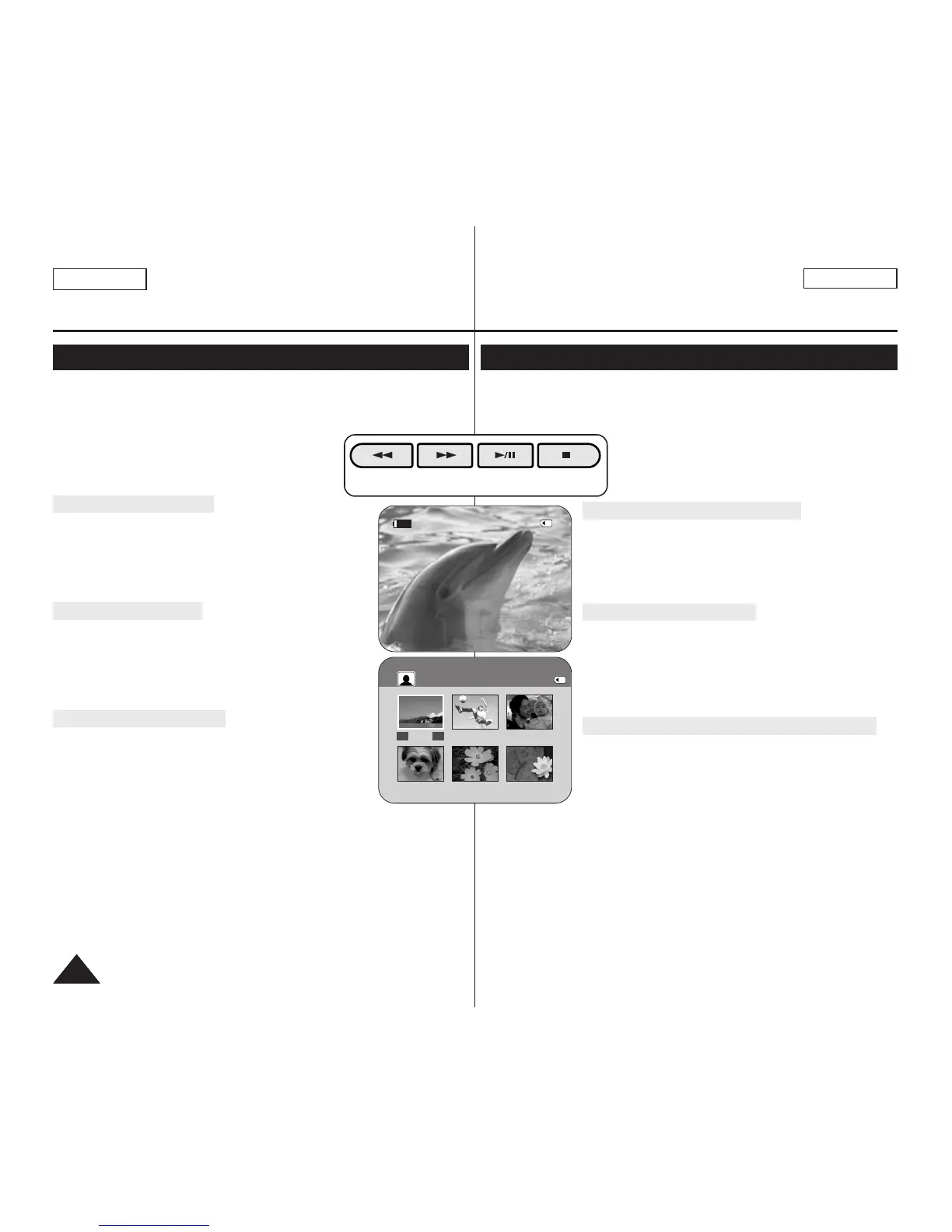
The last recorded image appears. If there are no
recorded images on the Memory Card, <No
image!> is displayed.
To view a Single Image
Using the [
œœœœ
/
√√√√
(REV/FWD)] buttons, search for the desired
photo image.
■
To view the next image: press the [
√√√√
(FWD)] button.
■
To view the previous image: press the [
œœœœ
(REV)] button.
■
Keep pressing [
√√√√
(FWD)] or [
œœœœ
(REV)] to search for
an image quickly.
To view a Slide Show
Press the [
√√
/❙❙ (S.SHOW)] button.
■
All images will be played back consecutively for 2~3
seconds each.
■
The <Slide> is displayed. The Slide Show will start from
the current picture.
To stop the slide show, press the [
√√
/❙❙ (S.SHOW)] button again.
To view the Multi Display
To view six stored images on single screen, press the [■ (MULTI
DISP.)] button.
■
A selection mark [
œœœœ √√√√
] appears under the image.
■
Press the [
œœœœ
/
√√√√
(REV/FWD)] button to select an image.
To return to single playback mode, press the [■ (MULTI DISP.)]
button again.
■
Selected picture is displayed in full screen.
[ Notes ]
■
Any large sized image taken with another device will be displayed as a thumbnail
image.
■
To display the previous six images, press and hold the [
œœœœ
(REV)] button for
about 3 seconds.
■
To display the next six images, press the [
√√√√
(FWD)] button for about 3
seconds.
■
You can access <Delete>, <Delete All>, <Protect> or <Print Mark> functions in
Multi Display view mode, using the [QUICK MENU] button.
✤ Esta función sólo está operativa en el modo <M.Player>. ➥pág. 19
Puede reproducir y ver imágenes fotográficas grabadas en la tarjeta de memoria.
✤ Asegúrese de que <M.Play Select> está definido en <Photo> en el menú. ➥pág.
80
1. Coloque el interruptor [Power] en [PLAYER].
2. Coloque el interruptor [Mode] en [MEMORY].
■
Aparece la última de las imágenes grabadas. Si no
hay imágenes grabadas en la tarjeta de memoria,
aparece <No image!>.
Visionado de imágenes una a una
Busque la imagen que desee presionando los botones [
œœœœ
/
√√√√
(REV/FWD)].
■
Para ver la imagen siguiente: presione el botón [
√√√√
(FWD)].
■
Para ver la imagen anterior: presione el botón [
œœœœ
(REV)].
■
Para buscar una imagen rápidamente mantenga pulsado
[
√√√√
(FWD)] o [
œœœœ
(REV)].
Visionado en presentación
Presione el botón [
√√
/❙❙ (S.SHOW)].
■
Las imágenes pasarán consecutivamente y aparecerán en
la pantalla durante 2 ó 3 segundos cada una.
■
Aparece <Slide>. La Presentación se iniciará a partir de la
imagen actual.
Para detener la presentación, presione de nuevo el botón
[
√√
/❙❙ (S.SHOW)].
Visionado de varias imágenes fijas en pantalla
Para ver seis imágenes almacenadas en una sola pantalla,
presione el botón [■ (MULTI DISP.)].
■
Debajo de la imagen aparece una marca de selección
[
œœœœ √√√√
].
■
Presione el botón [
œœœœ
/
√√√√
(REV/FWD)] para seleccionar
una imagen.
Para regresar al modo de reproducción una a una, presione de nuevo el botón
[■ (MULTI DISP.)].
■
La imagen seleccionada aparece a toda pantalla.
[ Notas ]
■
Cualquier imagen grande tomada con otro dispositivo aparecerá como una imagen
en miniatura.
■
Para ver las seis imágenes anteriores, mantenga pulsado el botón [
œœœœ
(REV)]
durante unos 3 segundos.
■
Para ver las seis imágenes siguientes, mantenga pulsado el botón [
√√√√
(FWD)]
durante unos 3 segundos.
■
Puede acceder a las funciones <Delete>, <Delete All>, <Protect> o <Print Mark>
en el modo de vista de Multipantalla, utilizando el botón [QUICK MENU].


 To Next Page